
Your agent clicked Save. Did the change actually stick?
Check the outcome of a browser action with explicit expectations, bounded waits, and evidence you can inspect.




Why · Quick start · Usage · Architecture · Documentation
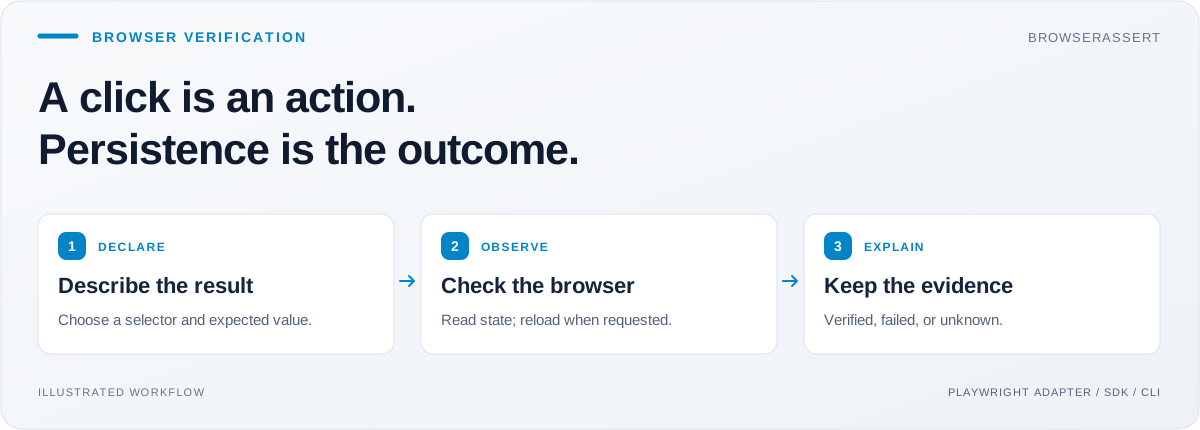
As an AI engineer, I want to separate an agent's claim that a task is done from evidence that the application reached the right state. A successful click is useful information, but the setting might still be unsaved, the session might have expired, or the request might have failed.
I built BrowserAssert to make that final check a reusable part of the workflow. The agent performs an action; a small, explicit contract describes the result we expect; BrowserAssert checks the page and returns the observations behind its verdict.
Example: an agent changes a display name to Alice. BrowserAssert reloads the page when asked, reads the field again, and checks that it still contains Alice.
| Need | BrowserAssert provides |
|---|---|
| Check that a setting persisted | A declared reload followed by a value check |
| Verify a form submission | Checks against a receipt, status, or other explicit page signal |
| Confirm a download completed | Filename and local file-size checks |
| Debug a failed automation | JSON observations, an HTML report, and optional masked screenshots |
| Handle uncertain outcomes | Separate verified, failed, and unknown results |
Useful for browser-agent builders, Playwright automation authors, and QA engineers. You own the browser and the action. BrowserAssert attaches to an existing page.
Requires Node.js 22.18+. No model account or API key is needed.
npm install browserassert-sdk@0.2.1
npx browserassert-sdk demo
The demo checks a simulated edit that disappears after reload. It returns failed and intentionally exits with code 1. For a live browser workflow, clone the example project:
git clone https://github.com/Balaji91221/browserassert.git
cd browserassert
npm ci
npm run build
npx playwright install chromium
node examples/workflow.mjs /tmp/browserassert-demo-001
On Linux, use npx playwright install --with-deps chromium to install Chromium
and its required system libraries.
Use a fresh output directory. The example starts a local fixture app, saves a setting, submits a form, and downloads a file. Expected verdicts:
settings: verified
form:     verified
download: verified
Open /tmp/browserassert-demo-001/report.html to inspect the saved settings check.
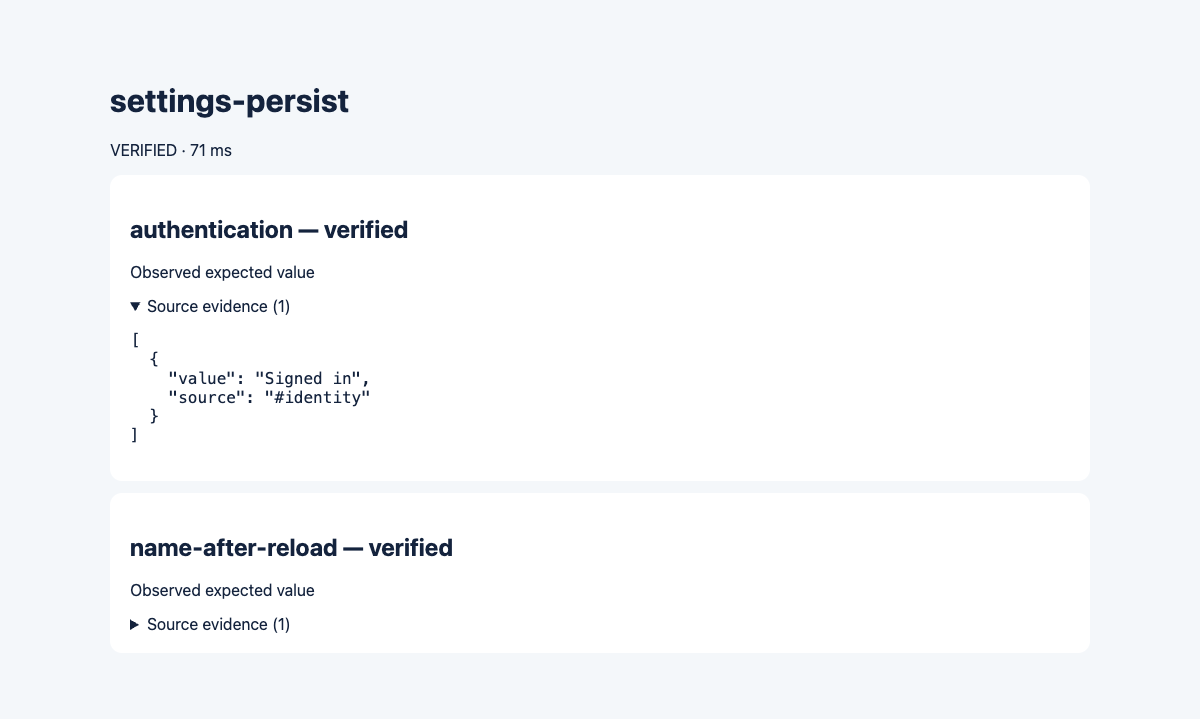
Actual HTML report from the included local fixture. This demonstrates a controlled workflow, not compatibility with every website.
To see a failure, run npm run demo. It simulates a value that disappears after reload and intentionally exits with code 1.
npm install browserassert-sdk@0.2.1
# If your app does not already use Playwright:
npm install playwright
npx playwright install chromium
Import the SDK from browserassert-sdk. The installed CLI is still browserassert. The package includes compiled JavaScript and TypeScript declarations. It uses the Playwright page supplied by your application.
import { PlaywrightAdapter, verify } from 'browserassert-sdk';

// `page` is your existing Playwright Page, after your agent saves the setting.
const result = await verify(
  { selector: '#display-name', expected: 'Alice', reload: true, timeoutMs: 3000 },
  new PlaywrightAdapter(page),
);

console.log(result.verdict);
console.log(result.evidence);
The selector must identify exactly one element. reload: true permits a page reload; omit it for observation-only checks. The verifier never clicks Save or repeats the original action.
| Verdict | Meaning |
|---|---|
verified |
The requested value was observed within the deadline |
failed |
Completed observations did not satisfy the contract |
unknown |
Evidence was incomplete, unavailable, cancelled, or still pending at the deadline |
Use the SDK for live browser checks and the CLI for recorded observations and reports. There is no MCP server in this release. See the usage guide for verification plans, authentication signals, downloads, redaction, and cancellation.
flowchart LR
    A[Your agent or test] -->|performs action| P[Playwright page]
    C[Expected result] --> V[Verifier]
    V --> B[Browser adapter]
    B -->|observe or declared reload| P
    B -->|observations| V
    V --> R[Verdict and evidence]
    R --> O[JSON and HTML bundle]
The verifier owns the decision rules. The adapter reads browser state. The reporting layer turns observations into shareable artifacts.
| Component | Responsibility |
|---|---|
verify / BrowserAdapter |
Validate a contract, poll within a deadline, and classify the evidence |
PlaywrightAdapter |
Read a single matching element and perform a requested reload |
runPlan |
Run multiple checks under one overall deadline and optional authentication gate |
saveBundle |
Save redacted JSON, an HTML report, optional screenshot, and file hashes |
CLI |
Evaluate recordings and generate reports |
Read the architecture guide for the HLD, LLD, contracts, and design tradeoffs.
- Checks are deterministic. No LLM decides whether an outcome is verified.
- A page signal must be chosen for your application; authentication detection is not universal.
- Download checks cover completion, filename, and size, not the meaning of the contents.
- Screenshots are opt-in. Configure redaction and masking for sensitive data before sharing evidence.
| Start here | Go deeper |
|---|---|
| Usage and integration recipes | Architecture: HLD and LLD |
| Implemented features | Contributing |
| Verification and release scope | Security policy |
npm run typecheck
npm run build
npm test
The test suite includes real-browser integration checks; install Chromium as shown above. See CONTRIBUTING.md for the workflow, or open a GitHub issue with a reproducible case.
Released under the MIT License.
Explore more of my work: latest open-source tools · recent projects.