Hello! If you’re enjoying the script and feel like supporting the work that went into it, consider buying me a coffee ☕ https://buymeacoffee.com/core_scripts
Check if a player's name corresponds with their in-game name. Players may have more or less characters in their Fivem name, yet their name should still be in the mix of words. E.G. Name in game "John doe" name required in Fivem "John Doe" or anything in the lines of that e.g. "John Doe/Peter Pan"
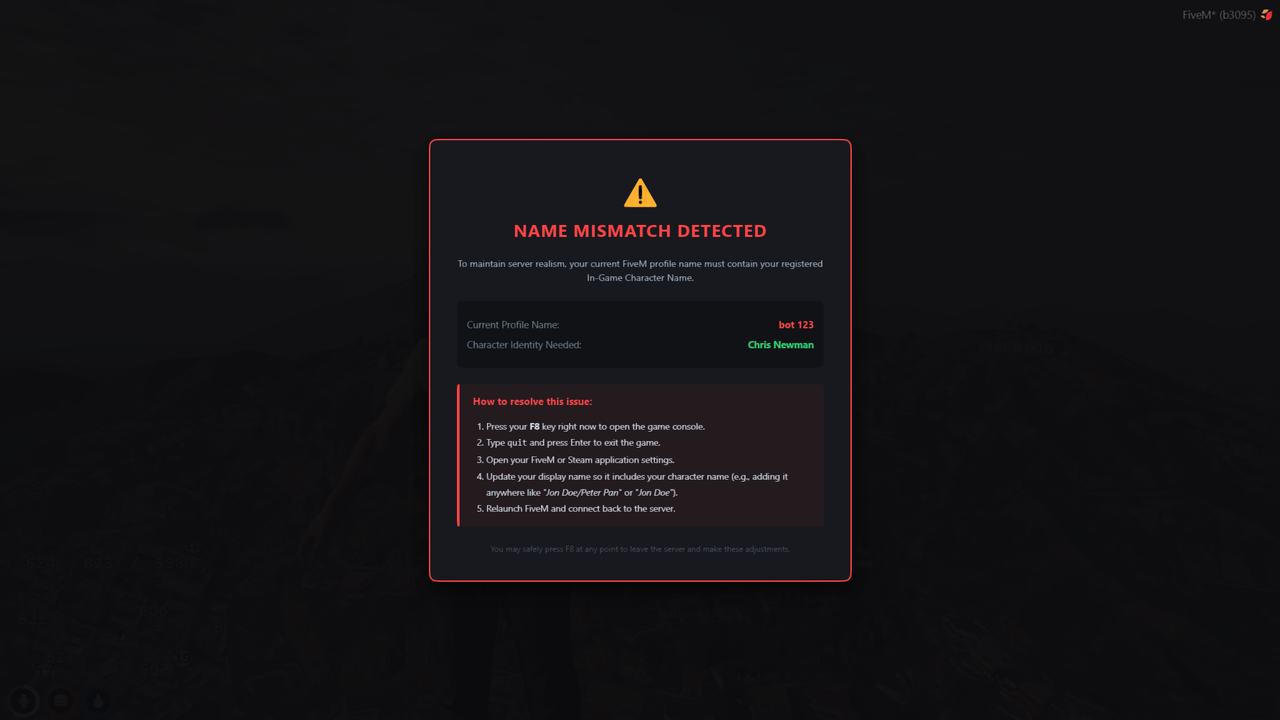
This script works out of the box with both QBCore and Qbox. It checks the player's name as soon as they spawn in (via QBCore:Client:OnPlayerLoaded / qbx_core:client:playerLoaded), with the raw QBCore:Server:PlayerLoaded / qbx_core:server:playerLoaded events as a backup. No extra configuration is needed to pick a framework.
Restarting the resource also re-checks everyone already connected, so you don't need to reconnect to test a change.
This script uses FiveM's native Ace Permissions system to allow staff, server owners, or specific individuals to bypass the name-checking process. This ensures they can use any Steam or FiveM profile name they want without triggering the lockout screen.
Open your server's server.cfg file and add one of the following configurations depending on how your server groups permissions:
If your server already uses native built-in groups like group.admin or group.moderator, you can allow the entire group to bypass the check at once:
# Grant the namecheck bypass permission to default admin groups
add_ace group.admin namecheck.bypass allow
add_ace group.moderator namecheck.bypass allowIf you want to grant a specific person (like yourself or a Co-Owner) the bypass without putting them in a specific staff role group, you can target their Discord or Steam hex license directly:
# Grant bypass directly to specific player identifiers
add_ace identifier.discord:YOUR_DISCORD_ID_HERE namecheck.bypass allow
add_ace identifier.license:YOUR_STEAM_OR_FIVE_M_HEX_HERE namecheck.bypass allowIf you want to build a custom principal group specifically for this script and assign players to it:
# 1. Create and define the bypass permission
add_ace group.namebypass namecheck.bypass allow

# 2. Add players to the group using their identifiers
add_principal identifier.discord:1480973221955375115 group.namebypass
add_principal identifier.license:2d8f9cbe34ef56ba7890c group.namebypass
⚠️ Note for Server Owners: If a staff member is still getting locked out after you added these lines, make sure they have fully restarted their game or that their identifiers match exactly what is tied to their active FiveM/Steam connection.