
Fancy VTK / PyVista scenes that show off VTK capabilities and performance: GPU instancing, composite datasets, PBR, transparency, huge point clouds, live simulations… plus the demo applications built on them (VTK.wasm + WebGPU in the browser with trame, standalone HTML exports, and Dear ImGui).
pip install vtk-demo              # scenes only (vtk, pyvista)
pip install "vtk-demo[trame]"     # + web applications
pip install "vtk-demo[export]"    # + standalone HTML export
pip install "vtk-demo[all]"vtk_demo.scenes is plain VTK and numpy, through VTK's Python friendly API
(keyword constructors, snake_case properties, numpy backed arrays, >>
pipelines). Every build_* function fills a vtkRenderer (actors,
background, camera) and returns a few statistics:
import vtkmodules.vtkInteractionStyle  # noqa: F401
import vtkmodules.vtkRenderingOpenGL2  # noqa: F401
from vtkmodules.vtkRenderingCore import (
    vtkRenderer,
    vtkRenderWindow,
    vtkRenderWindowInteractor,
)

from vtk_demo.scenes import build_glyph_island

renderer = vtkRenderer()
n_actors, n_instances, n_triangles = build_glyph_island(renderer)
window = vtkRenderWindow(size=(1280, 800))
window.AddRenderer(renderer)
interactor = vtkRenderWindowInteractor(render_window=window)
interactor.Start()
PyVista only comes in with the applications, through a small adapter that builds a scene into a plotter and keeps the scene's camera:
import pyvista as pv
from vtk_demo.pyvista_adapter import add_scene
from vtk_demo.scenes import build_glyph_island

plotter = pv.Plotter()
n_actors, n_instances, n_triangles = add_scene(plotter, build_glyph_island)
plotter.show()| Module | What it provides |
|---|---|
scenes.instancing |
InstanceLayer: many copies of one mesh, drawn with a vtkGlyph3DMapper (glyph_actor), one actor per copy (instance_actors) or baked into one mesh (bake_layer) |
scenes.composite |
composite_actor, scattered_collection, partitioned_collection: many meshes in one vtkCompositePolyDataMapper actor |
scenes.island |
The 43k object voxel island, drawn four ways: build_glyph_island, build_actor_island, build_archipelago, build_partitioned_island |
scenes.pbr |
build_pbr_scene: PBR materials and image based lighting |
scenes.transparency |
build_transparency_scene: depth peeling stress test |
scenes.galaxy |
build_galaxy_scene: tens of millions of points |
scenes.wave |
WaveSurface, build_wave_scene: a mesh updated live by a simulation |
scenes.isosurface |
Isosurface, build_isosurface_scene: live vtkFlyingEdges3D contour |
scenes.bunny |
build_bunny_scene |
scenes.benchmark |
build_sphere_mesh, build_sphere_actors: synthetic throughput scenes |
scenes.primitives |
Shapes (cube, cylinder, cone, arrow, icosphere, super_ellipsoid, trefoil) and textures (stone_tiles_texture, image_texture) |
scenes.core |
VTK and numpy helpers: mesh_actor, make_property, rgb, lookup_table, vtk_points, transformed, set_camera… |
scenes.datasets |
bunny, lucy, head, sky_box: example data, downloaded once to ~/.cache/vtk-demo (or $VTK_DEMO_DATA) |
vtk-demo list
vtk-demo run trame.glyph            # VTK.wasm on WebGL 2
vtk-demo run trame.glyph --webgpu   # WebGPU in the browser and on the server
vtk-demo run trame.galaxy --help
Without installing anything, uv can run any demo
against a VTK of your choice, here a nightly from
wheels.vtk.org (-p 0 picks a free port):
uvx --with "vtk>9.7.1" --pre --index-url https://wheels.vtk.org "vtk-demo[trame]" run trame.animation -p 0Demos are grouped by UI toolkit, under vtk_demo.apps:
- trame:
contour,galaxy,animation,pbr,pbr-legacy,transparency,glyph - export:
bunny-html, a self-contained VTK.wasm HTML page - imgui:
contour, the trame contour demo as a native desktop window
Every demo is also a runnable module, e.g. python -m vtk_demo.apps.trame.glyph.
The SimpleViewer based trame demos report first frame and interaction times:
see vtk_demo/apps/trame/observability.py (--obs-log, --obs-verbose, --no-hud).
Each demo with its default options, VTK.wasm (or vtk.js) on WebGL 2 in Chrome:
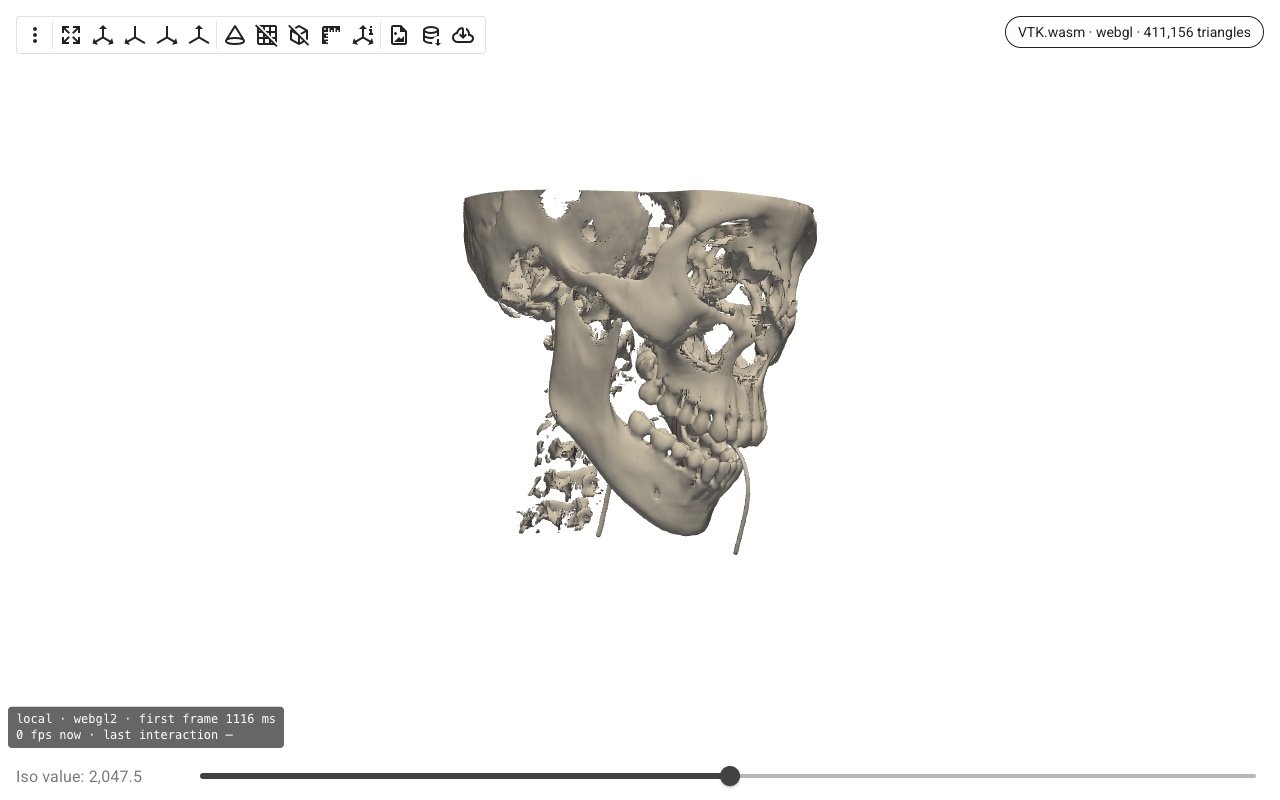
trame.contour: isosurface of a CT scan, filtered on the server |
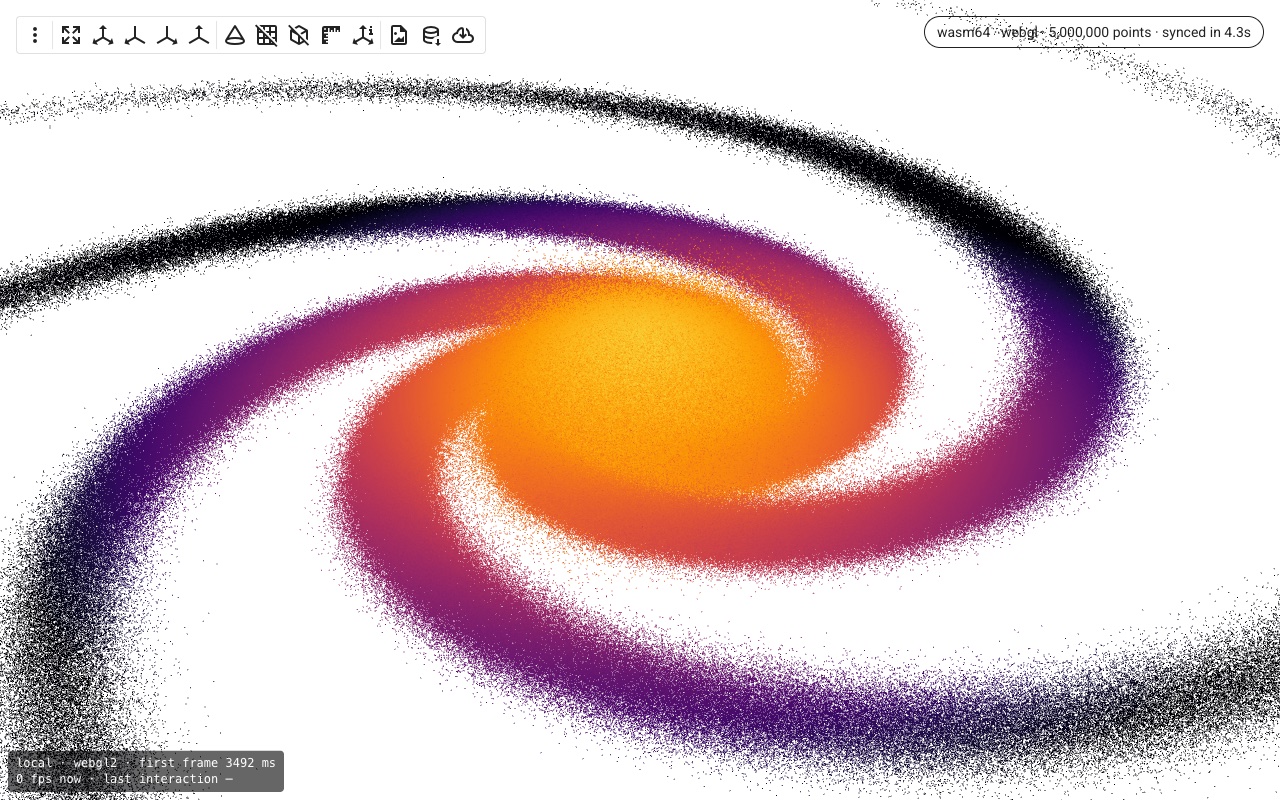
trame.galaxy: millions of points with VTK.wasm 64-bit |
 |
 |
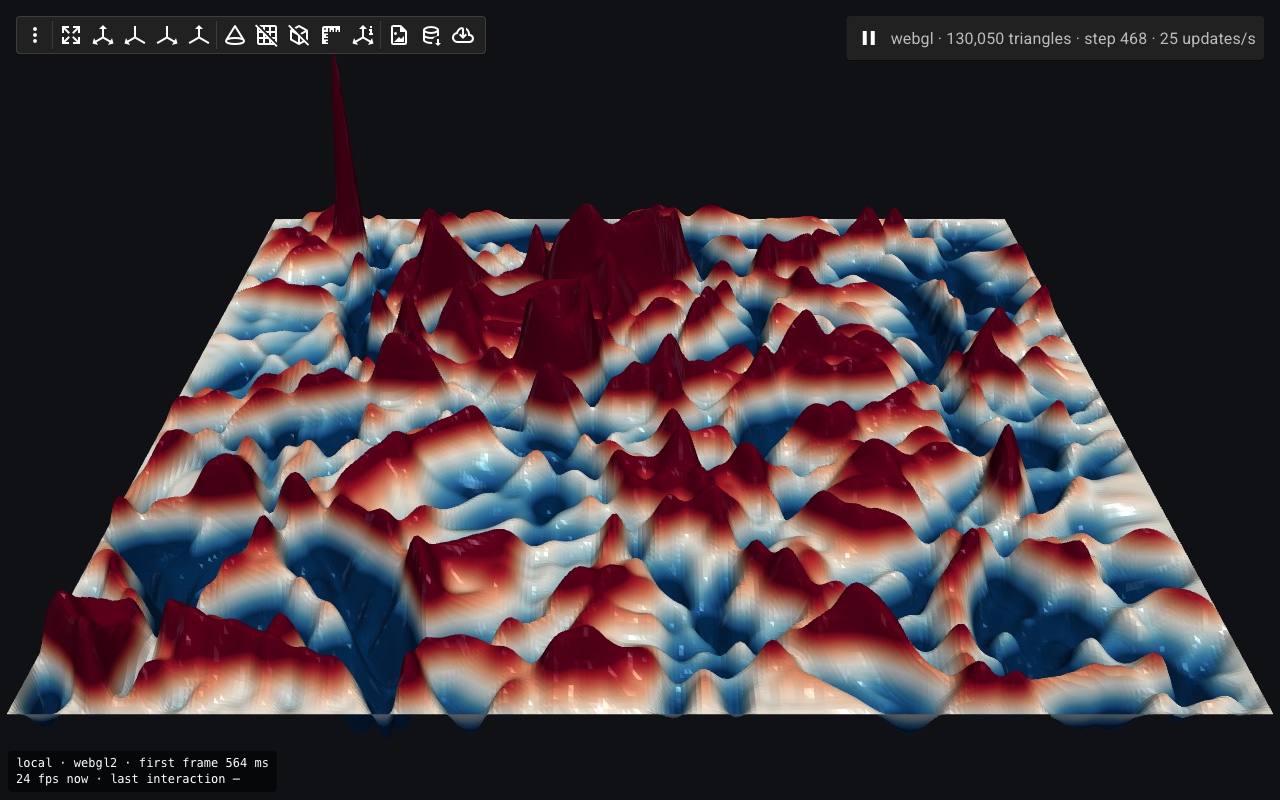
trame.animation: wave equation stepped in numpy, streamed live |
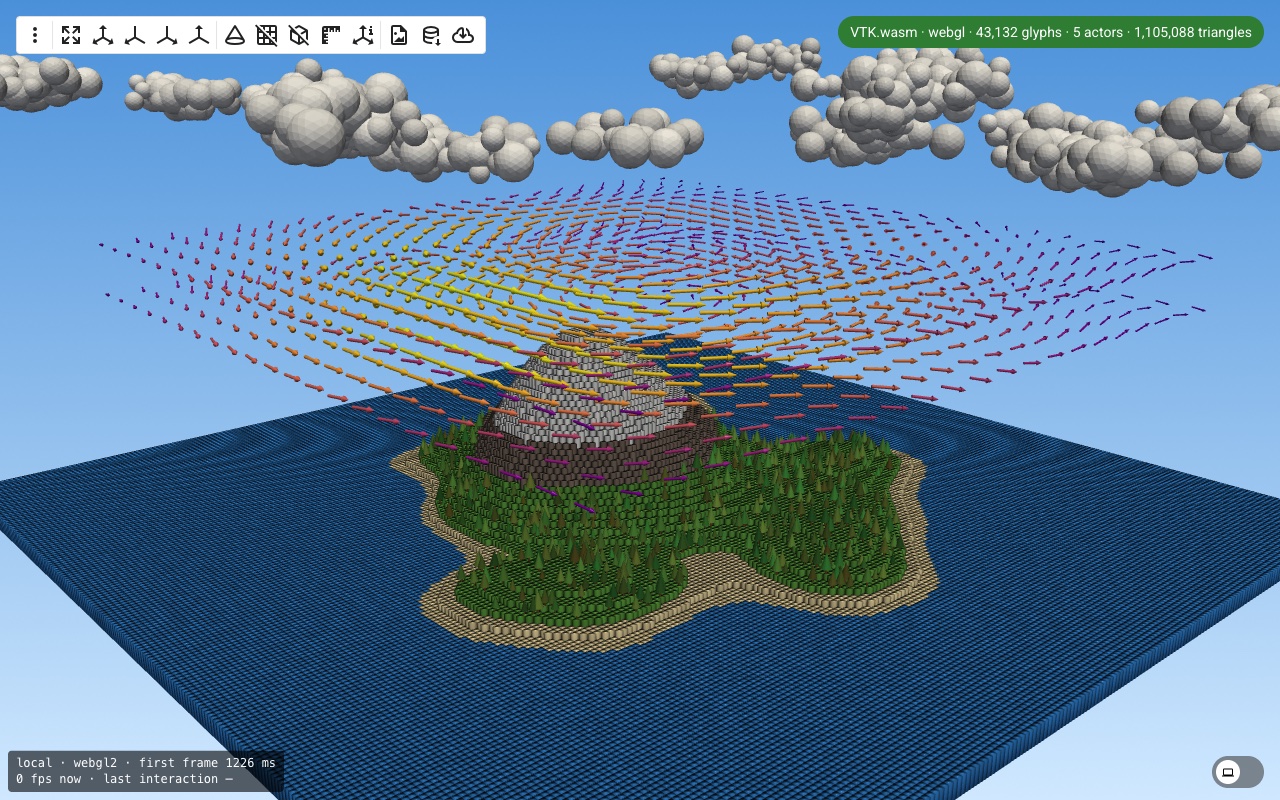
trame.glyph: 43k object voxel island, GPU instancing |
 |
 |
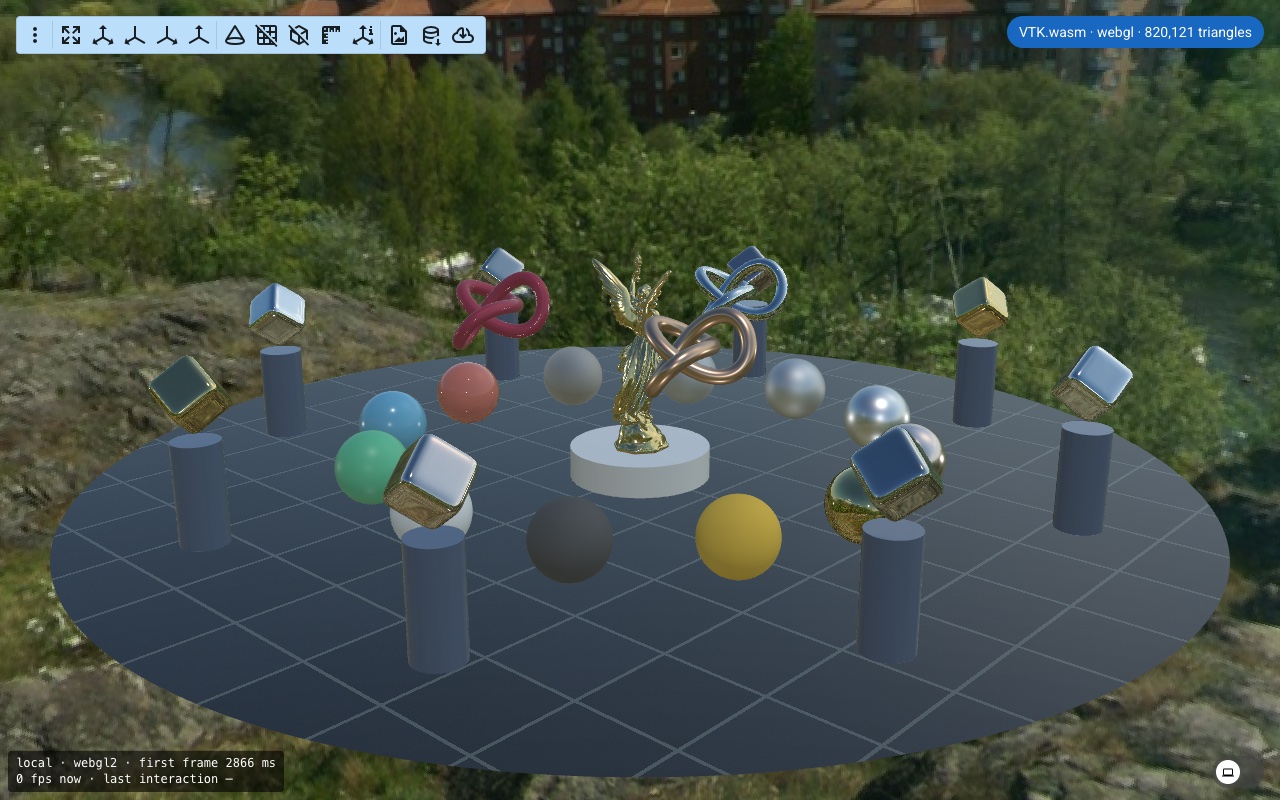
trame.pbr: PBR materials and image based lighting |
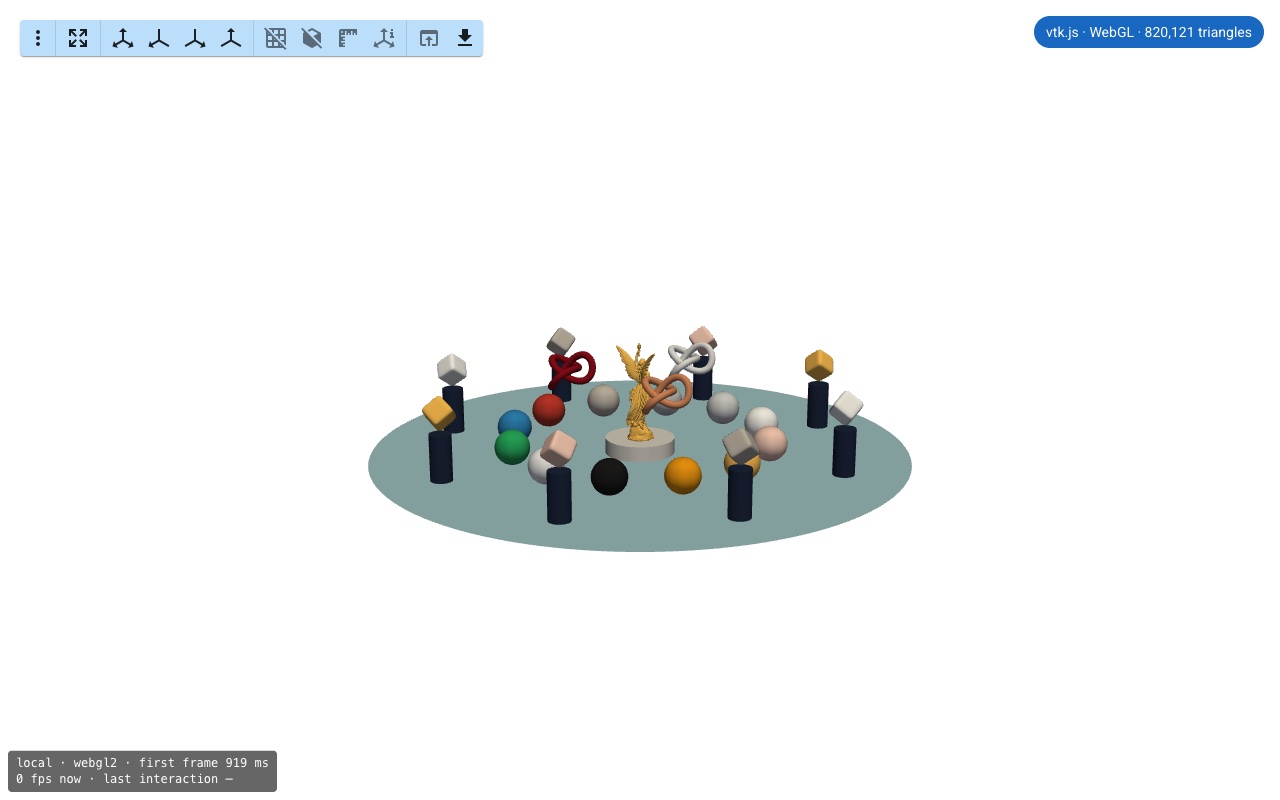
trame.pbr-legacy: the same scene with vtk.js |
 |
 |
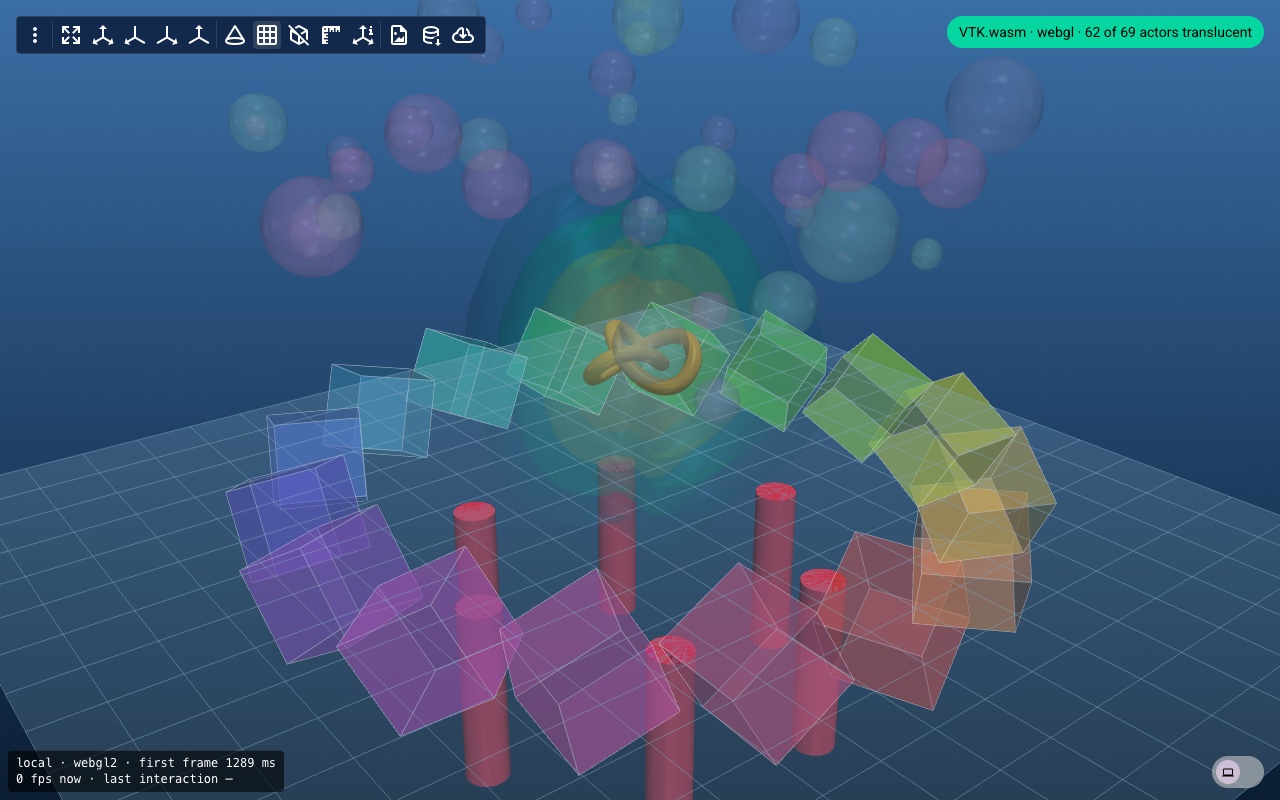
trame.transparency: depth peeling stress test |
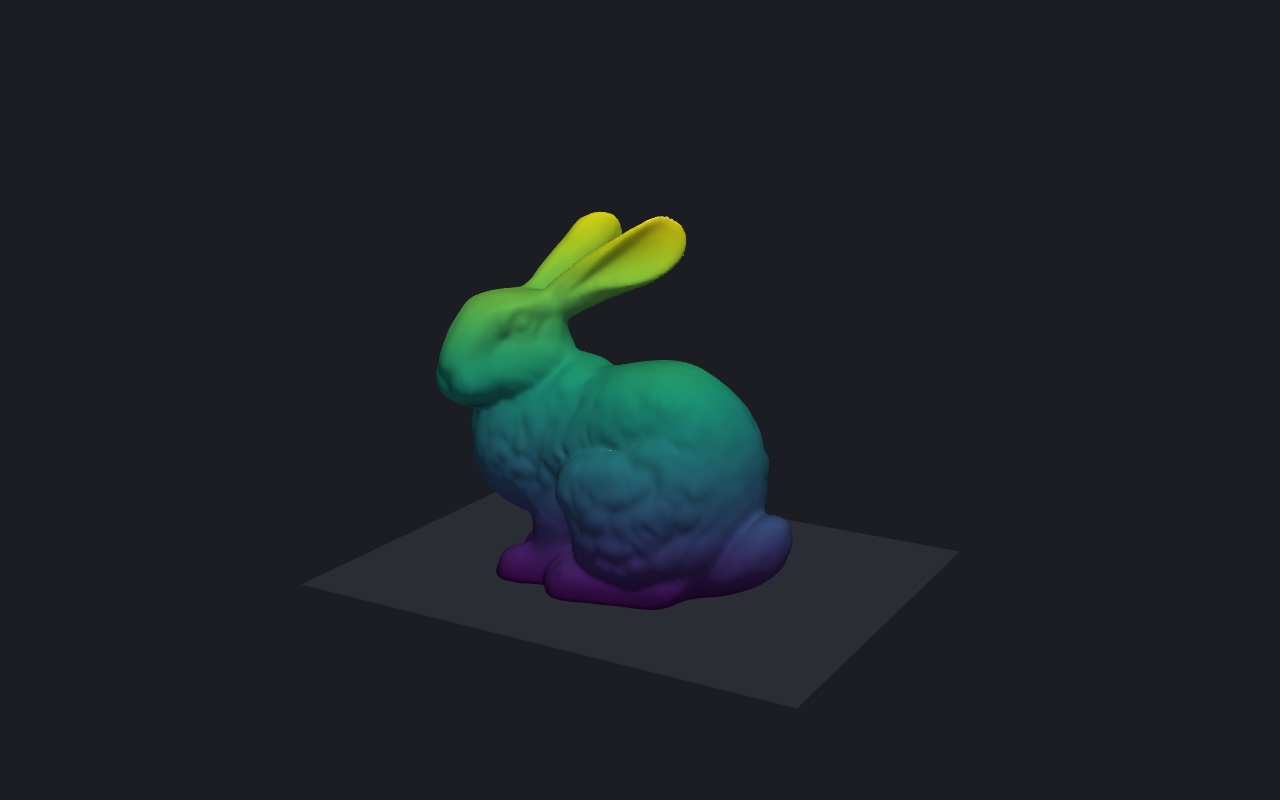
export.bunny-html: self-contained HTML page, no server |
 |
 |
--webgpualso asks the server to render with WebGPU, which needs a VTK built withVTK_ENABLE_WEBGPU=ON; otherwise the server falls back to OpenGL, as shown in the chip when rendering remotely.- VTK's WebGPU backend has no PBR shaders yet:
pbr --webgpuis Phong shaded. - The uv setup (
uv sync, nox, CI) pins a VTK nightly from wheels.vtk.org ([tool.uv]inpyproject.toml): with VTK 9.7.1, VTK.wasm keeps drawing the first frame oftrame.animation.pip install vtk-demouses the latest VTK release instead; to get a nightly with pip:pip install --pre --extra-index-url https://wheels.vtk.org "vtk>9.7.1".
See CONTRIBUTING.md for the development setup, how to add a demo and how releases are made.