
Why this fork | What's new | New ways to see your library | Screenshots | Features | Changelog | Download
This is a modified fork of ollm/OpenComic by Oleguer Llopart, maintained at RishithSahu/OpenComic. All of upstream's reader is here; this fork adds a manga-aware library on top of it and puts a lot of work into making the app start and turn pages faster. Upstream is excellent — if you want plain OpenComic, get it from there.
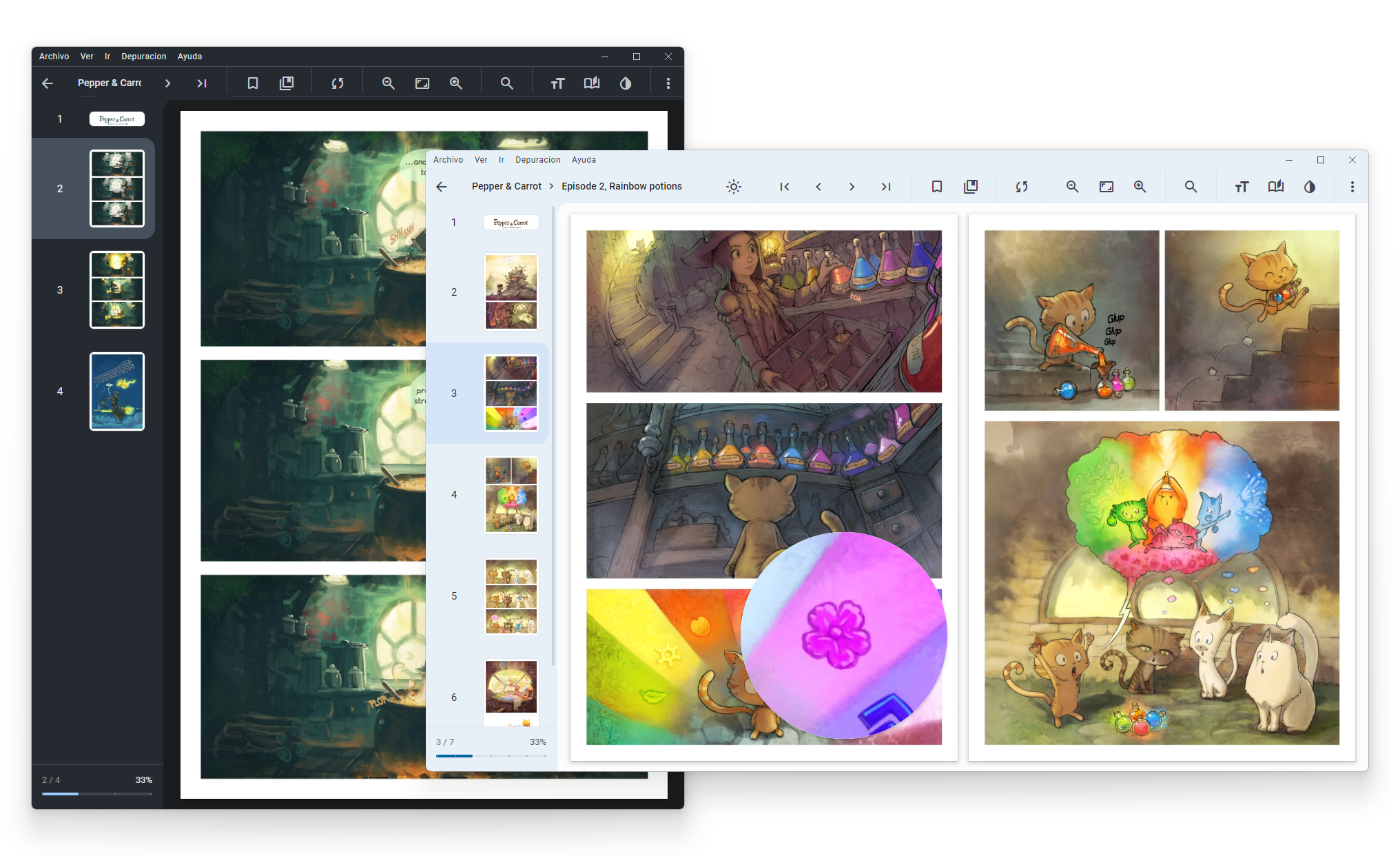
More Screenshots 📸
Upstream OpenComic is a great general-purpose comic reader. This fork is aimed at people with a large, messy manga/manhwa library who want it to organise and read itself sensibly:
- It knows what you are reading. Series metadata is scraped from AniList per folder, so your library shows real titles, authors, genres and ratings instead of directory names.
- It picks the right reading mode for you. A series AniList reports as
mangaopens in double page, right-to-left.manhwaandmanhuaopen in webtoon/scroll. Set a mode by hand and that choice wins and is remembered — per series, not globally. - It helps you decide what to read next. Continue reading, Recommended for you and Recently added rows on the home screen, with thumbs up/down feedback that actually changes what you get shown.
- It finds things.
genre:action series:manhwa rating>75 -completedworks, and searches can be saved. - It got a lot faster. See Performance — the numbers are measured, not estimated.
Roughly 160 fork changes across v1.7.0 → v1.8.3. The highlights:
- Series Relationship Explorer — an interactive flowchart of a series' prequels, sequels, spin-offs and adaptations, opening straight into your local files
- Library Constellation — the whole library as an interactive, night-sky-styled star map, distance driven by genre similarity
- Library Weather — a five-number "weather report" dashboard for your reading habits
- Automatic AniList metadata per series folder: title, author, genres, demographic, serialization year, rating and description, with backfill for entries scraped before newer fields existed
- Automatic reading mode per series, driven by the AniList format — and per-series reading configuration, so each title keeps its own layout instead of sharing one global setting
- Genre filter menu in Library and Recently opened
- Rename titles from the right-click menu (display name only — files on disk are never touched)
- Continue reading, Recommended for you and Recently added rows with cover art and metadata
- Thumbs up/down recommendation feedback with anti-repeat rotation and fairness weighting, plus an optional ranking sidebar combining the AniList score with your own likes and dislikes
- AniList "Trending Now" / "Popular" rows on the Catalogs page, so it pulls its weight for a manga-focused library instead of only listing upstream's general-fiction catalogs. Loaded and refreshed only when the page is opened, cached locally, and never touches startup time
- Power search syntax with field filters, comparisons and negation (full grammar below)
- Saved searches, recallable in one click
- Debounced search, so typing no longer freezes on a large library
See Performance for the measurements.
- "Clear temporary files" no longer wipes your library, tracking, reading progress and bookmarks — it also asks for confirmation first, which it previously did not
- Fixed opened files showing only their first page until their cache was cleared by hand
- Fixed EPUB pagination getting permanently stuck on the loading screen
- Fixed looping and jumping back to the top during continuous scroll reading
- Fixed corrupted thumbnails being retried forever, pinning a CPU core
- Fixed the library search hanging indefinitely on an unreadable folder
- Every AI tool (Artifact Removal, Descreen, Upscale) now works on PDFs, at the right resolution, without leaking blob memory or flickering on every page turn
- Fixed a crash opening CBZ archives packed as a wrapping folder (common in omnibus/scanlation releases), and their library thumbnails never appearing
- Fixed a hang and slower startup introduced by an in-progress performance experiment
- Fixed the header bar's icon row (sort, zoom, filters, bookmarks) disappearing for a long comic/folder title
- Fixed a manga never appearing in Continue reading despite being read repeatedly, when AniList couldn't match its title — actual reading progress is now enough on its own
- Fixed browsing into a folder holding a single archive jumping straight into the reader instead of showing that folder
- Fixed zoom resetting on every chapter change in webtoon/scroll view even with "keep zoom" enabled
- Fixed a brief blank flash on every page turn, and stutter while scrolling fast through webtoons
- Interactive in-app tutorial that walks through the real UI using the bundled Pepper & Carrot sample
- Guides available offline from Help ▸ Guides
- Right-click to delete custom catalog tabs
- Windows installers no longer fail to start with
Could not load the "sharp" module
A library, a series and your reading habits are each interesting in their own way that a plain grid and a plain list can't really show. Three new pages, each built around one specific question:
Right-click any series → View relationships. Instead of a wall of text, prequels, sequels, spin-offs, side stories and adaptations are laid out as a small flowchart: the adaptation (anime, if one exists) sits above the series itself, prequel → this series → sequel run left to right through the middle, and spin-offs / side stories sit below.
Every node is resolved to your own library first — by the same tracking ID (AniList/MyAnimeList) if the related title is already tracked, and by fuzzy title match otherwise, using the same matching OpenComic already uses when it scrapes a folder's metadata in the first place. Click a node that resolved locally and it opens that series' actual files immediately — no searching, no guessing which folder it lives in. A relation that doesn't resolve locally (an anime adaptation, which naturally never has local files in a manga reader, or a prequel nobody's added yet) still shows in the diagram — click it and it opens that title's AniList or MyAnimeList page in your browser instead, so "nothing to click" never means "no information at all."
A visual map of the entire library, styled as a real night sky rather than a generic node-link diagram: a deep-space background regardless of your active theme, a decorative starfield, and every series drawn as a small glowing star. Distance between two stars is genre similarity — series that actually share several genres end up visibly close together, unrelated ones drift apart — computed once as a physics simulation when the page opens, not live every frame.
Genre similarity here is weighted, not a plain shared-tag count: a genre practically every series in your library has (Action, Comedy, Fantasy…) barely pulls two stars together, while a genre only a handful of series share (Cooking, Mecha, Isekai…) pulls hard — the same idea as TF-IDF weighting in search. Without that weighting, a real library's genre distribution collapses the whole map into one dense, illegible ball, since almost every pair of series shares something common. Distinctive clusters of stars get their own nebula — a soft, genre-tinted glow with the genre's name — so a region of the sky reads as "this is where the Isekai titles are" at a glance, without a label covering half the map for genres too common to mean anything as a cluster.
Scroll to zoom (anchored to your cursor, not the middle of the screen), drag to pan, and click any star to jump straight into that series.
A small, deliberately unserious dashboard, not another analytics page: unfinished series, series you completed this month, series you're actively reading (touched in the last two weeks), series untouched for over a year, and folders still missing a confirmed metadata match. Every number comes straight from data OpenComic already stores locally — your real reading progress, not a separate tracked-in-parallel counter that can quietly drift out of sync with it — so opening the page costs nothing extra and the numbers are always current.
It's not trying to be a serious analytics suite. It's a "weather report" for a library that can easily have hundreds of series in it: five honest numbers, presented for a moment's reaction ("oh, I really should get back to that one") rather than a dashboard to study.
Measured on the same machine, warm, against a packaged build — your numbers will differ with library size, disk and display.
| Area | Before | After |
|---|---|---|
Startup to dom-ready (packaged x64) |
5.5–8.0s | ~0.65s |
| CBZ archive listing (279MB, 192 pages) | 420ms | 23ms |
| Single page out of that CBZ | 126ms | 14ms |
| Library render (234 folders) | ~1,872 blocking filesystem calls, ~82ms | 468 first render, 0 on re-render, ~8ms |
What changed, in short:
- The renderer used to
requireits entire module graph — sharp, the AI runtime, epubjs, the whole remote-server stack — before the document was even parsed. Only what is needed to paint the library loads up front now; the rest is pulled in lazily and warmed during idle time. - CBZ archives are read in-process instead of spawning a
7zsubprocess per operation. A CBZ is a ZIP, so a page is a plain byte range. Any failure falls back to the original 7-Zip path, so CBR/CB7/RAR are untouched. - The library page stopped rebuilding itself every few seconds during metadata scraping, and stopped
building its recommendation candidate list four separate times per render. Each build ran a blocking
existsSync+statSyncper tracked folder — 234 folders × 2 calls × 4 builds — so building it once removes three quarters of that outright, and the folder timestamps are then cached for two minutes, which takes a re-render inside that window down to none at all. - PDF prefetching no longer queues 20 pages per turn while keeping only 3–4 rendered pages alive, which meant most of that rasterisation was evicted before it could be shown and had to be redone.
- The rendered-page cache is budgeted in bytes rather than page count, so a zoomed page on a HiDPI display can no longer quietly hold hundreds of megabytes.
Not everything tried made the cut — a page scheduler and a direct archive-to-Sharp streaming path were built, measured, found to be within noise, and removed rather than shipped on principle.
Everything below comes from upstream OpenComic and works exactly as it does there.
- 🌄 Support these image formats:
JPG,JP2,JXR,JXL,PNG,APNG,AVIF,HEIC,WEBP,GIF,SVG,BMP,ICO - 📦 Support these compressed formats:
RAR,ZIP,7Z,TAR,LZH,ACE,CBR,CBZ,CBA,CB7,CBT - 📄 Support these document/ebook formats:
PDF,EPUB - 🎵 Support background music from folder:
MP3,M4A,MP4,WEBM,WEBA,OGG,OPUS,WAV,FLAC - ☁️ Server connection support:
smb://,ftp://,ftps://,scp://,sftp://,ssh://,s3://,webdav://,webdavs:// - 📁 Master folders support
- 📚 OPDS support
- 🗂️ Tab support
- 🪟 Multi-window support
- ❤️ Favorite labels
- 🏷️ Custom labels
- 🇯🇵 Manga read mode
- 🇰🇷 Webtoon read mode
- 📖 Double page view
- 🔖 Bookmarks and continue reading
- 🔍 Floating magnifying glass
- 🖱️ Reading in scroll or slide
- ⚪ Adjust the brightness, saturation, contrast, sepia, negative and invert colors
- 🎨 Colorize black and white images
- ✨ AI tools: Artifact Removal, Descreen, and Upscale
- 🔄 Tracking with sites (AniList and MyAnimeList)
- 🎮 Gamepad navigation
- ⌨️ Custom shortcuts and tap zones
- 🔢 Multiple interpolation methods:
lanczos3,lanczos2,mitchell,cubic,linear,nearestand others
The search overlay accepts field filters, for example genre:action series:manhwa rating>75 -completed:
- Text fields —
author:(artist:,creator:),genre:,tag:,label:,title:,name:,path:,status:,type:(kind:),source:,series:(seriestype:),demographic:(demo:),has: - Numeric fields, usable with
:=><>=<=—rating:(score:),year:,progress:,confidence:,time:(readtime:,minutes:) - Keywords —
unread,reading,read/completed,favorite,tracked/untracked,folder,file,compressed - Combine values with
,or|, quote phrases, and negate any term with-or!
Any search can be saved from the overlay and recalled in one click.
You can see the changes between versions in the Changelog 📝
- Windows x64: NSIS installer. The build is unsigned, so Windows SmartScreen will warn the first time you run it — choose More info ▸ Run anyway.
- Linux x64: generic
.7z,.tar.gzand.ziparchives (extract and runopencomic). Distro packages (.deb,.rpm,AppImage) aren't published yet — until then, use one of the archives above or build from source. - macOS: no prebuilt build yet — a signed/notarized
.dmgneeds to be built on macOS itself, which this fork isn't set up to do. Build from source in the meantime.
The links below are upstream OpenComic v1.7.0
and do not include anything described in What's new.
Requirements: Git, Node and NPM
git clone https://github.com/RishithSahu/OpenComic.git
cd OpenComic
npm install
npm startgit pull origin main
npm install
npm run build-<buildType>Available build types:
- Windows:
win(all targets),nsis,portable,folder-portable,appx,dir - Windows Arm:
win-arm - macOS:
mac-dmg,mac-pkg(Both includearm) - Linux
deb,rpm,snap,flatpak,appimage,7z - Linux Arm:
deb-arm,rpm-arm,snap-arm,flatpak-arm,appimage-arm,7z-arm
Now the build files are located in dist folder.
Not exists during build (Linux or macOS) — run npm install --force inside
./build/node-zstd-native-dependencies, then npm install again in the main folder.
Could not load the "sharp" module using the win32-x64 runtime when starting a built app —
npm only installs the sharp binary for the machine's own CPU, and installing another
architecture removes the previous one. A single node_modules is used to build both the x64 and
arm64 installers, so one of them can end up shipping a binary it cannot load. Every Windows build
script already runs this first, but if you invoke electron-builder directly, run it yourself:
npm run sharp-nativeIt installs every sharp architecture for the current OS, at the exact versions sharp itself
declares. Note that a plain npm install afterwards will prune them again, since they are
installed with --no-save.
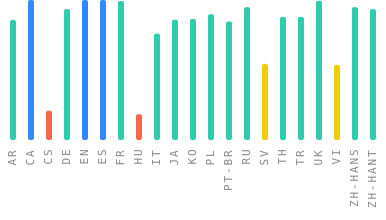
If you want to see OpenComic in your language, please help us to Translate.




This application contains as example the webcomic Pepper&Carrot by David Revoy licensed under the Creative Commons Attribution 4.0 International (CC BY 4.0).
Based on the universe of Hereva created by David Revoy with contributions by Craig Maloney. Corrections by Willem Sonke, Moini, Hali, CGand and Alex Gryson. Translated into Spanish by TheFaico.