
Compile HTML, CSS, SVG, and Canvas into native Minecraft Bedrock JsonUI
Zero-flicker Entity Inventory UI + Pure-Node Compiler & TypeScript Runtime SDK


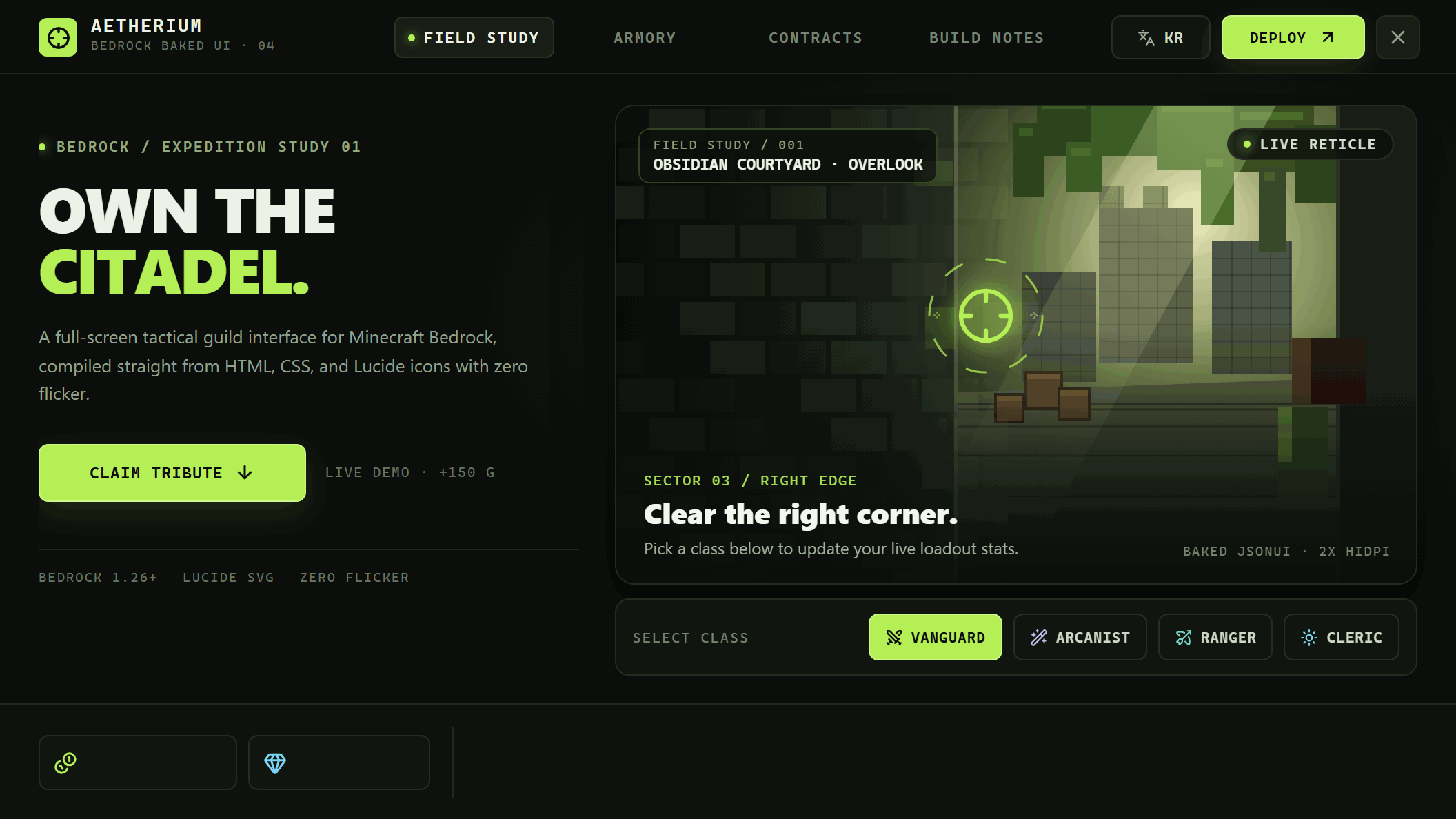
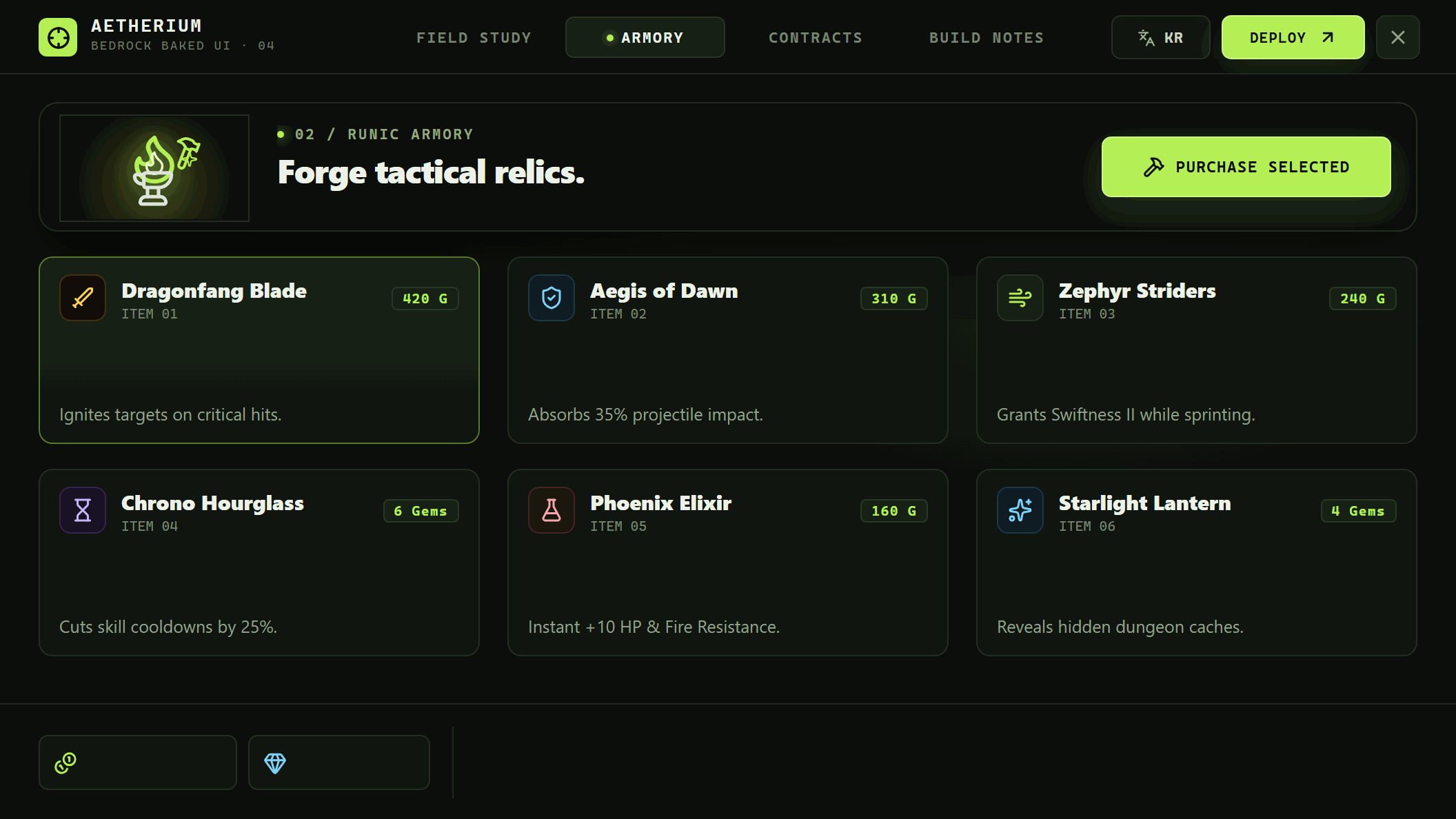
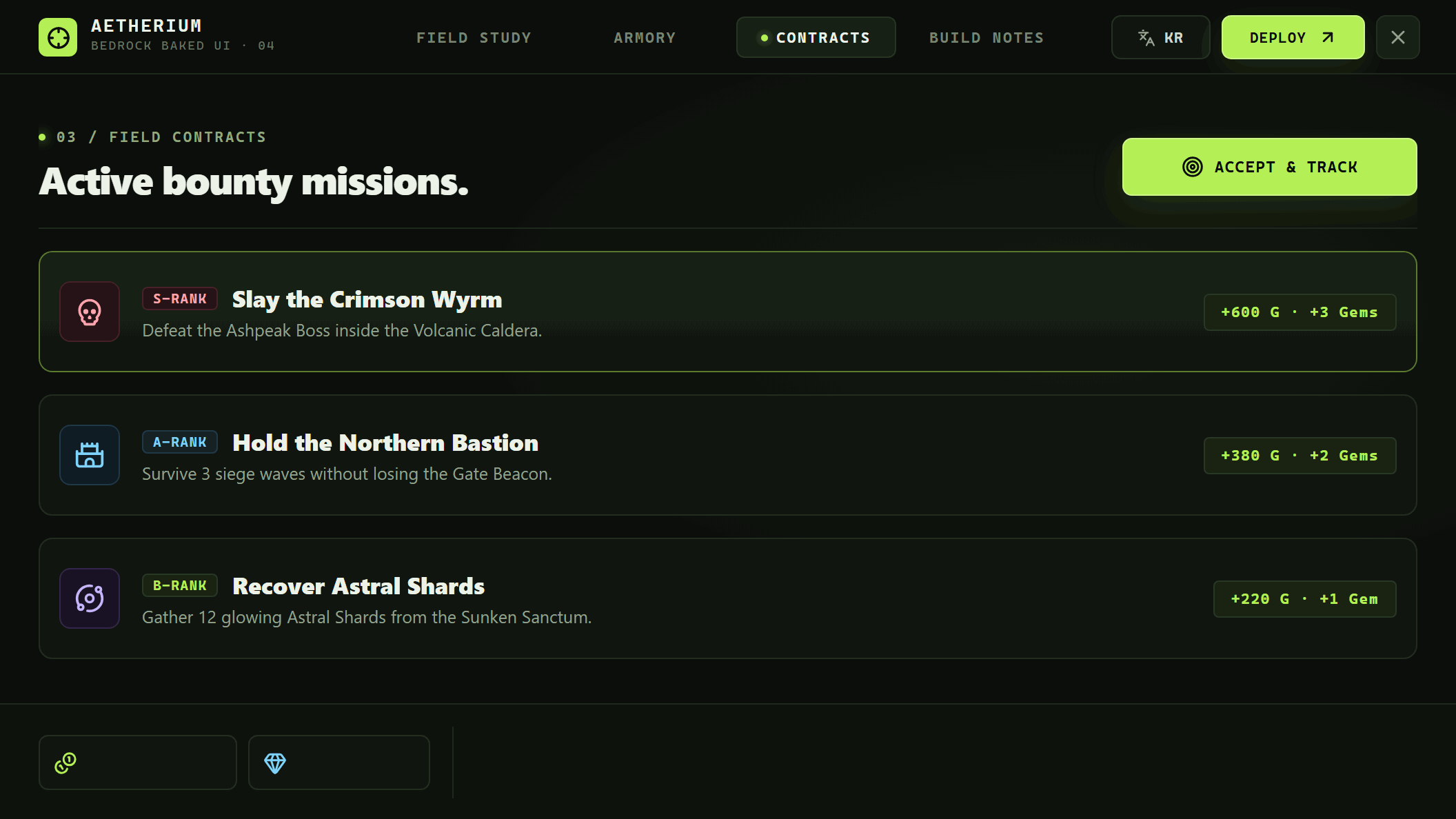
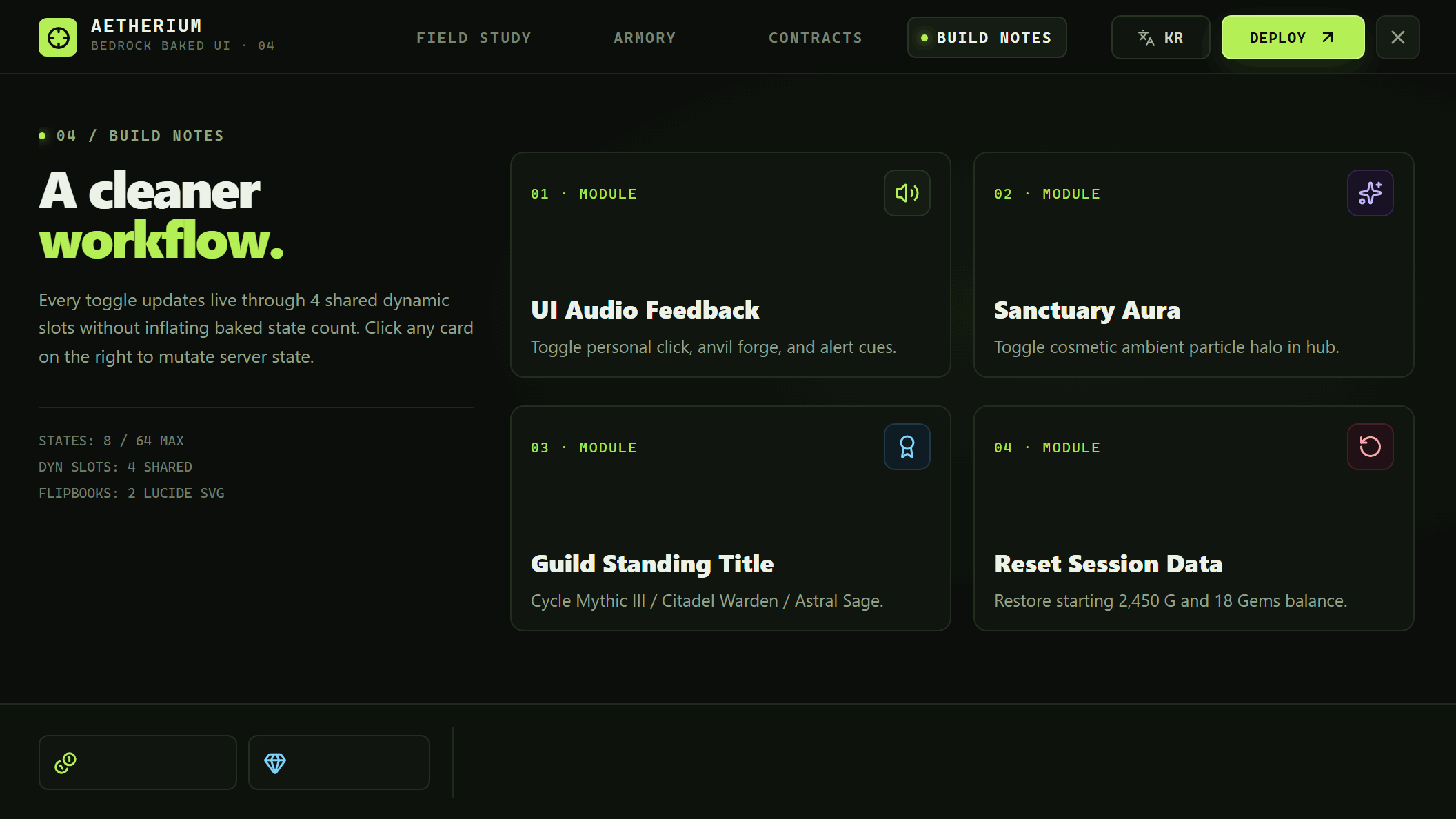
Built with standard HTML, CSS, and Lucide Icons (examples/guild-codex), then compiled directly into native Bedrock JsonUI (ui/chest_screen.json, ui/pocket_containers.json, ui/server_form.json) with 2x HiDPI PNGs, Lucide SVG flip_book animations, and zero-flicker in-place state switching.
 |
 |
 |
 |
flip_book spritesheets baked automatically in pure Node.js:

node dist/cli.js dev --config examples/guild-codex
node dist/cli.js bake --config examples/guild-codex
node dist/cli.js validate --config examples/guild-codex
node examples/guild-codex/build_mcpack.mjsWriting rich Minecraft Bedrock UIs directly in JsonUI (ui/chest_screen.json, ui/pocket_containers.json, ui/server_form.json, ui/hud_screen.json) is verbose and slow to iterate on, yet standard JsonUI works reliably across normal .mcpack resource packs, Realms, and dedicated servers.
bedrock-baked-ui lets you author interfaces using web standards and compiles them into Bedrock-native assets with zero runtime npm dependencies, no Puppeteer/Playwright, and no Python/Pillow:
- Zero-flicker Fullscreen Menus (
baked-ui bake): Uses an invisible, zero-collision 27-slot container entity (chest_screen.json+pocket_containers.json) so clicking buttons updates screens and dynamic text in-place without closing or reopening the UI. ActionFormDataFallback (server_form.json): Automatically emitted alongside Entity Inventory UI for chat commands or fallback environments.- HiDPI Static Screens + Pure-JS PNG Quantization: Renders crisp
2x/3xscreenshots using your system Chrome/Edge via raw CDP and shrinks opaque PNGs with a built-in median-cut 256-color quantizer. - Real CSS
:hover&:activeButton States (data-hit-fx="1"): Forces pseudo-states via CDP to bake genuine HTML/CSS hover and pressed button textures directly into JsonUI ($hover_tex/$press_tex) alongside per-button custom sounds (data-sound). - Native 60fps JsonUI Motions (
[data-motion]): Extracts clean transparent RGBA sprites (with ghost-free static backgrounds) and compiles chained Bedrock nativeoffset,size,alpha, andwaitanimations for both looping motions (float,pulse,glow,slide-x) and staggered one-shot entrances (enter-up,enter-fade,enter-pop) in Menus & HUDs, with live CSS preview inbaked-ui dev. - Real-Time Progress Bars (
[data-bar]): Renders live server0..100percentages in 20 smooth 5% steps over your custom HTML/CSS gradient bar textures (left|right|up|down). - One-Click
.mcaddonPackaging (baked-ui pack): Pure-Node POSIX ZIP packager +dev --watch --auto-bakelive reload + fullinitmanifests. flip_bookSVG/Canvas/CSS Animations ([data-anim]): Captures seamless loop frames and stitches horizontal spritesheets + JsonUIflip_bookbindings automatically in pure Node.js.- Live Server-Driven Text (
[data-dyn]): Samples parent solid background colors to mask placeholder text and overlays liveItemStack.nameTagvalues directly in JsonUI. - Behavior Pack Runtime SDK (
bedrock-baked-ui/runtime): Drop-inBakedMenuManagerwith early-execution safety, PvP auto-dodge, melee hit pass-through, tick-late marker sweep safety, and orphan entity cleanup. - Experimental Transparent HUD (
baked-ui bake-hud): Compiles transparent[data-hud-widget]overlays and byte-sliced[data-hud-dyn]live telemetry fields (supports bothsubtitleandtitlechannels).
- Node.js >= 22 (uses built-in
WebSocket,fetch, andnode:zlib) - Microsoft Edge, Google Chrome, or Chromium installed locally (auto-detected on Windows/macOS/Linux, or set
BAKED_UI_BROWSER=/path/to/chrome)
npx bedrock-baked-ui init ./my-addon --namespace my_ui --theme gold
cd my-addon
npm i -D bedrock-baked-ui esbuild
Install bedrock-baked-ui and esbuild locally in the project. npx alone runs the CLI, but your Behavior Pack script imports bedrock-baked-ui/runtime, and esbuild can only bundle that import from the project's own node_modules. Without it, pack fails with Could not resolve "bedrock-baked-ui/runtime".
init creates:
baked-ui.config.json: compiler configurationui-src/index.html: interactive 3-tab starter menu ([data-hit],[data-dyn],[data-anim])ui-src/hud.html: experimental transparent HUD templatepacks/bp/src/menu_example.ts: Behavior Pack wiring example
npx bedrock-baked-ui devOpen http://127.0.0.1:4173/ and press Shift+I (or click Boxes: OFF) to toggle the live Inspector overlay showing hitbox bounds, [data-dyn] opaque-background warnings, animation sheet limits, and your buttons + dyn <= 25 slot budget.
npx bedrock-baked-ui bake
npx bedrock-baked-ui validate
Generated outputs:
- RP:
textures/ui/<subdir>/*.png,ui/<ns>.json,ui/chest_screen.json,ui/pocket_containers.json,ui/server_form.json,ui/_ui_defs.json, plus invisible client entity/geometry/render controller. - BP:
entities/<ns>_<name>.jsonandsrc/generated/baked_site.jsonmanifest.
Put this code in packs/bp/src/main.ts, the Behavior Pack script entry that baked-ui pack bundles. init scaffolds a starter copy at packs/bp/src/menu_example.ts, so you can rename it to main.ts. The ./generated/baked_site.json import is the manifest that bake writes next to it (packs/bp/src/generated/baked_site.json). The bedrock-baked-ui/runtime import needs the local install from step 1 (npm i -D bedrock-baked-ui).
// packs/bp/src/main.ts
import { system, world } from '@minecraft/server';
import { BakedMenuManager, fitText } from 'bedrock-baked-ui/runtime';
import manifest from './generated/baked_site.json';

const menu = new BakedMenuManager(manifest, {
  triggerItemId: 'minecraft:compass',
  resolveDynamicValues(player, state) {
    return {
      coins: '§6§l1,250 G',
      gems: '§b§l12 Gems',
      line1: fitText(`§aWelcome, ${player.name}!`, 58),
      line2: fitText(`§7Page: ${state.bakedKey}`, 58),
    };
  },
  onButtonClick(player, button) {
    if (button.hitId === 'act_claim') {
      player.playSound('random.levelup', { volume: 0.6, pitch: 1.2 });
    }
  },
});

menu.install();

world.beforeEvents.chatSend.subscribe((ev) => {
  if (ev.message.trim() === '!menu') {
    ev.cancel = true;
    system.run(() => menu.open(ev.sender));
  }
});Bedrock can't load TypeScript, npm imports, or JSON imports directly, so the script has to be bundled. pack does this with the local esbuild and bedrock-baked-ui from step 1. If you skipped that step, run the install line first:
npm i -D bedrock-baked-ui esbuild
npx bedrock-baked-ui pack
pack runs these steps in order:
- Bakes the UI again (skip with
--no-bake). - Validates the result.
- Bundles
packs/bp/src/main.tsintopacks/bp/scripts/main.jswith esbuild. This file is theentryin the BPmanifest.json.@minecraft/serverand@minecraft/server-uistay external. - Writes
dist/<ns>.mcaddoncontaining<ns>_bp/and<ns>_rp/.
To install the add-on, double-click the .mcaddon file.
packs/bp/
  manifest.json              # script entry: scripts/main.js
  src/
    main.ts                  # your runtime code (step 4)
    generated/baked_site.json
  scripts/main.js            # produced by `pack`
If esbuild isn't found in
node_modules,packskips bundling without an error. Look forBP bundledin its output. To use your own bundler instead, pass--no-bundleand write the output topacks/bp/scripts/main.js. Use--out <path>to change where the.mcaddonis written.
Your HTML page exposes window.__BAKE__ so the headless crawler can discover every reachable UI state:
window.__BAKE__ = {
  getStateKey() { return state.tab; },
  setStateKey(key) { state.tab = key; render(); },
  clickHit(hitId) { /* trigger click */ return state.tab; },
  // Optional:
  getMeta() { return { url: 'baked://' + state.tab, title: document.title }; },
  setAnimFrame(phase) { /* phase in [0, 1) */ redrawAnim(phase); },
  whenReady() { return Promise.all(/* wait for images/fonts */); },
};| Attribute | Target | Description |
|---|---|---|
data-hit="<id>" |
Menu | Interactive button hitbox (>= 6x6px). |
data-hit-fx="1" |
Menu | Captures real CSS :hover & :active styles for this button (data-hit-fx-key to share across states). |
data-sound="<id>" |
Menu | Custom Bedrock sound played on button click (data-sound-pitch, data-sound-volume). |
data-label="<text>" |
Menu | Short label attached to the slot marker / ActionForm button. |
data-special="close" |
Menu | Maps click to button.menu_exit and closes the menu. |
data-dyn="<id>" |
Menu | Live server-updated text slot. Ancestor must have opaque background-color (alpha > 0.85). |
data-dyn-scale="0.95" |
Menu / HUD | JsonUI font_scale_factor. |
data-dyn-align="left" |
Menu / HUD | JsonUI text_alignment (left | center | right). |
data-bar="<id>" |
Menu | Real-time 0..100 progress bar clipped natively via #clip_ratio (data-bar-dir="left|right|up|down"). |
data-anim="<id>" |
Menu / HUD | Animated region baked into a flip_book spritesheet (data-frames, data-fps, optional data-anim-key). |
data-motion="<id>" |
Menu / HUD | Smooth 60fps native JsonUI sprite (float|pulse|glow|slide-x|slide-y|enter-up|enter-down|enter-left|enter-right|enter-fade|enter-pop, combinable with +). |
data-motion-* |
Menu / HUD | Motion tuning: data-motion-amp (px), data-motion-scale (1.08), data-motion-min/max (0.35..1.0), data-motion-duration (sec), data-motion-delay (sec), data-motion-easing (in_out_sine), data-motion-pad (px for shadows), data-motion-key. |
data-hud-widget="<id>" |
HUD | Transparent HUD card captured cleanly without placeholder text. |
data-hud-dyn="<id>" |
HUD | Fixed-byte ASCII field (data-dyn-len="20") or single UTF-8/color tail (data-dyn-tail="1"). |
| Constraint | Hard Limit | Notes |
|---|---|---|
| Slots per menu page | 25 total (buttons + global unique [data-dyn] <= 25) |
Slot 0 is blank, Slot 1 holds state tag (§s§XX). Reuse [data-dyn] coordinates across pages so they share 1 slot. |
| Reachable states | Default 64 (hard cap 100: §s§00..§s§99) |
Keep getStateKey() additive across tabs instead of multiplicative. |
| Unique hitbox rectangles | 100 (§h§00..§h§99) |
Align button grids across tabs to reuse hitbox tags. |
| Dynamic bg mask variants | 10 per dyn slot (§9§0..§9§9) |
Parent of [data-dyn] must have solid opaque background-color. |
| Flipbook sheet width | 2800px (frameW * frames) |
Automatically downscaled if wider; frame 0 and frame 1 must differ. |
| HUD fixed fields | Single-byte ASCII (0x20..0x7E) |
Place non-ASCII (CJK, emoji) & § colors in the single data-dyn-tail="1" slot. |
See docs/guide.md for the complete architecture reference, troubleshooting tips, and experimental HUD notes.
baked-ui init [dir] [--namespace <ns>] [--entity <ns:name>] [--theme gold|classic|neon|minimal] [--no-hud] [--force]
baked-ui dev [--config <path>] [--port 4173] [--hud] [--watch] [--auto-bake]
baked-ui bake [--config <path>] [--scale 1..3] [--no-quantize]
baked-ui bake-hud [--config <path>] [--scale 1..4] [--channel subtitle|title]
baked-ui validate [--config <path>]
baked-ui pack [--config <path>] [--out <path>] [--no-bake] [--no-bundle]Have questions, feedback, or showcase UIs built with bedrock-baked-ui? Join the Discord server:
- Discord: https://discord.gg/rNKWYb2V7v
MIT