Repository navigation
[Feature] Simplify the Scheduled Tasks editor with the thread composer layout #1019
Description

What's the problem?
When I set up a recurring task like “Morning review,” I want to name it, write the prompt, and pick weekdays at 9:00 AM. Those steps are spread across a longer settings form, even though writing the task feels much like starting a thread.
What would help?
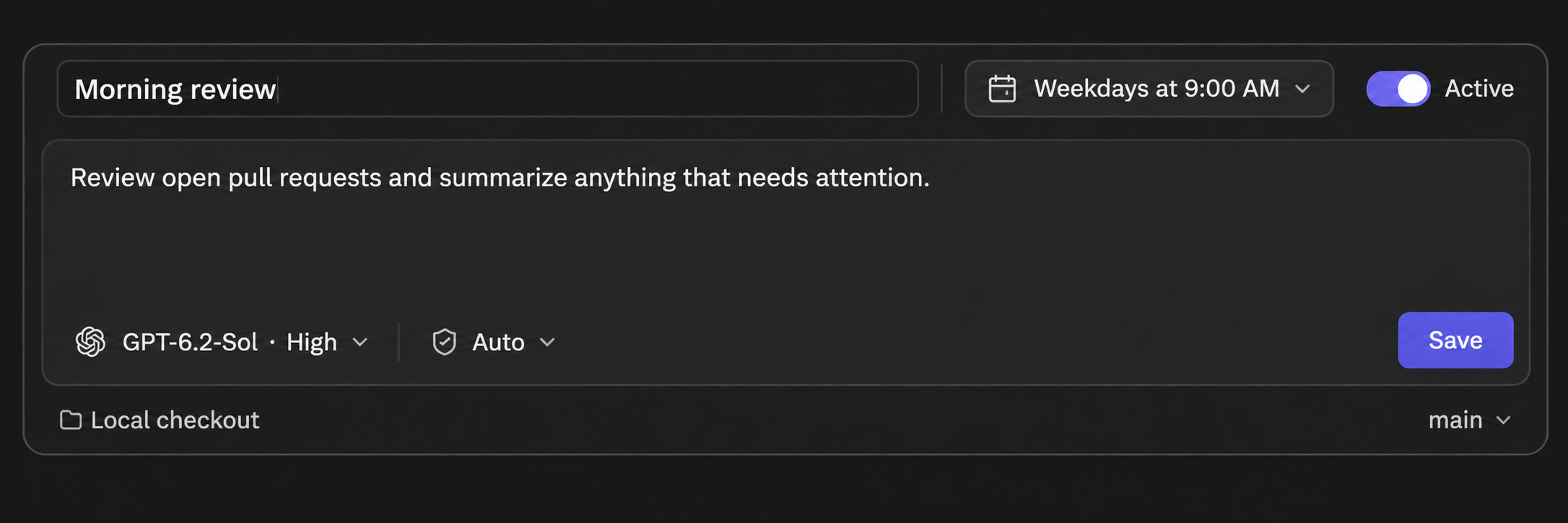
Use the familiar thread composer layout when creating or editing a scheduled task. Put the editable task name and a single schedule button above the prompt. The button can show a summary like “Weekdays at 9:00 AM.” Keep the existing model, access, project, and workspace choices close to where they appear when starting a thread.
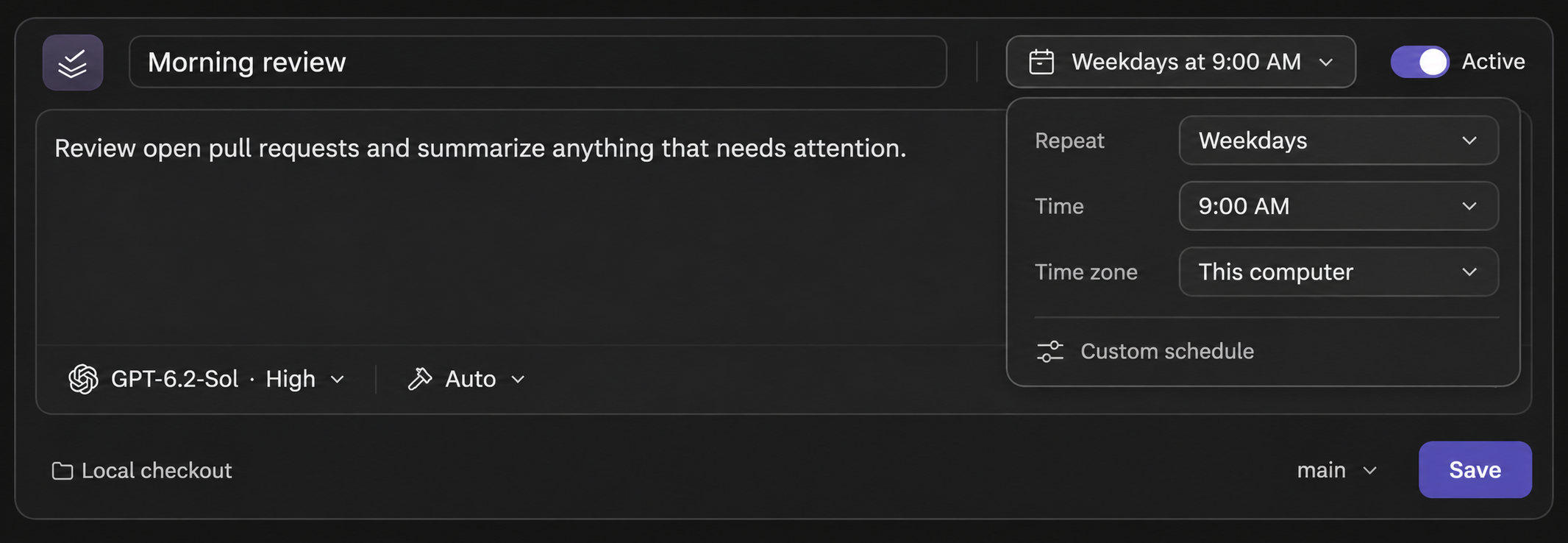
Click the schedule summary to edit the repeat pattern and time. Keep common choices easy to reach, with time zone, custom cron rules, and event triggers available when needed. Use Create task or Save as the primary action.
Mockups
The first shows the editor with the schedule in the header. The second shows the schedule picker open. Both are layout examples.
Schedule in the header
Schedule picker open
Activity
badcuban commentedon Nov 21, 2026
Thanks @live2ride for the idea and the mockups. This is in #1030. The task editor now looks like starting a thread. The name and a schedule button ("Weekdays at 9:00 AM") sit at the top of the box, the prompt goes below, and the model and access buttons are where you'd expect. Click the schedule button to set the repeat and time. Time zone, custom cron and event triggers are one step further in.
A few things differ from your mockup. The computer, the project and where each run goes are menus in a line under the box. Pause and Resume stay on the task's page instead of a switch in the editor. Every option from the old form is still there.
It'll be in the next nightly build and the next release. If anything's missing, reply here and we'll reopen.