

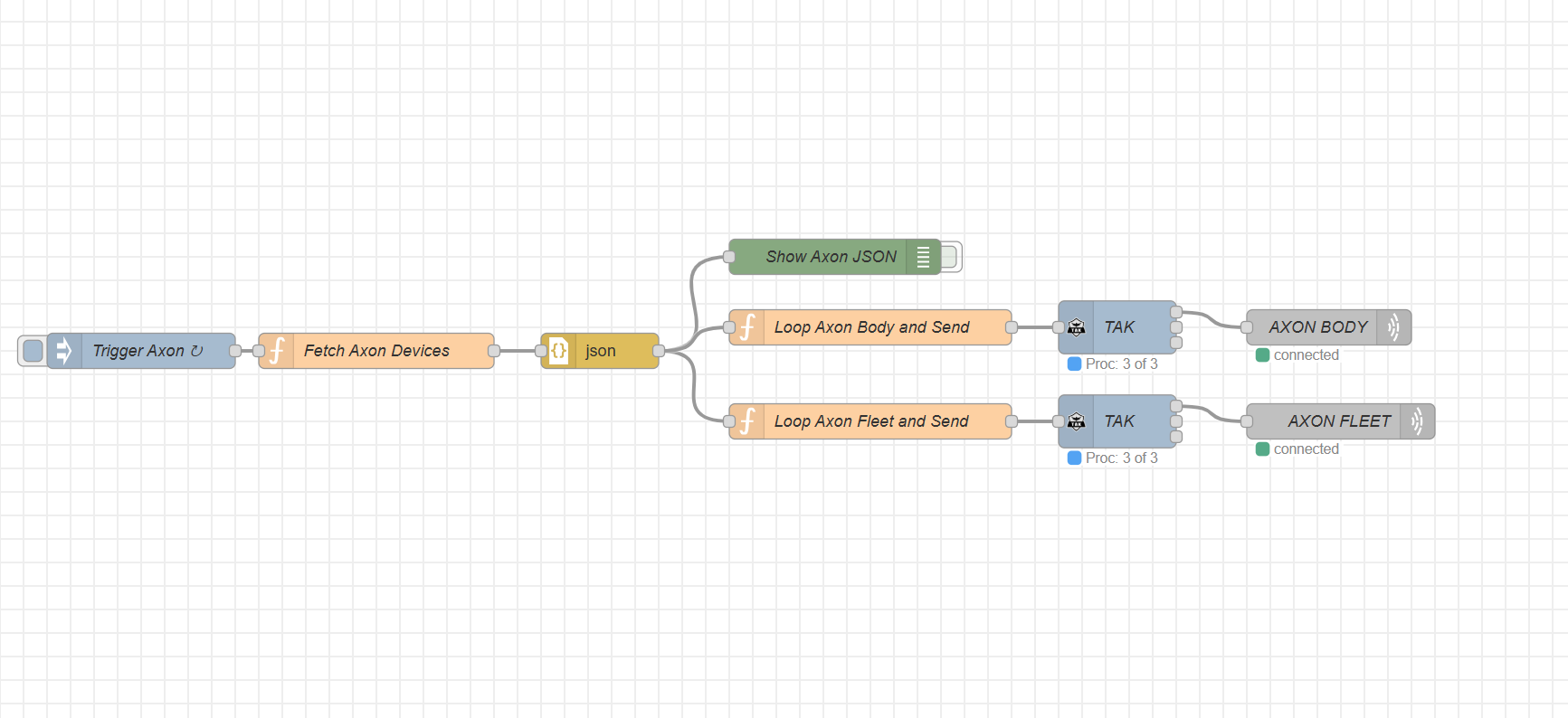
A node red flow using an Axon API key to create COT messages to be sent to a TAK server.
Pulls both Axon Body and Axon Fleet details and locations.
Portions of this code are derived from https://github.com/dfpc-coe/etl-axon licensed under the MIT License.
-
Contact the administrator of the Axon Evidence Account to create an API Token.
-
From the admin account navigate to the "Admin" tab

-
Then select "API Settings" under "Security Settings"

-
Click "Create Client" & fill in a name - IE "TAK Server"
-
For API permissions select the following:
-
Device: state.any.read Allowed
-
Response: self.locate: Allowed -
Response: self.alert_mark: Allowed -
Response: any.locate: Allowed
-
Users: read: Allowed
-
-
Create the client & Provide the:
- Secret
- Partner ID
- Client ID
- Agency Domain (.evidence.com)

- Install node-red-contrib-tak if not already installed.
- Import the node red flow.
- Open the "Fetch Axon Devices" function and fill in your Agency Name, Partner ID, Client ID, Client Secret, and Agency Acronym.
- Edit your server connections by editing the "Axon Body" and "Axon Fleet" nodes. You will need to replace your host, port, and import your certificate/key files for the TLS connection.