
OpenCore EFI setup for a Gigabyte H410M H Hackintosh build with an Intel Core i3-10100F and an Asus RX 580 8GB. Copy the EFI files to a USB drive, boot from it, and install macOS.
| Part | Used in this build |
|---|---|
| Motherboard | Gigabyte H410M H |
| CPU | Intel Core i3-10100F |
| GPU | Asus RX 580 8GB OC |
| RAM | 2 x 8GB DDR4 3200MHz |
| Storage | 2 x 120GB SSD, 1 x 500GB HDD |
| CPU cooler | DeepCool |
| PSU | 550W Cooler Master |
| Item | Version |
|---|---|
| OpenCore | [UNKNOWN: not recorded when this EFI was uploaded] |
| macOS | [UNKNOWN: not recorded; this build dates from October 2021] |
| BIOS settings | See the screenshots further down |
If you get this running on a newer macOS or OpenCore release, please open an issue with what you changed so the notes here can be updated.
| Feature | Status |
|---|---|
| Ethernet | Works |
| Audio | Works |
| iMessage, FaceTime, App Store | Work (after generating your own serial, see below) |
| USB ports | Work |
| Dual boot with Windows | Works (install macOS on a separate drive) |
| Wi-Fi | Not working on this build |
| Bluetooth | Not working on this build |
| Sleep, iGPU, DRM, sidecar | Not tested |
Wi-Fi and Bluetooth were never enabled on this hardware. If you add a compatible card, you will need the matching kexts in the Kexts folder of your EFI.
- Generate your own serial number and SMBIOS values. Do not reuse anyone else's serial: Apple can block the Apple ID tied to it.
- Edit
config.plistwith ProperTree and fill in your generated values. - Match the BIOS settings in the screenshots below before booting.
Downloads:
- SMBIOS generator: https://gitamin-my.sharepoint.com/:f:/g/personal/121810314010_gitam_in/EulmQIkzvSlKsMq6B5-KAKQBQjNgCnbW8mmgfA2Q4b3lkQ?e=WWwzxN
- ProperTree: https://gitamin-my.sharepoint.com/:f:/g/personal/121810314010_gitam_in/Eg5_YqxqWrBPnKnl7qGOpVAByM0WYFO2g0sIeLzKv7fqAA?e=YTQdFp
- EFI files for the USB drive: https://gitamin-my.sharepoint.com/:f:/g/personal/121810314010_gitam_in/EqaosVFr6-BGnWsZubQKjvkBKAosna_GE-1vSbuXFVJW-A?e=YqYg1V
- Download the EFI files from the link above.
- Format a USB drive and copy the files to it.
- Set the BIOS options to match the screenshots in the next section.
- Boot from the USB drive and choose the macOS installer.
- Install macOS on an SSD if you have one; it runs noticeably smoother than on a hard drive.
- After install, copy the EFI from the USB drive to the EFI partition of your macOS drive so you can boot without the USB.
For dual boot, keep Windows and macOS on separate drives, then pick OpenCore in the boot menu.
BIOS configuration matters on this board. These are the settings used on this build:
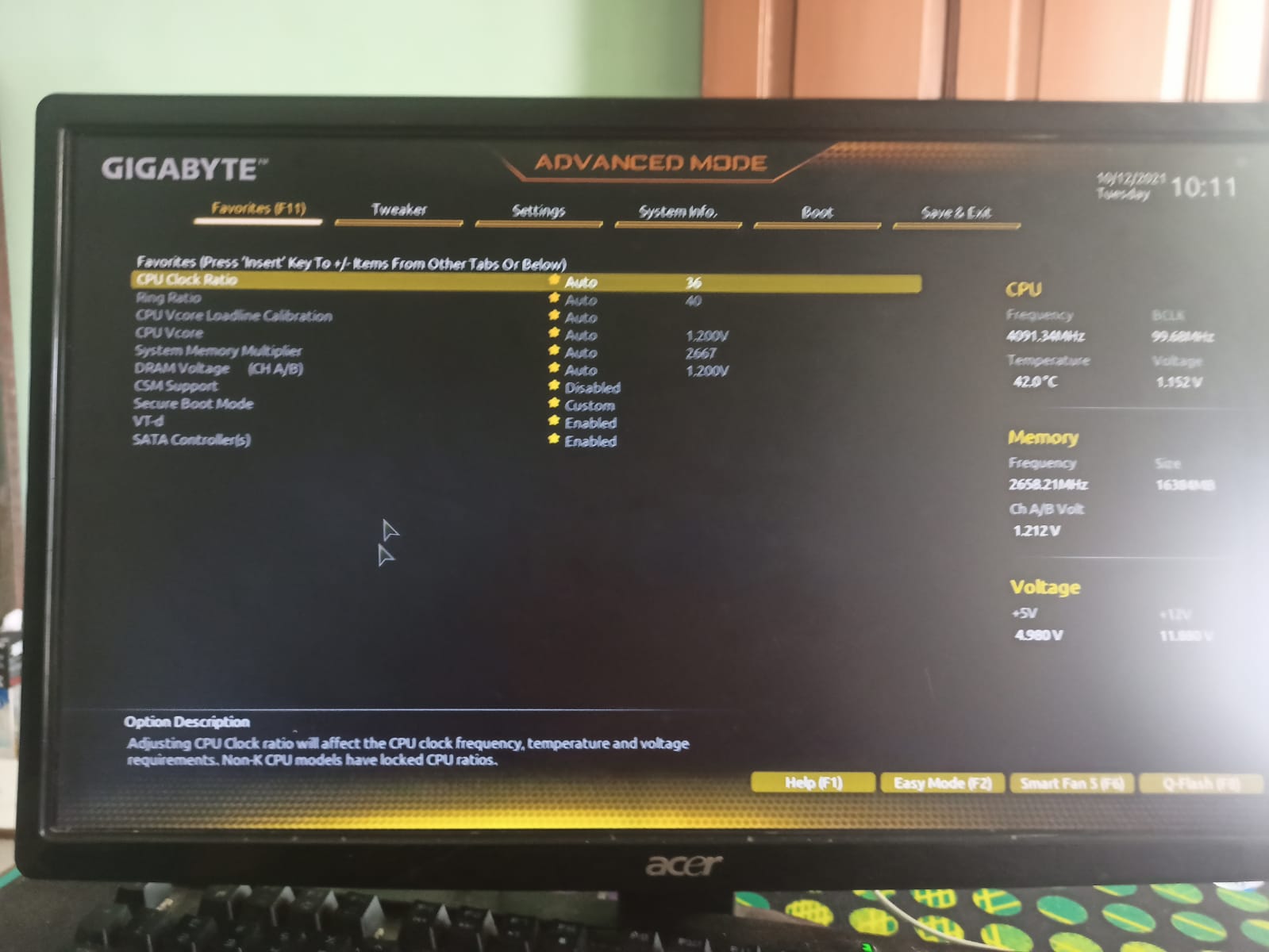
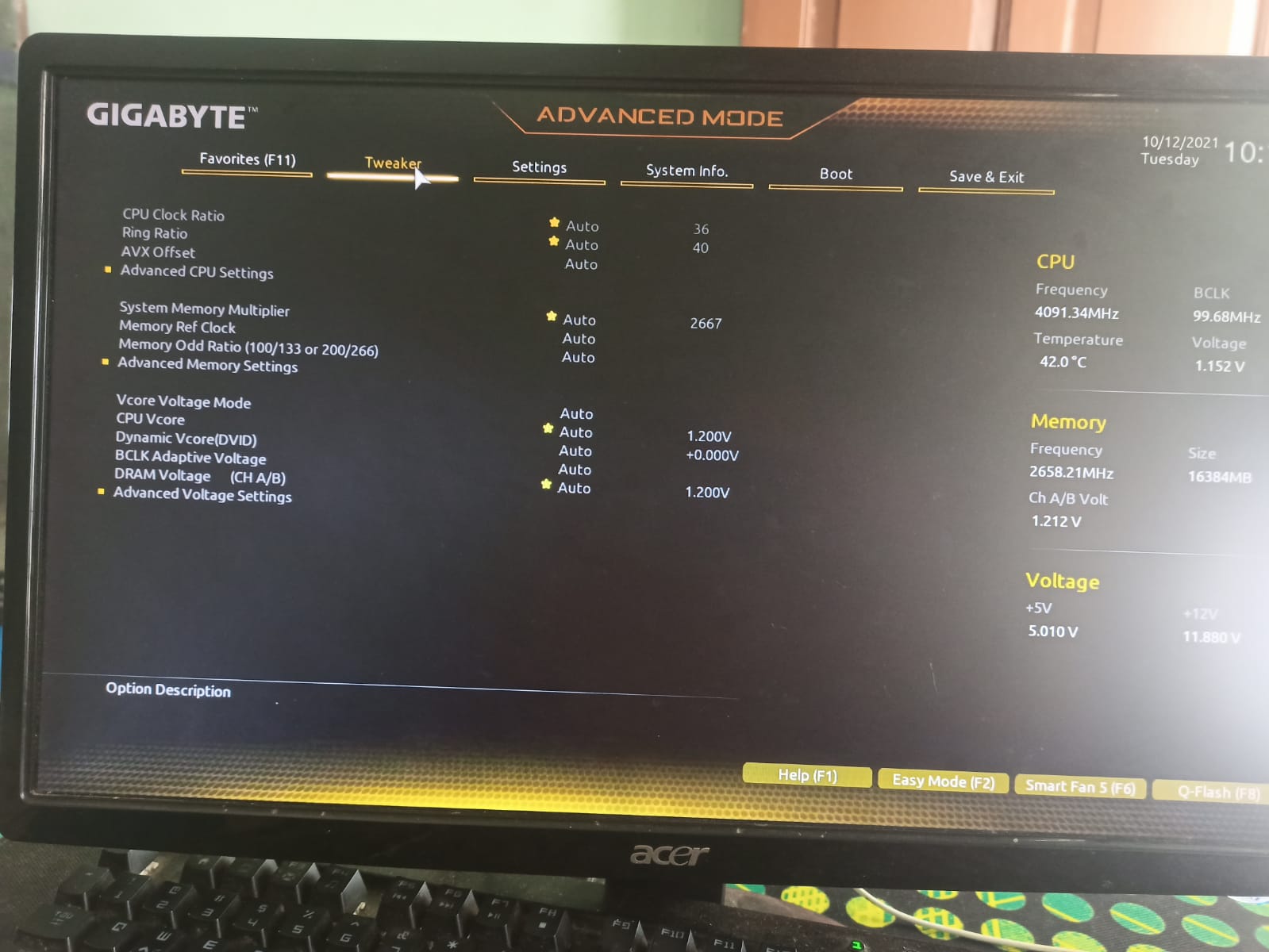
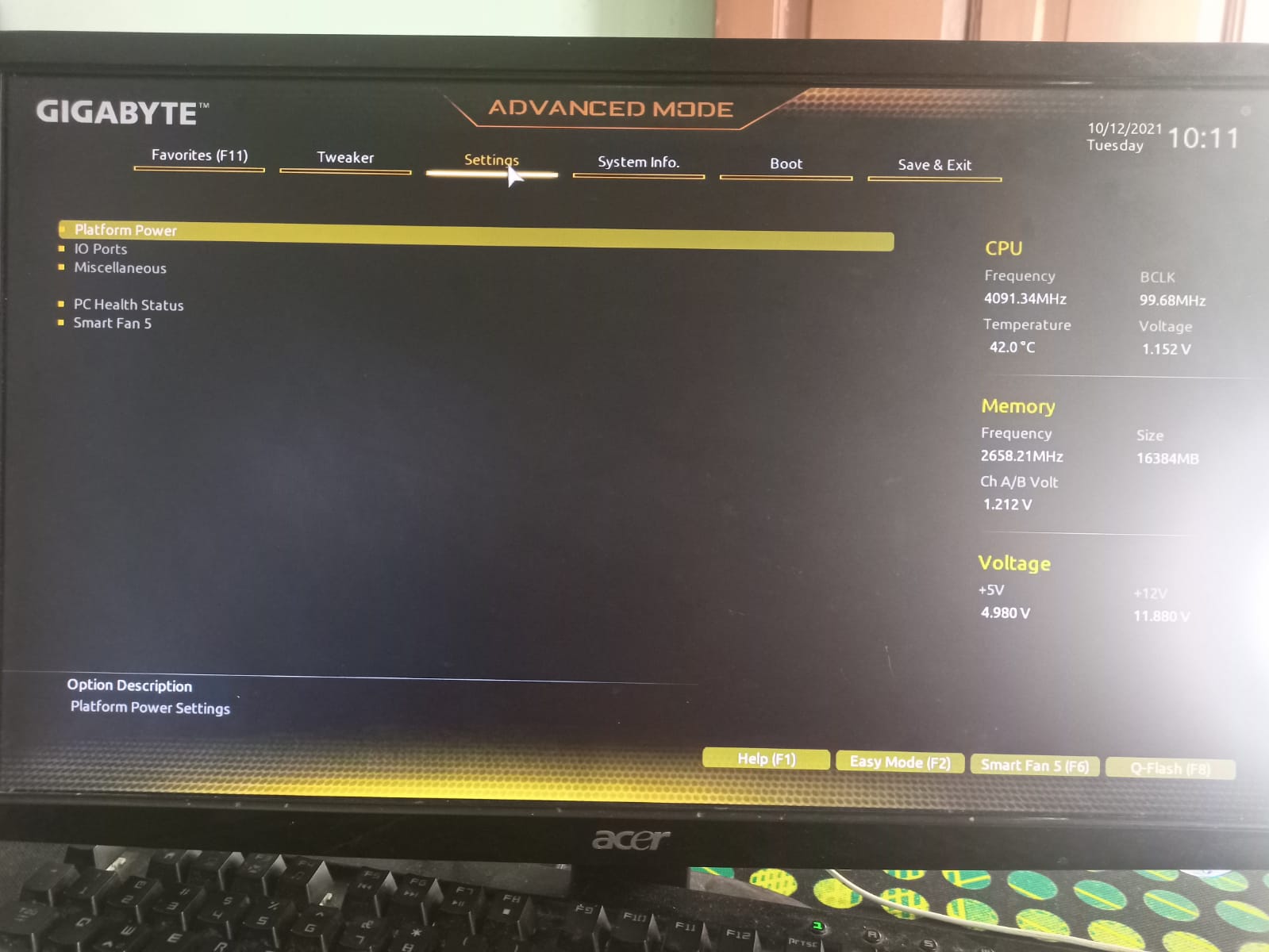

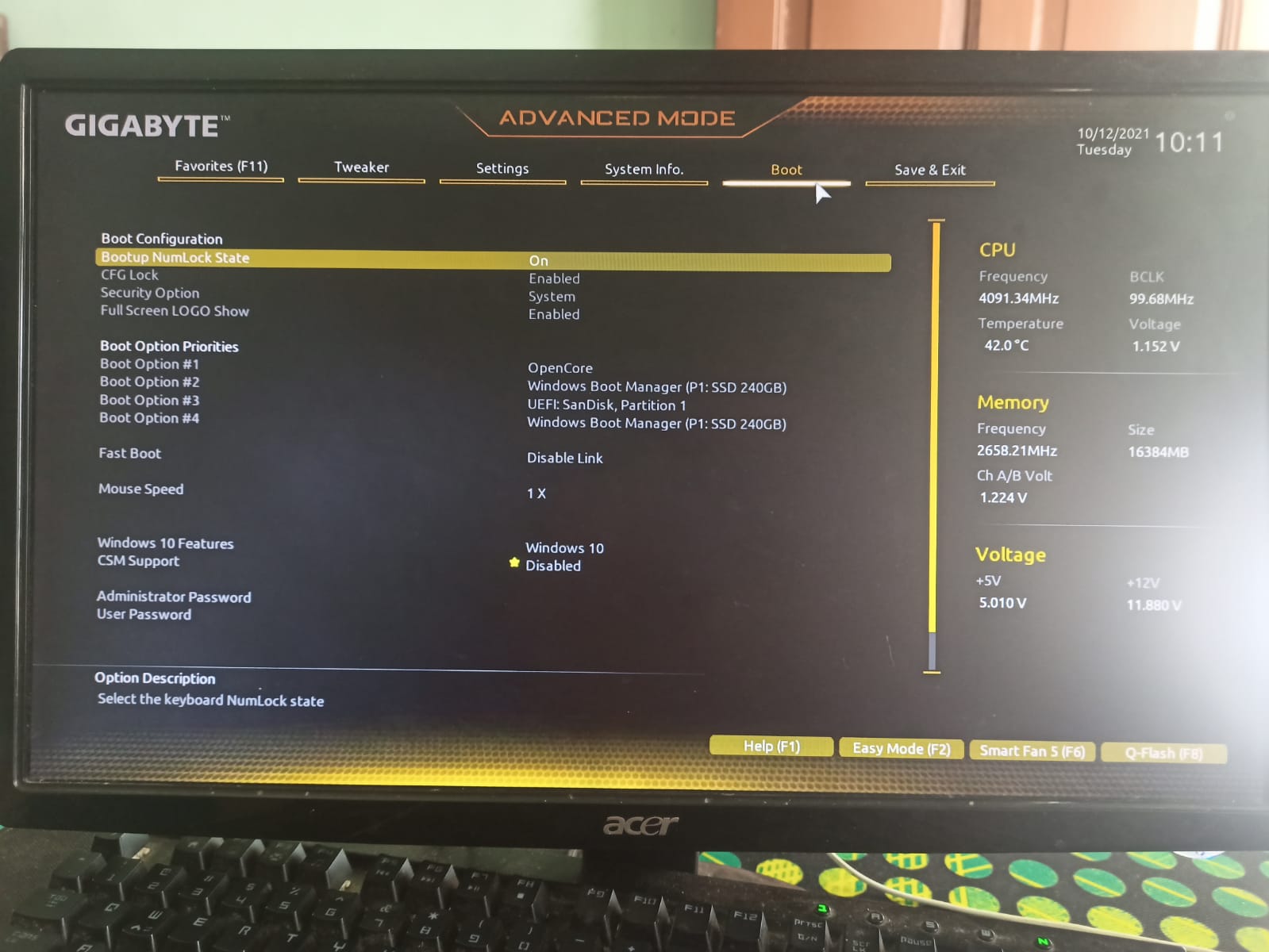
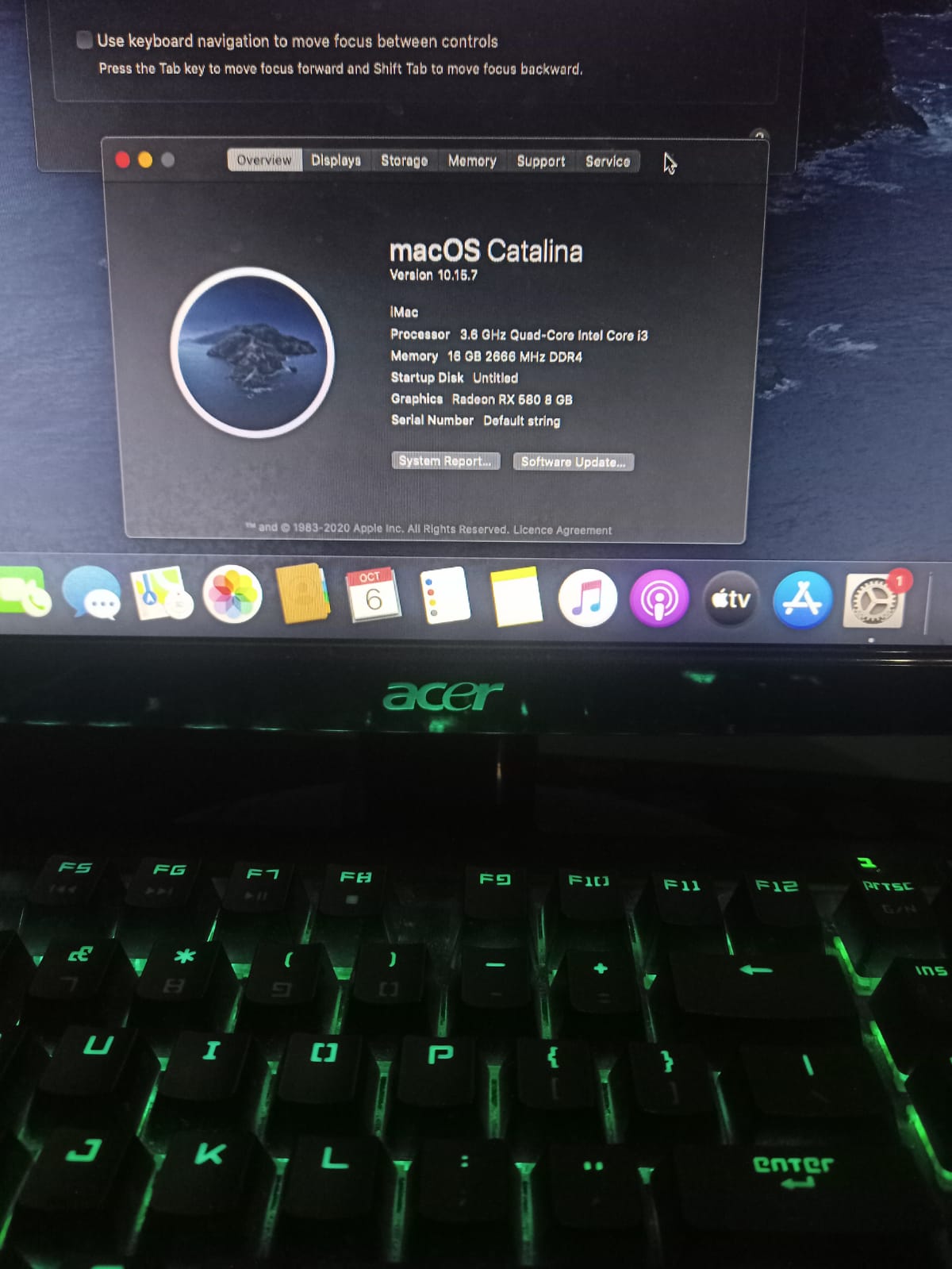
Boot screenshot:
- Always replace the serial number, MLB, and UUID with your own generated values before signing in to any Apple service.
- Keep a copy of the working config.plist before editing; most boot problems on this setup come from plist edits.
- If you change hardware (especially the GPU or a Wi-Fi/Bluetooth card), expect to adjust kexts and device properties.
Booting and gaming on this build:
Hackintosh.mp4
Hackintosh.Gaming.mp4
Dual.Boot.mp4
- Dortania OpenCore Install Guide (start here for installs and troubleshooting): https://dortania.github.io/OpenCore-Install-Guide/
- Video tutorials used for this build:
Thanks to the Hackintosh community for the guides and help behind this build.
This project is for educational and experimental purposes. Running macOS on non-Apple hardware may violate Apple's terms of service and can carry legal risk. Back up important files before trying any of this; a bad EFI or BIOS change can leave a system unbootable. The author is not responsible for crashes, data loss, or blocked Apple IDs resulting from the use of these files. Use macOS only in compliance with Apple's licensing agreements.