

Take notes on podcasts without leaving Obsidian.
Listen beside your notes, capture timestamps that link back to the moment, and create a note for any episode.
Install · Documentation · Release notes
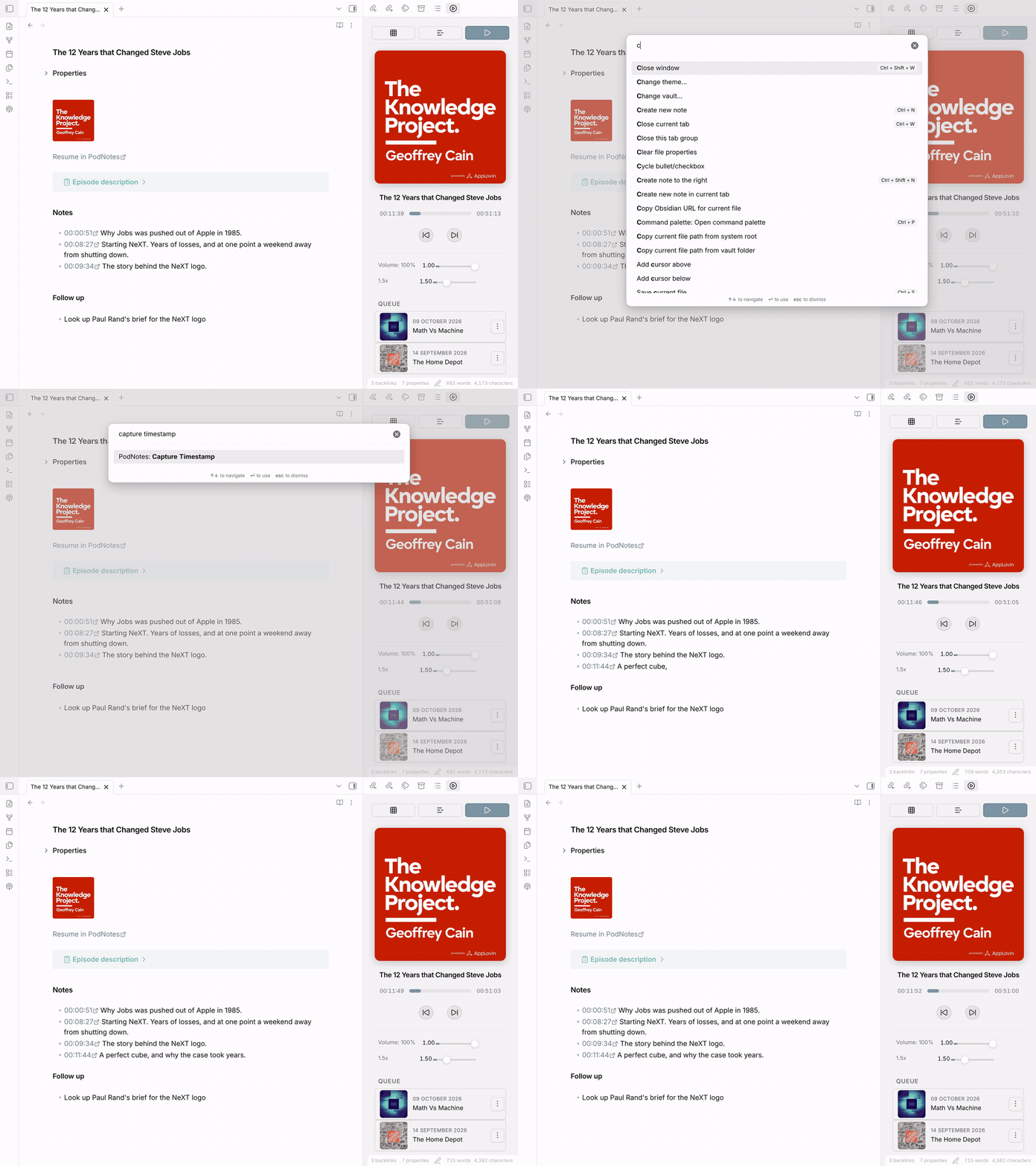
- Listen beside your notes. Search Apple Podcasts or paste any RSS feed, then play audio and video with speed control, a queue, and playlists.
- Capture the moment. One command inserts a timestamp link, such as
00:12:41, into your note. Select it later to play from that second. - Create a note for any episode. A template fills in the show, date, description, and a link that resumes playback. Browse the notes as a table with Obsidian Bases.
- Take it with you. PodNotes works on iOS and Android. Download episodes for offline listening, or play your own audio and video files.
- Transcribe episodes. Use your own OpenAI API key, or a Deepgram key when you turn on speaker labels and choose Deepgram.
- Build your own workflows. Use the commands, the JavaScript API, and QuickAdd.
PodNotes needs Obsidian 1.13 or later.
- In Obsidian, open Settings → Community plugins. If you see Exit Restricted mode, select it. Select Browse, search for PodNotes, then select Install and Enable.
- In Settings → PodNotes, search for a show or paste its RSS feed URL, then select Add.
- From the command palette, run PodNotes: Show player, then select the show and an episode to play it. In a note in editing view, run PodNotes: Capture Timestamp.
Getting started walks through each step.
To report a bug or suggest an idea, open an issue. To work on PodNotes itself, read CONTRIBUTING.md.
PodNotes is free and open source under the MIT license. If it helps you, you can support its development.