


A Headlamp plugin for managing and visualizing CloudNativePG (CNPG) resources — Clusters, Poolers, Backups, Scheduled Backups, and Database objects — directly from the Headlamp UI.
 |
 |
 |
 |
 |
 |
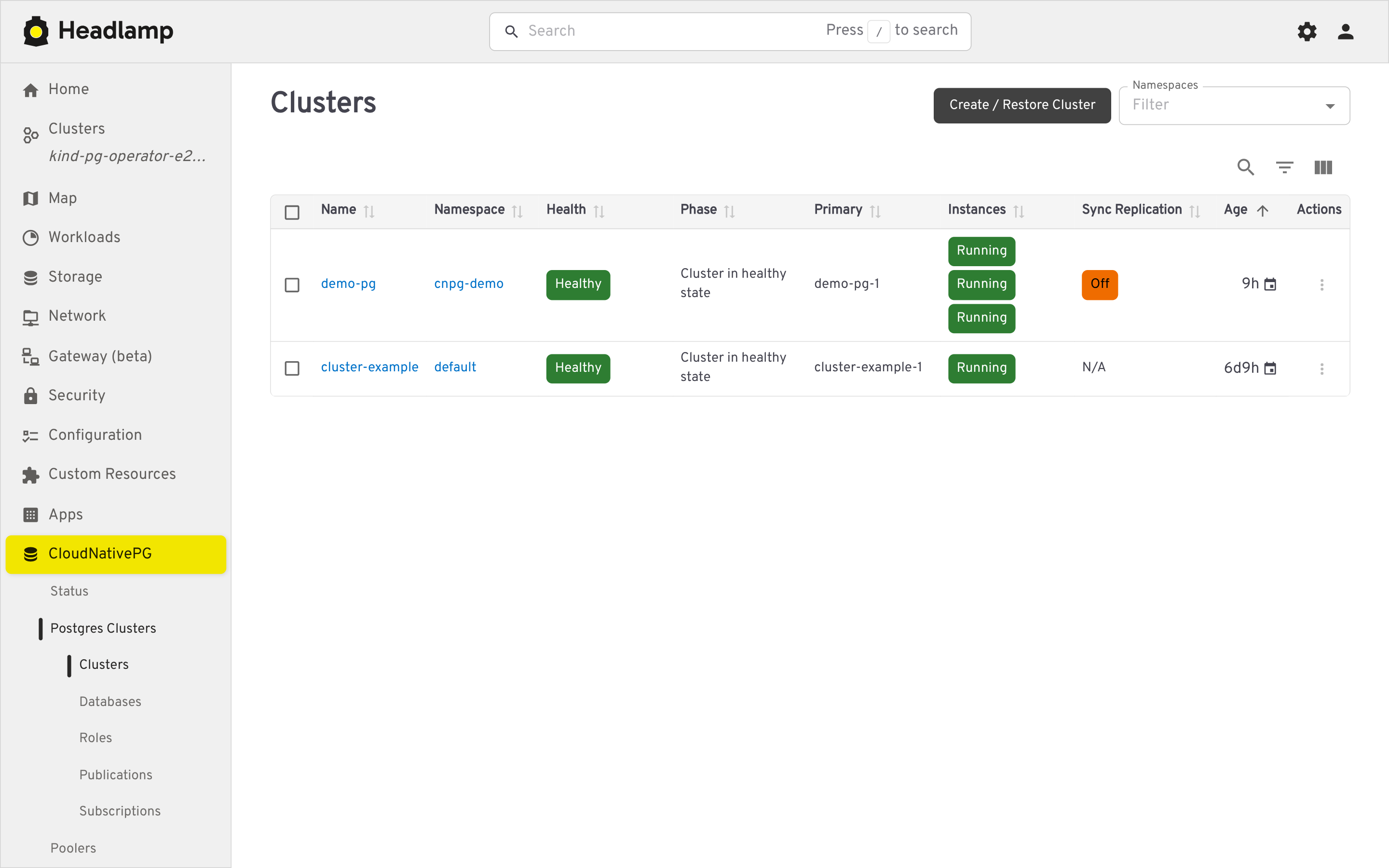
List and detail views, plus a guided creation form.
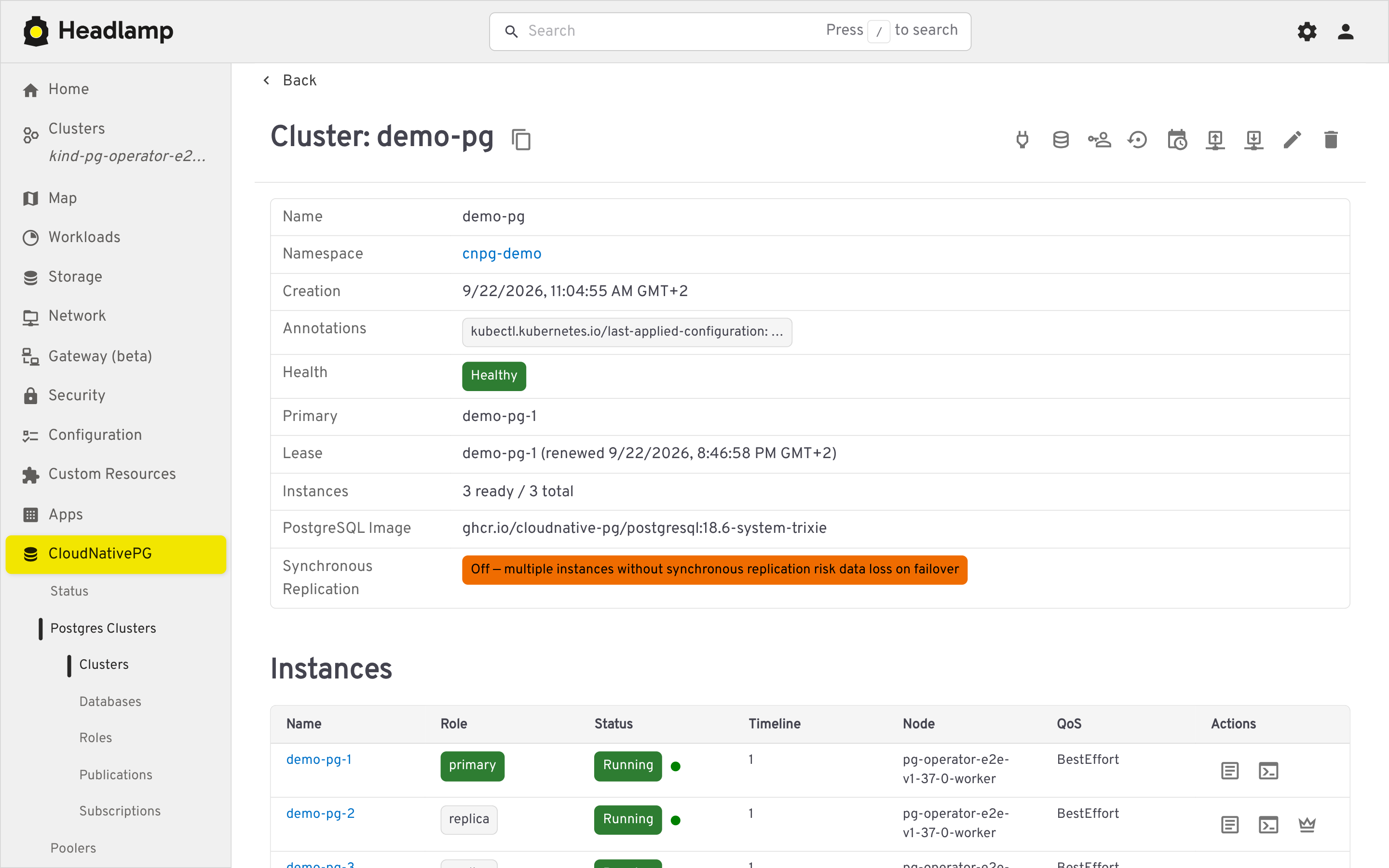
- Traffic-light health indicator (phase, WAL archiving, last backup)
- Instance roles and synchronous replication warnings
- Per-instance Postgres logs (filterable, color-coded, live-following)
- A
psqlterminal against the primary or any replica - A Live Metrics section on the cluster's detail page, scraped from each instance's CNPG Prometheus exporter (port 9187) via the Kubernetes API's pod proxy subresource — no
psqlor exec involved. It is organized into collapsible categories:- Replication & Archiving (primary only): connected standbys, replication lag, inactive slots, WAL archiving failures, backlog and timing, sync replica counts, plus per-standby and per-slot detail tables
- General Health and Checkpointing (switchable per instance via a dropdown): connections, cache hit ratio, database size, blocked and long running queries, deadlocks, checkpoint and restartpoint counts
- Database Health: transaction ID and multixact age, rollback ratio, temp file spill, and extension updates, per database
- A status strip flags fencing, a pending manual switchover, or available extension updates when applicable. Tiles show an (i) icon with a short description and the underlying
cnpg_*metric name(s), with an optional automatic refresh interval (15s/30s/60s or off, matched to the exporter's own 30 second refresh cadence)
- A manual switchover action to promote a chosen replica to primary
- Fencing support (mirroring
kubectl cnpg fencing on|off): fence or unfence individual instances from the cluster's instance list, with an extra warning when fencing the primary - Hibernation support (mirroring
kubectl cnpg hibernate on|off): hibernate a running cluster from its detail page or the cluster list to delete its instance pods while retaining storage, see hibernated clusters clearly marked (with their own summary count) in the list, and rehydrate them from the list - Leader-election lease details (holder, acquire/renew time, duration, transitions) alongside the cluster's main info
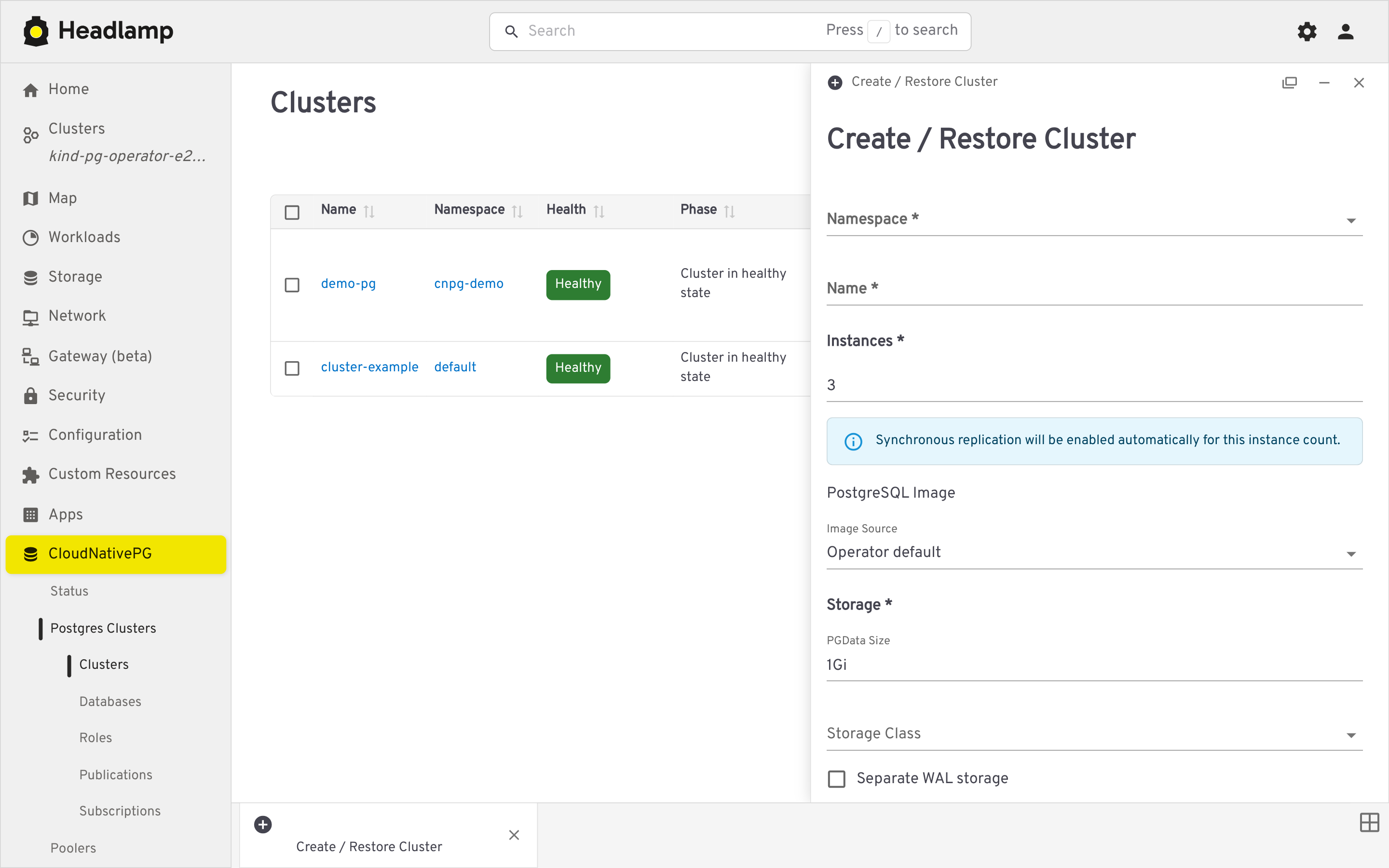
- Tabbed creation page (General, PostgreSQL, High Availability, Storage, Backup, YAML preview) with a configuration summary rail, on-demand dry-run validation, custom CNPG-I backup/recovery plugins, and GUC presets — including bootstrapping a new cluster from an existing backup
List/detail views and a guided creation form.
On-demand backups with status tracking, created against the Barman Cloud plugin or via volume snapshots (not the deprecated in-tree barmanObjectStore).
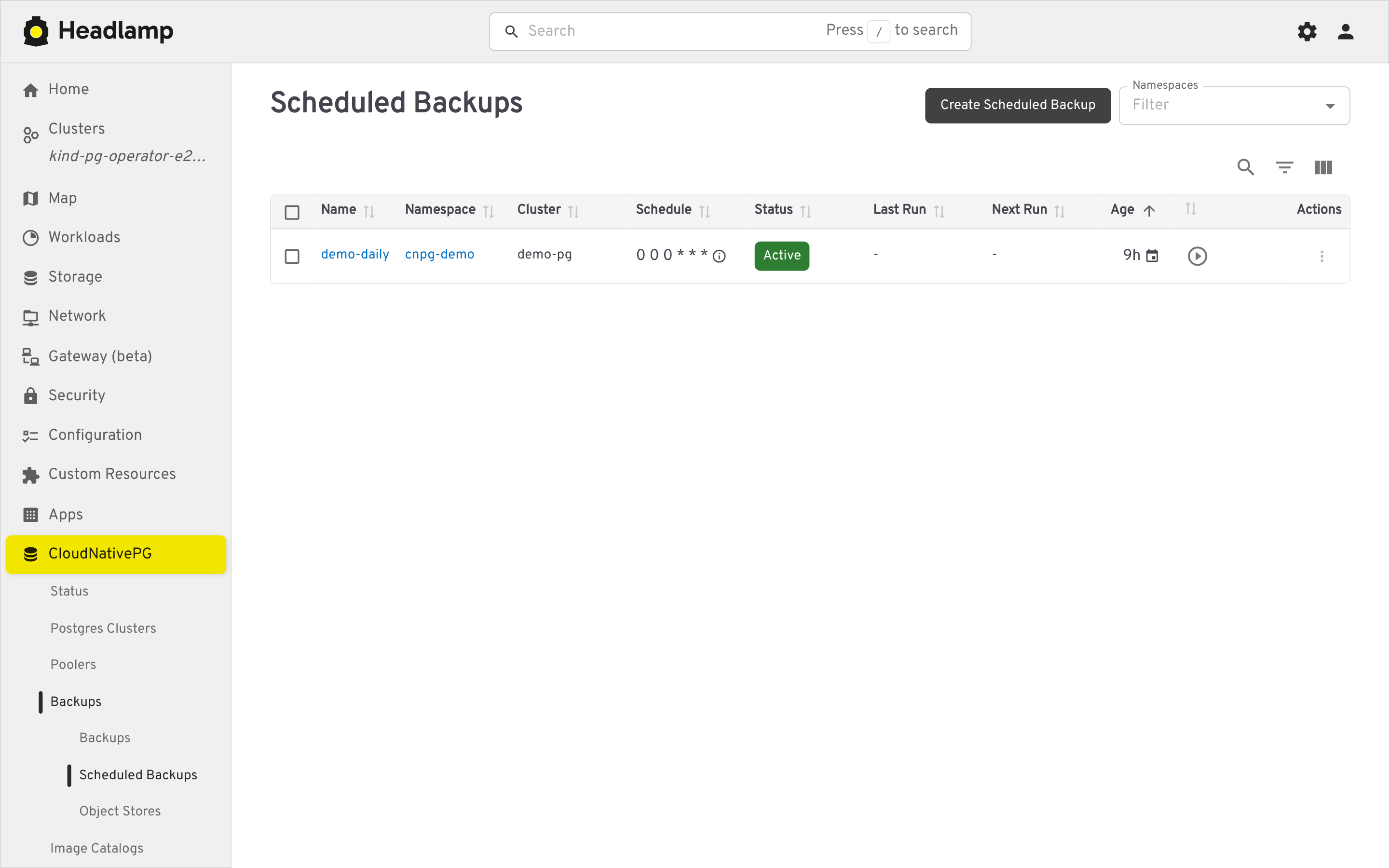
- Graphical cron editor (Daily/Weekly/Monthly, plus a raw-text advanced mode) with a humanized schedule description
- A "trigger now" action
Manage the ObjectStore CRs backing the Barman Cloud plugin, with a "referring clusters" section showing which clusters use each store for backup and/or recovery, and a per-server "Recover" action in the recovery window table that opens the creation page pre-filled to restore that server's backups into a new cluster.
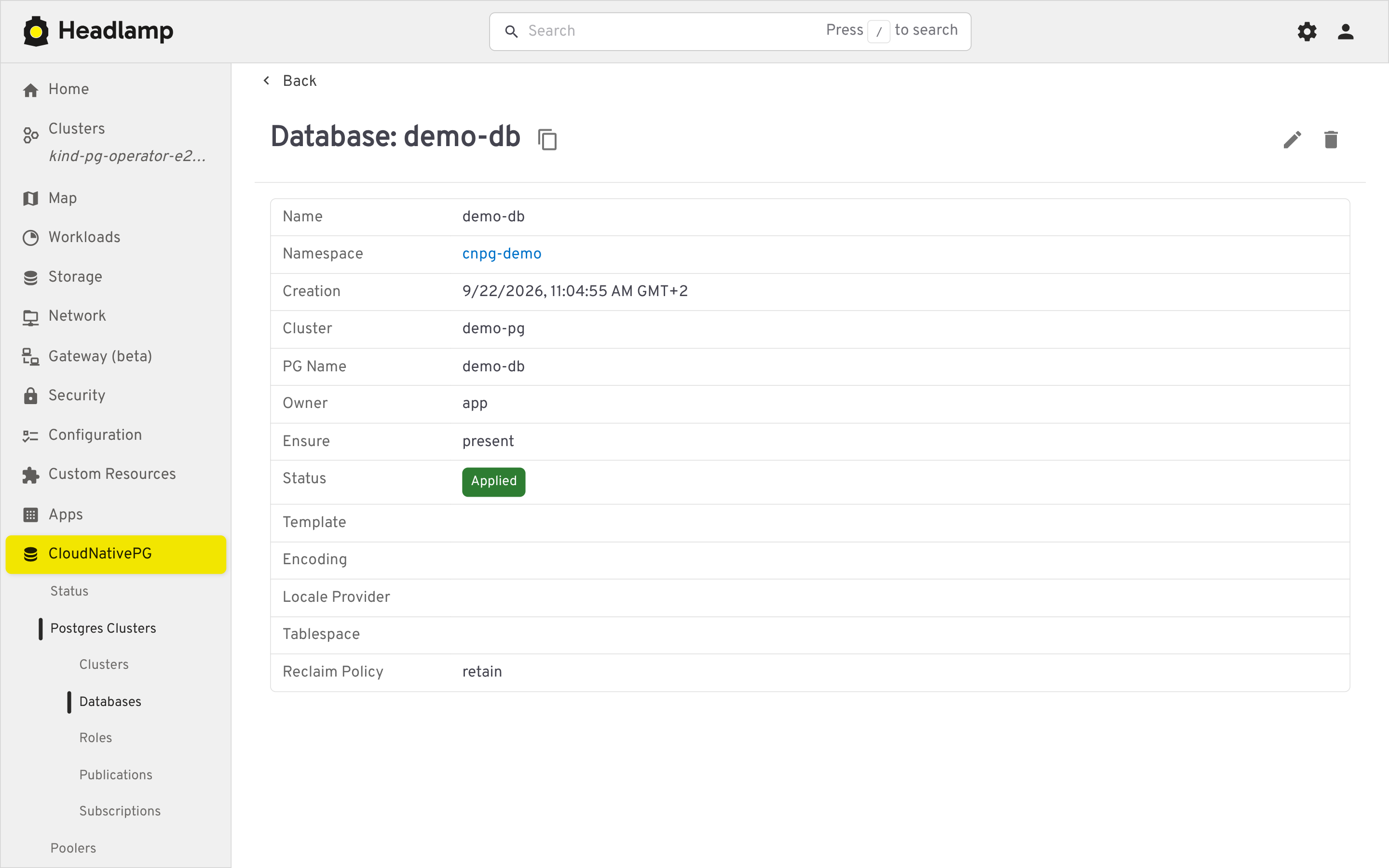
List/detail/create views for Database, DatabaseRole, Publication, and Subscription, each showing reconciliation status.
List and detail views for managing available Postgres operand images.
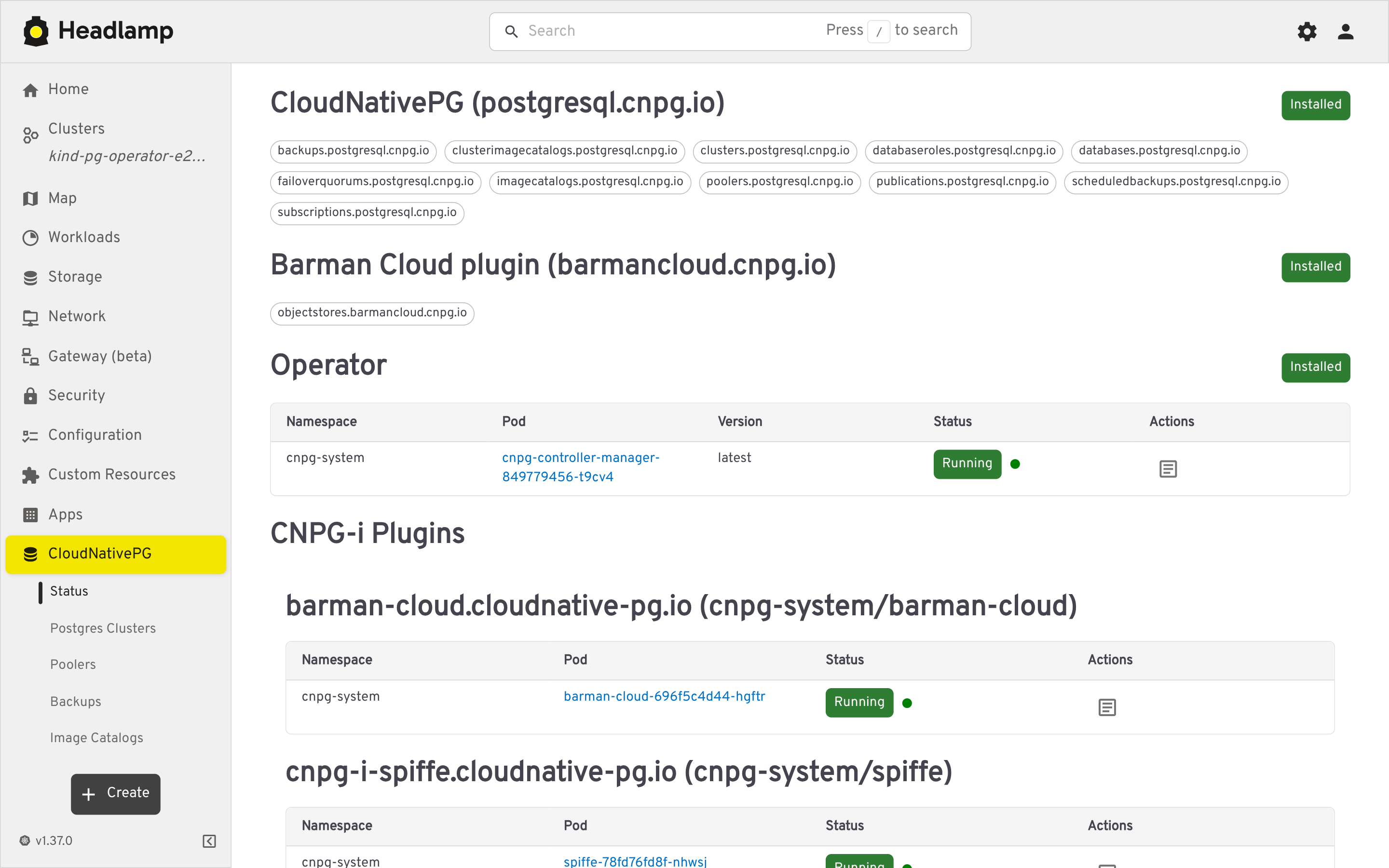
- Installed CNPG CRDs and operator pod health
- Detected CNPG-i plugins (e.g. Barman Cloud), with quick access to their logs
- Headlamp >= 0.42 (Desktop, in-cluster, web, or Docker Desktop)
- A Kubernetes cluster with the CloudNativePG operator installed (the plugin manages CNPG custom resources)
- Open Headlamp and go to the Plugin Catalog
- Search for
cnpg-headlamp-pluginand click Install - Reload the UI (via the notification, or Navigation menu > Reload) — a CloudNativePG section appears in the sidebar
- Download the
cnpg-headlamp-plugin-<version>.tar.gzarchive from the GitHub Releases page - Install it following the Headlamp plugin installation documentation
Deploy Headlamp together with the plugin using the example manifest in deploy/headlamp-with-cnpg.yaml, which is pinned to the latest released plugin version:
kubectl apply -f https://raw.githubusercontent.com/cloudnative-pg/cnpg-headlamp-plugin/main/deploy/headlamp-with-cnpg.yamlTo install a specific released plugin version, edit the ghcr.io/cloudnative-pg/cnpg-headlamp-plugin:v0.1.5 image tag in the manifest.
Note: with -in-cluster, Headlamp authenticates with its own ServiceAccount, so grant it the RBAC permissions described in the Headlamp in-cluster documentation and generate a login token for your user (kubectl create token <serviceaccount>).
See CONTRIBUTING.md for development setup, the live-load smoke check, and regenerating screenshots.
Licensed under the Apache License 2.0.