



A full-stack, session-authenticated e-commerce web application built natively with PHP and MySQL. Designed to handle complete retail workflows including product management, dynamic cart updates, customer checkout, profile administration, and secure credential handling.
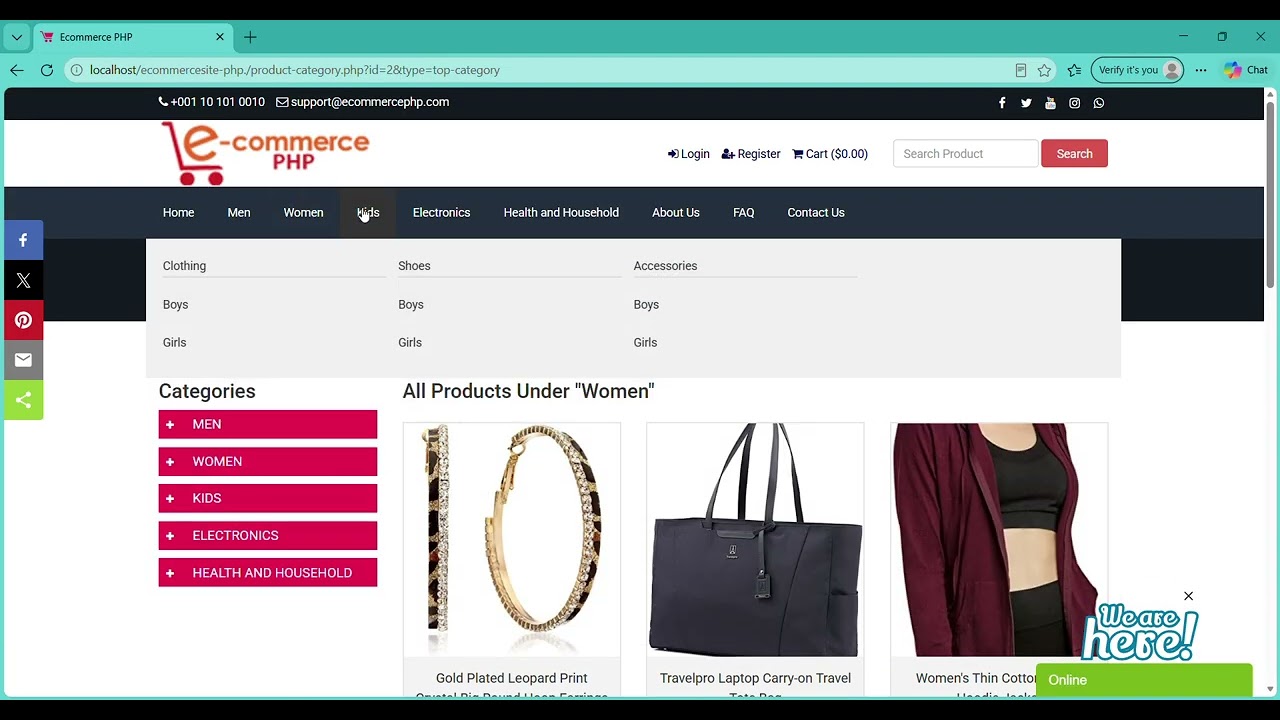
- Account Management: User registration with email verification flow (
registration.php,verify.php), session login (login.php), and password recovery (forget-password.php,reset-password.php). - Product Discovery: Search bar integration (
search-result.php) with multi-level category navigation (product-category.php,sidebar-category.php). - Cart & Billing: Add/remove items with dynamic total calculation (
cart.php,cart-item-delete.php), and shipping/billing update modules (customer-billing-shipping-update.php). - Order Tracking: Account dashboard displaying past purchase history and order itemization (
dashboard.php,customer-order.php).
- Password Encryption: Standardized authentication layer utilizing modern native
password_hash()andpassword_verify()functions. - Session Guarding: Restricted route validation preventing unauthorized access to customer dashboard endpoints.
Choose the instructions matching your laptop's operating system:
- Install XAMPP for Windows or WampServer.
- Open Command Prompt or PowerShell and run:
cd C:\xampp\htdocs
git clone https://github.com/fathiaomar/eccomerce-php.git eCommerceSite-PHP
- Open XAMPP Control Panel and click Start for Apache and MySQL.
- Install XAMPP for Mac or MAMP.
- Open Terminal (
Cmd+Space, typeTerminal) and run:- For XAMPP:
cd /Applications/XAMPP/htdocs git clone https://github.com/fathiaomar/eccomerce-php.git eCommerceSite-PHP - For MAMP:
cd /Applications/MAMP/htdocs
git clone https://github.com/fathiaomar/eccomerce-php.git eCommerceSite-PHP
- For XAMPP:
- Open XAMPP or MAMP and start the servers.
- Open Terminal (
Ctrl+Alt+T) and run:- For XAMPP:
cd /opt/lampp/htdocs git clone https://github.com/fathiaomar/eccomerce-php.git eCommerceSite-PHP - For LAMP:
cd /var/www/html
git clone https://github.com/fathiaomar/eccomerce-php.git eCommerceSite-PHP
- For XAMPP:
- Start services:
- For XAMPP:
sudo /opt/lampp/lampp start - For LAMP:
sudo systemctl start apache2 mysql
- For XAMPP:
- Open your web browser and go to
http://localhost/phpmyadmin/. - Create a new database named
ecommerce_db. - Select
ecommerce_db, click the SQL tab at the top, paste this command, and click Go:SET GLOBAL innodb_strict_mode = 0;
- Click the Import tab at the top.
- Click Choose File, select the
.sqldatabase file included inside your cloned project folder, and click Go at the bottom.
- Open
inc/config.phpin your code editor and verify your local database settings match:$dbhost = 'localhost'; $dbuser = 'root'; $dbpass = ''; $dbname = 'ecommerce_db'; define("BASE_URL", "http://localhost/eCommerceSite-PHP/");
- Open your web browser and visit:
http://localhost/eCommerceSite-PHP/
├── index.php                             # Main storefront entry point
├── cart.php & cart-item-delete.php       # Cart state & item management
├── checkout.php                          # Checkout & order placement
├── login.php & registration.php          # Auth & account creation
├── customer-password-update.php          # Credential modification
├── customer-billing-shipping-update.php  # Shipping address manager
├── search-result.php                     # Catalog query handler
└── verify.php                            # Email token verification