


🌐 Official Website: chessanalyzer.xyz
Visit the official site for detailed documentation, latest updates, and to report bugs or request features.
▶ Click to watch the showcase video
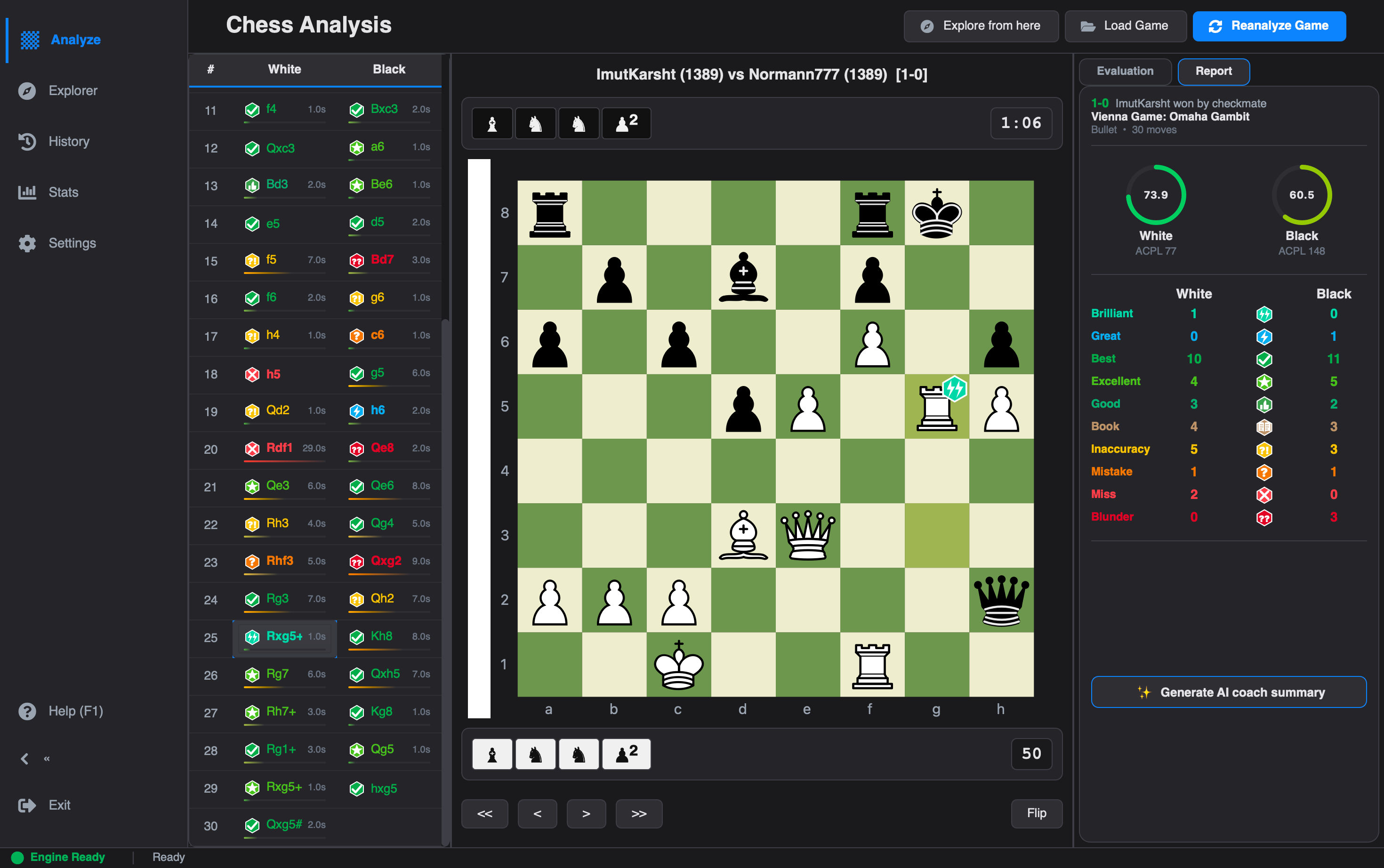
Chess Analyzer Pro is a powerful, full-stack Python desktop application designed to bring professional-grade chess analysis to your local machine. Inspired by platforms like Chess.com, it combines the robust analysis capabilities of Stockfish with a sleek, responsive PyQt6 interface.
| Deep Analysis & Live Lines | Opening Explorer |
|---|---|
|
 |
| Game History & Cards | Performance Metrics Dashboard |
|---|---|
 |
 |
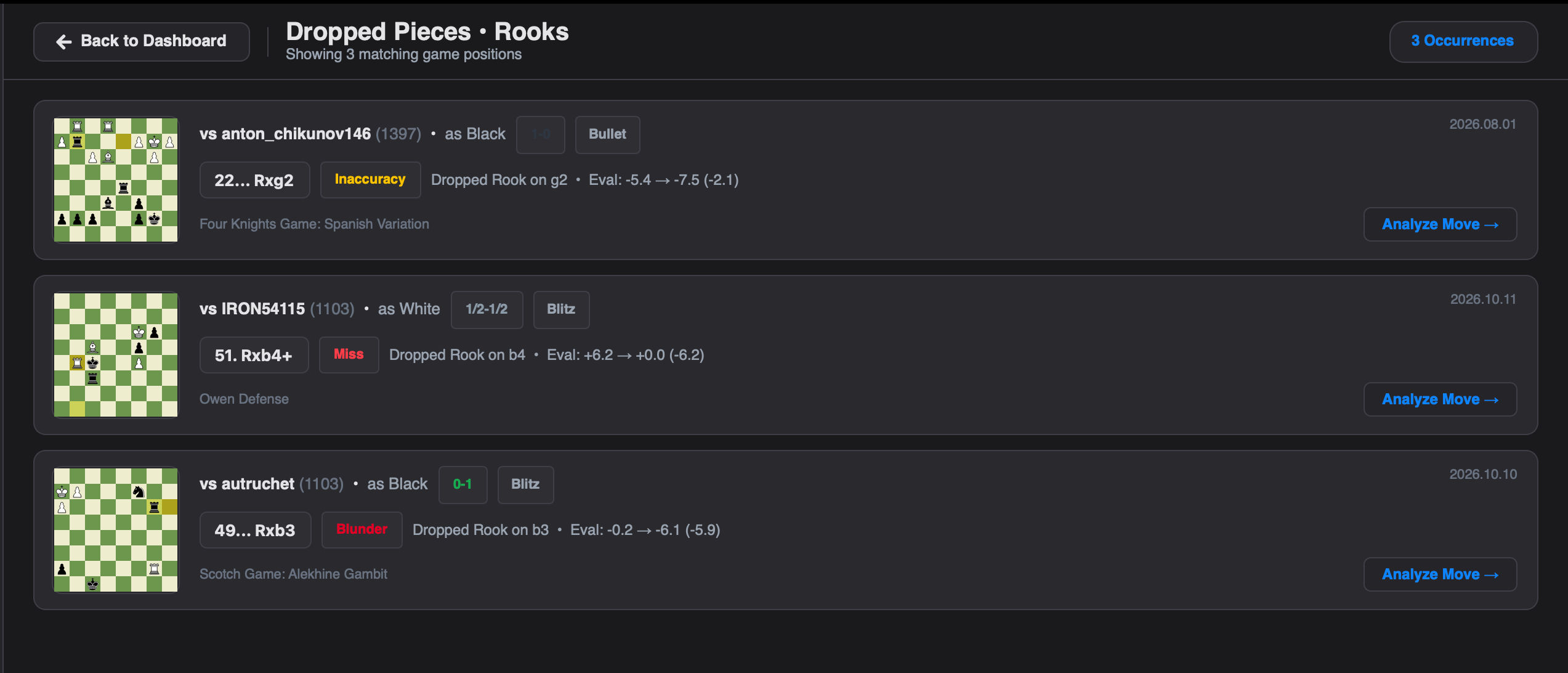
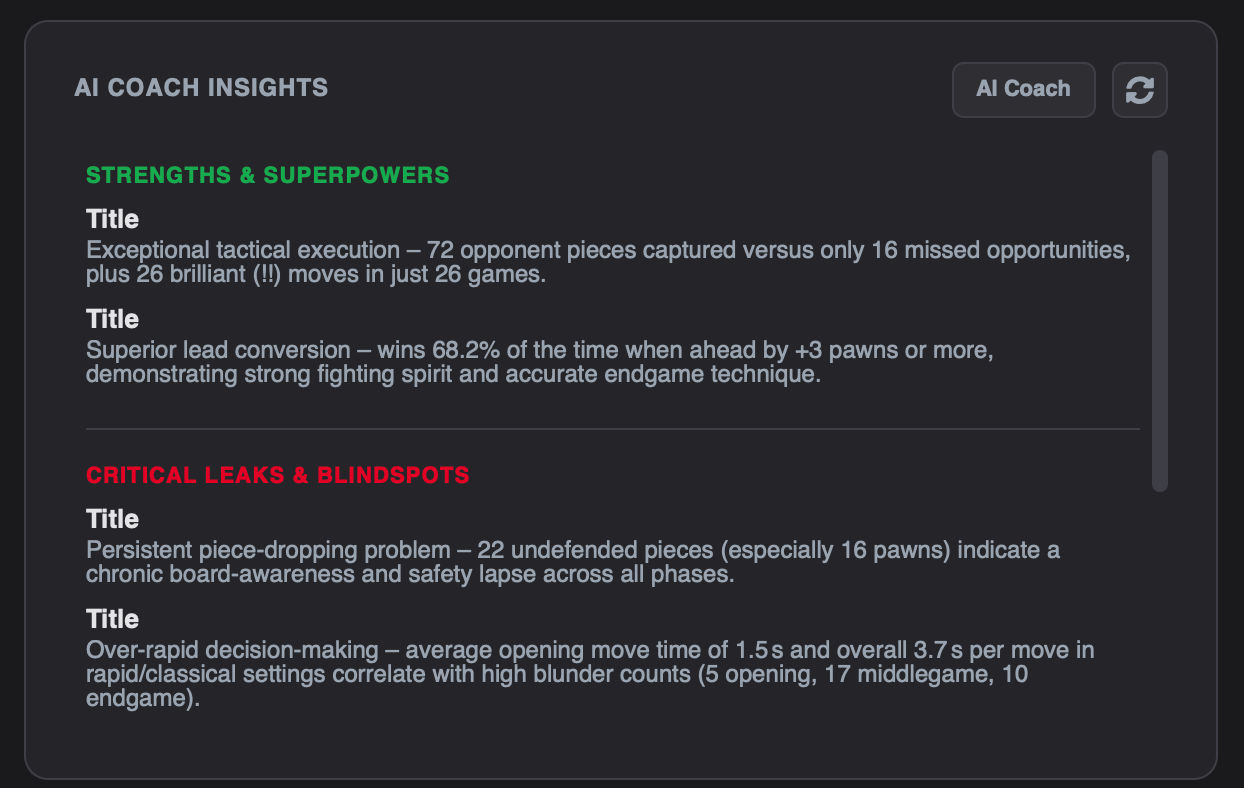
| Interactive Stats Drill-Down | AI Coach Game Summary |
|---|---|
 |
 |
🔍 View More Screens (Light Mode, Settings & Game Import)
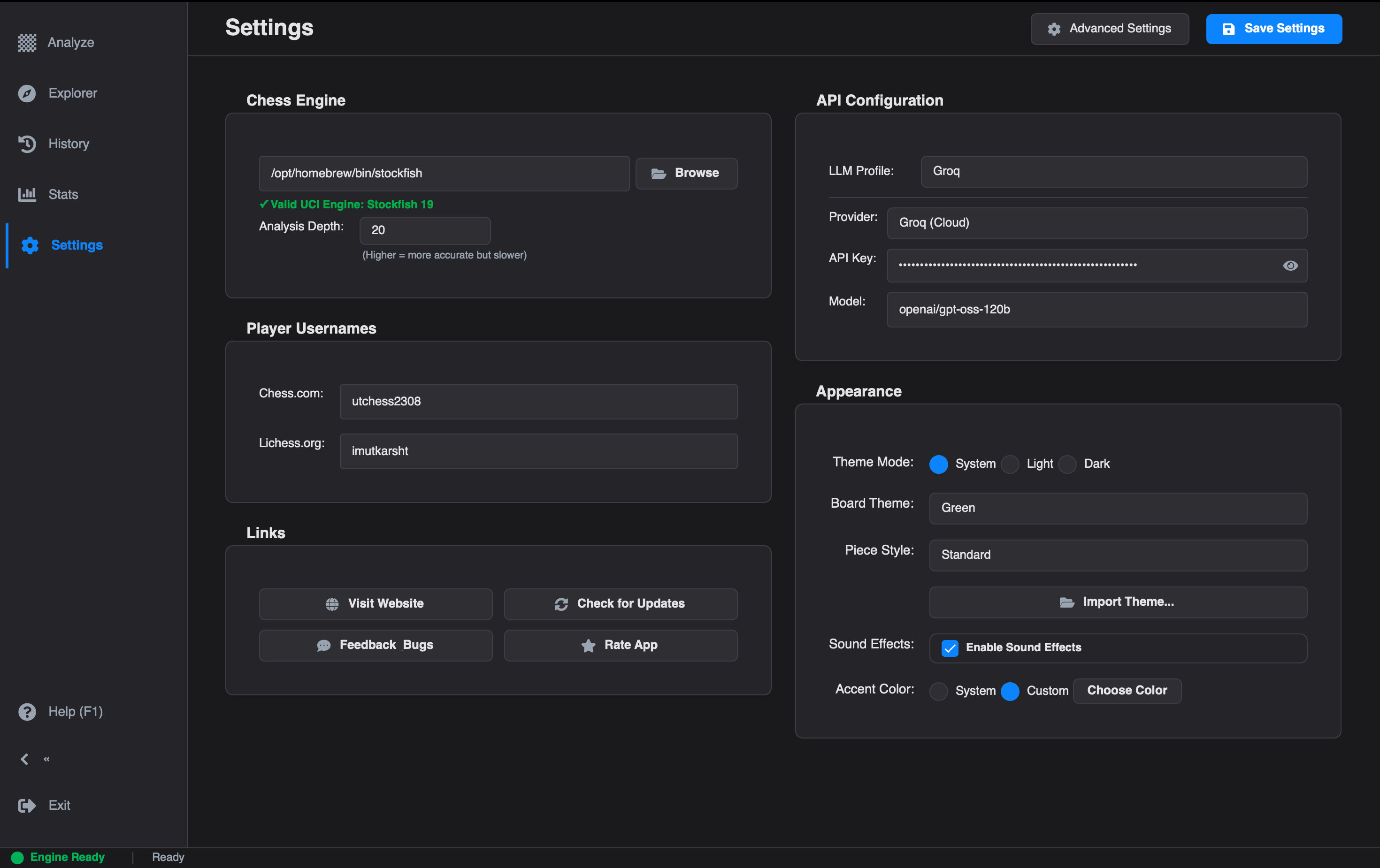
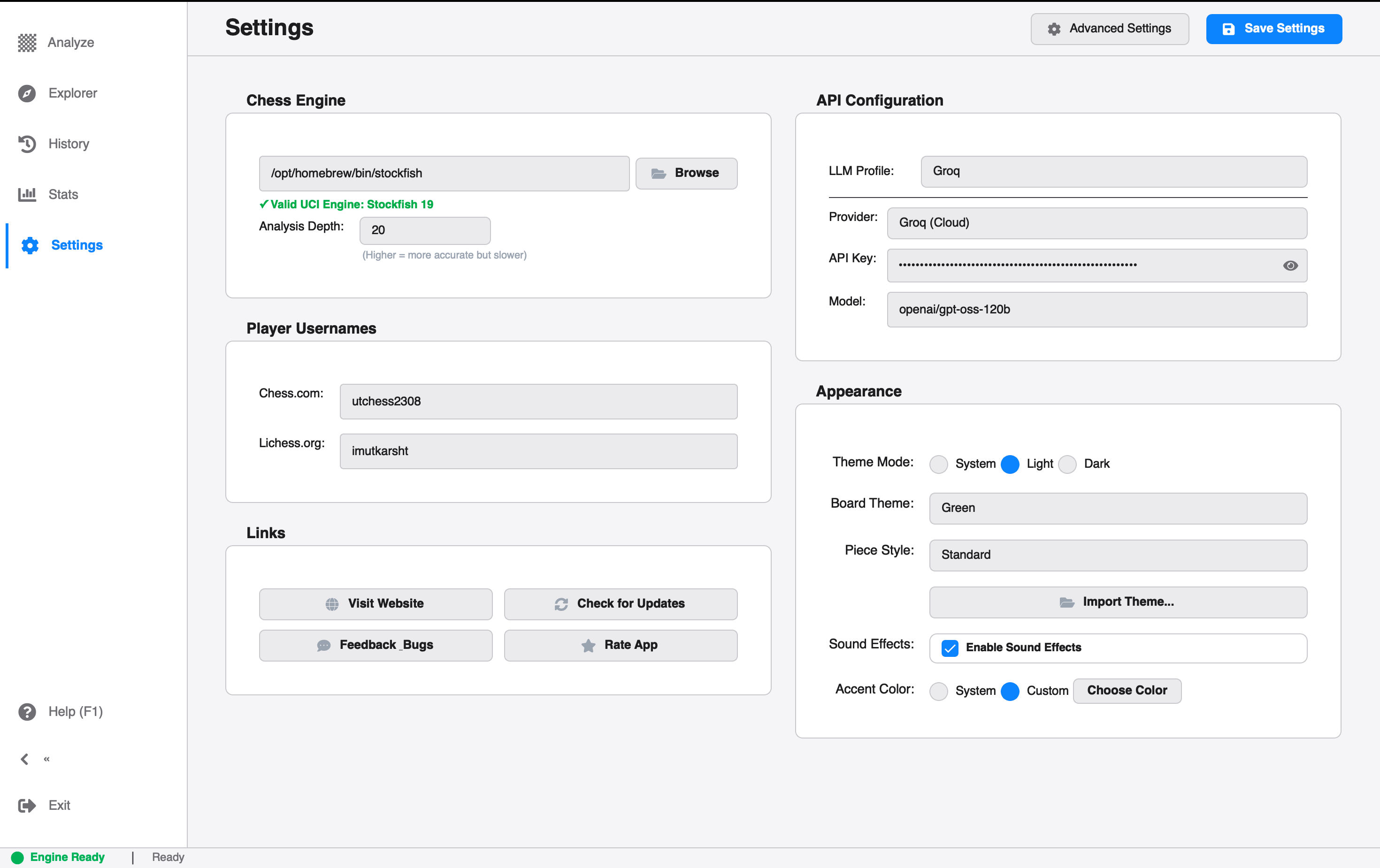
| Settings (Dark Mode) | Settings (Light Mode) |
|---|---|
 |
 |
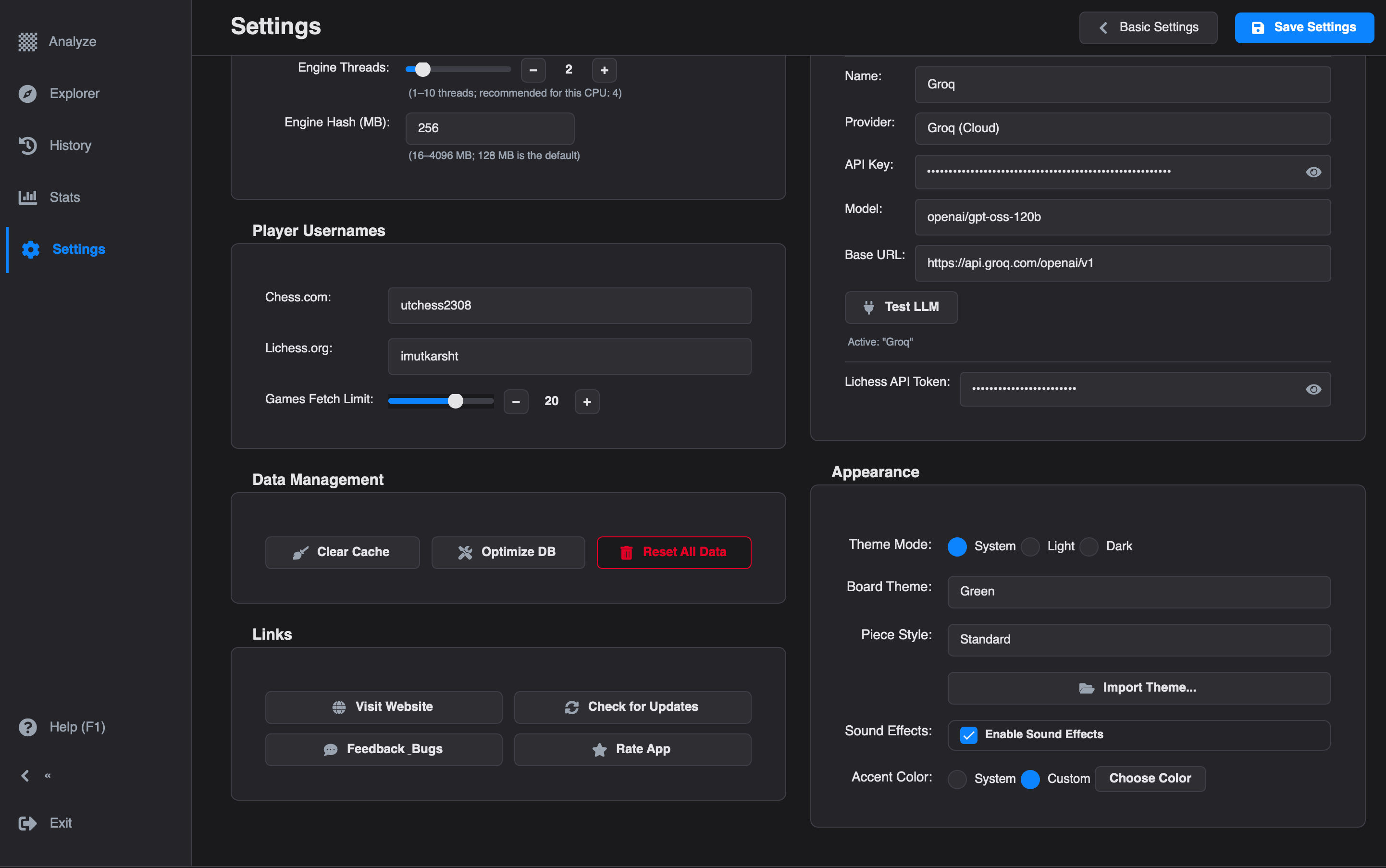
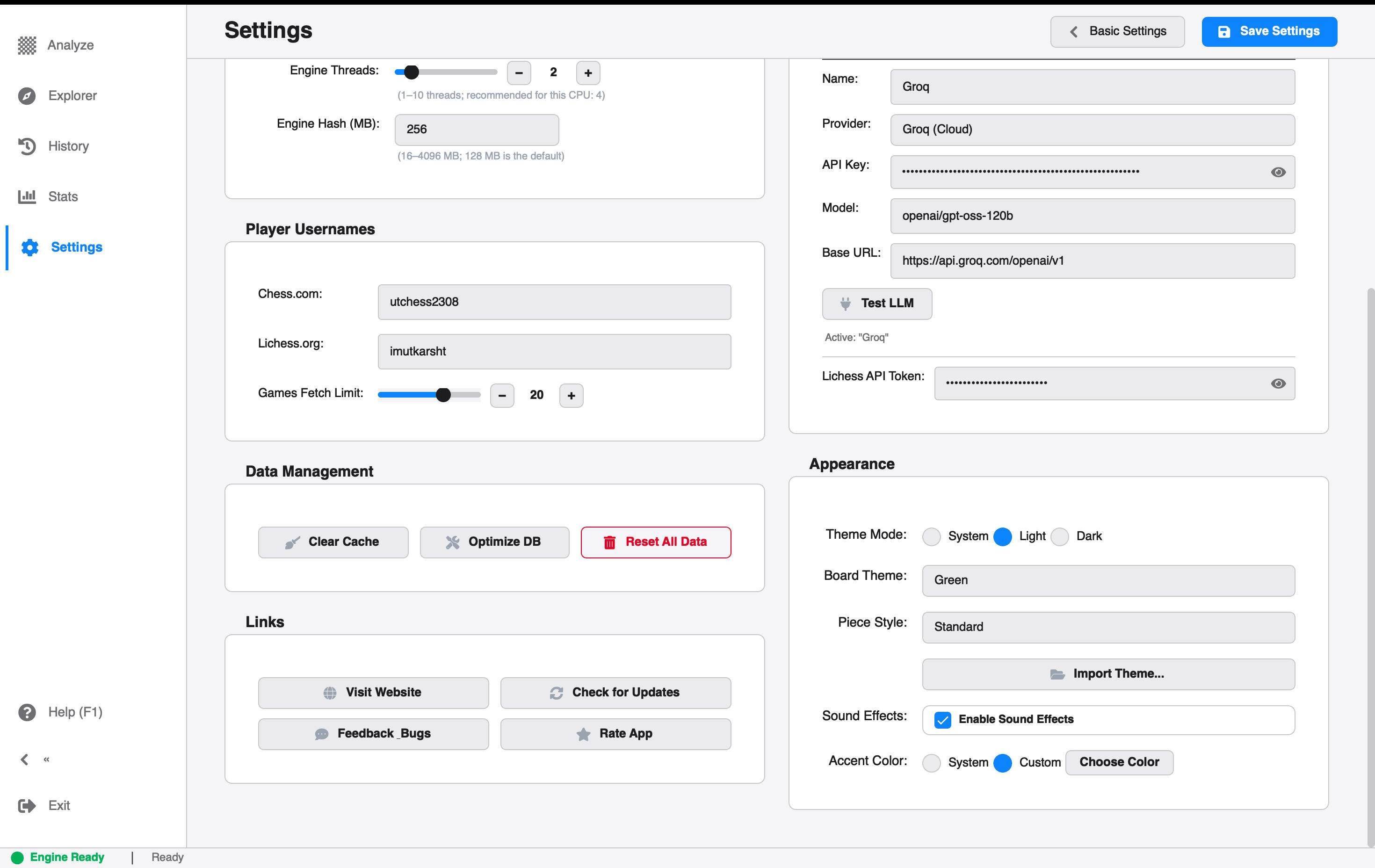
| Advanced Settings (Dark Mode) | Advanced Settings (Light Mode) |
|---|---|
 |
 |
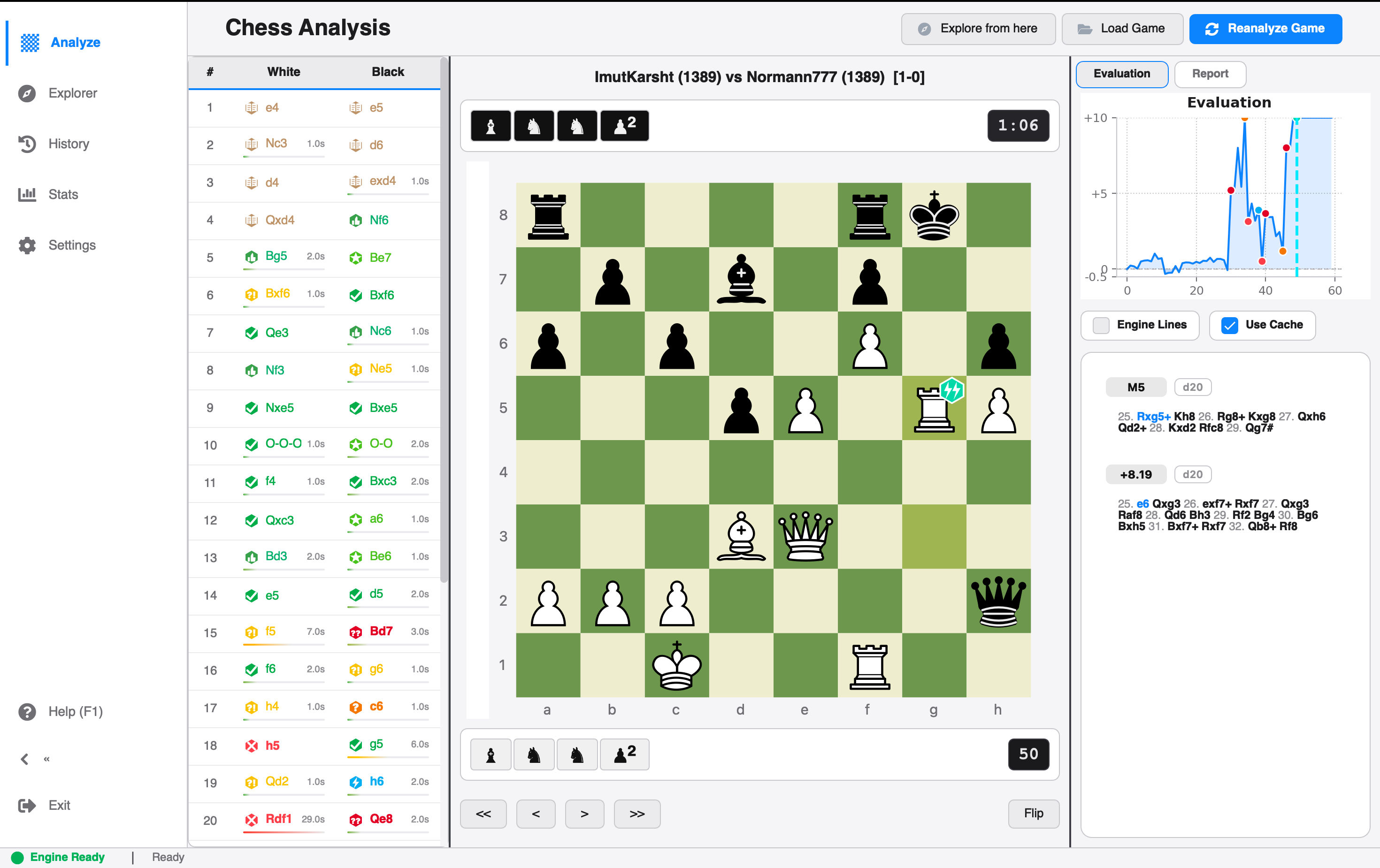
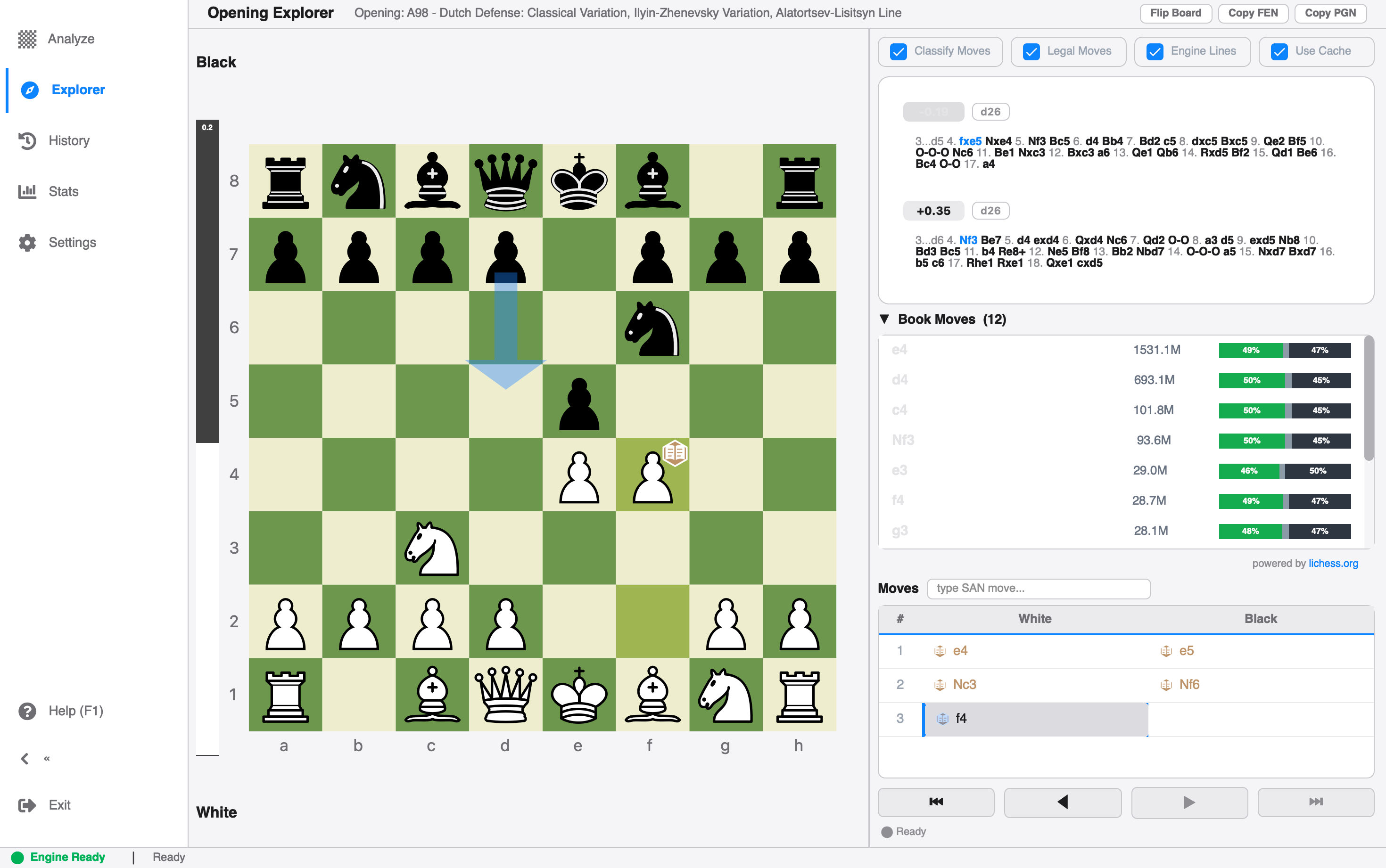
| Deep Analysis (Light Mode) | Opening Explorer (Light Mode) |
|---|---|
 |
 |
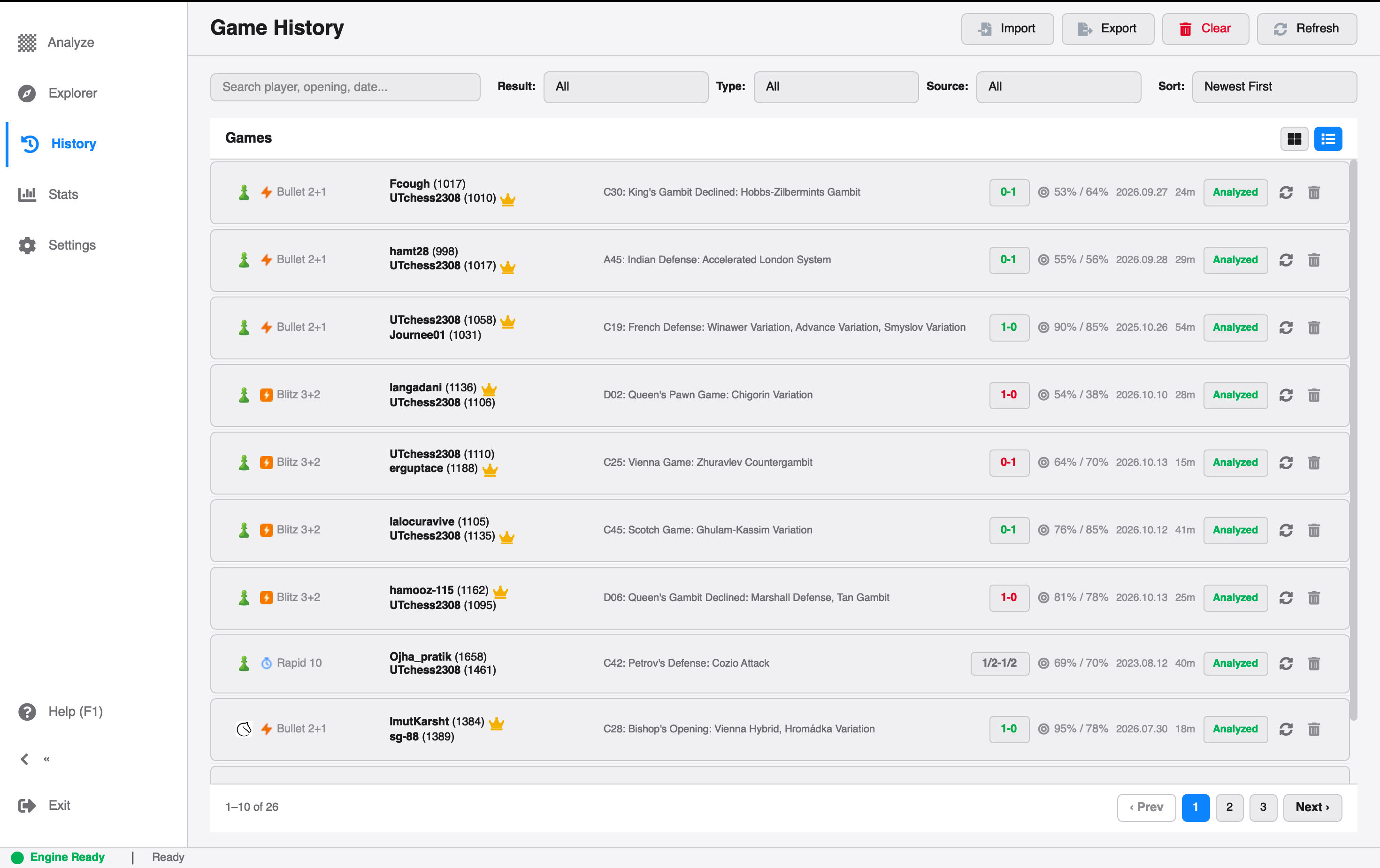
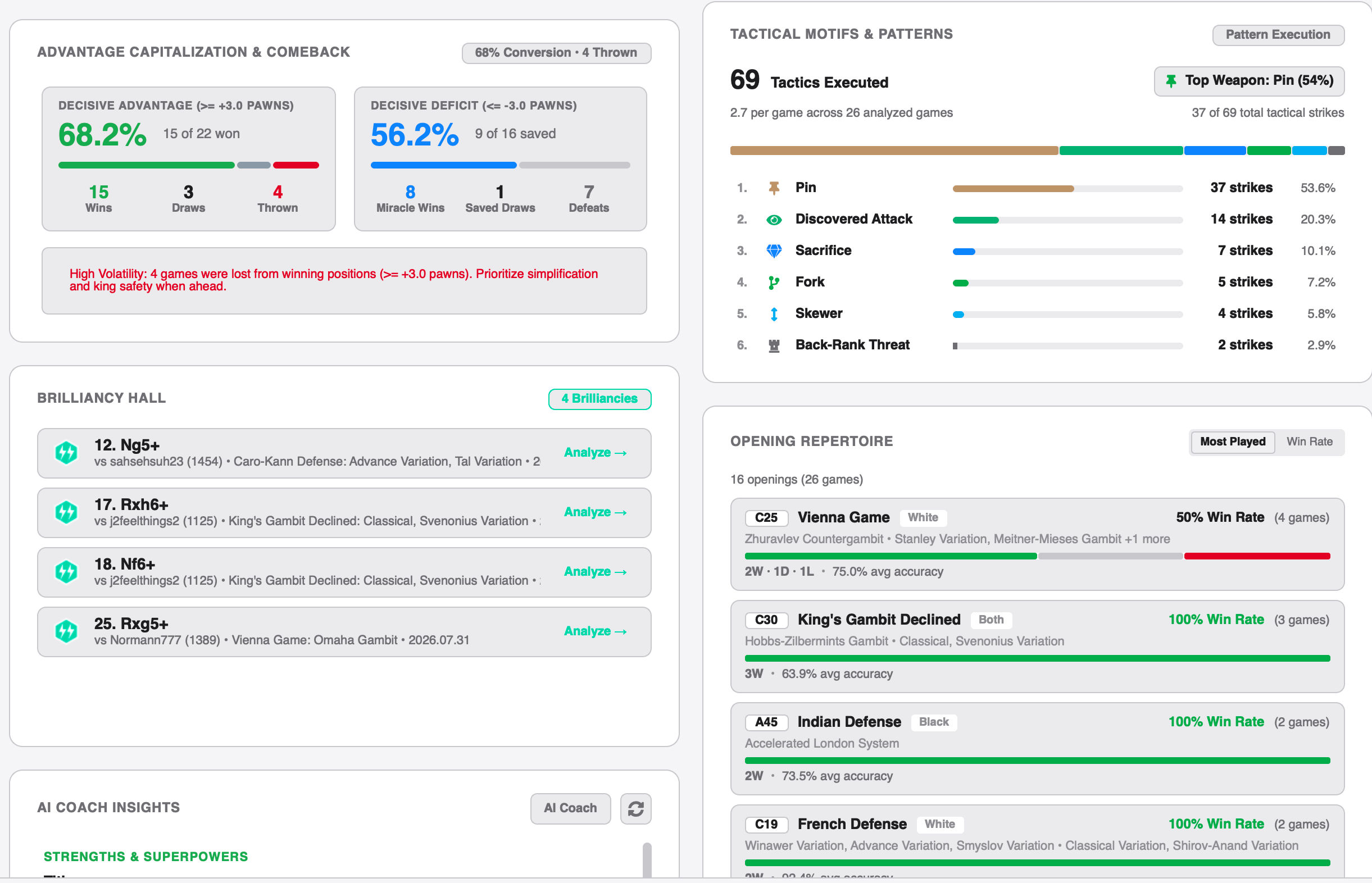
| Game History (Light Mode) | Performance Metrics (Light Mode) |
|---|---|
 |
 |
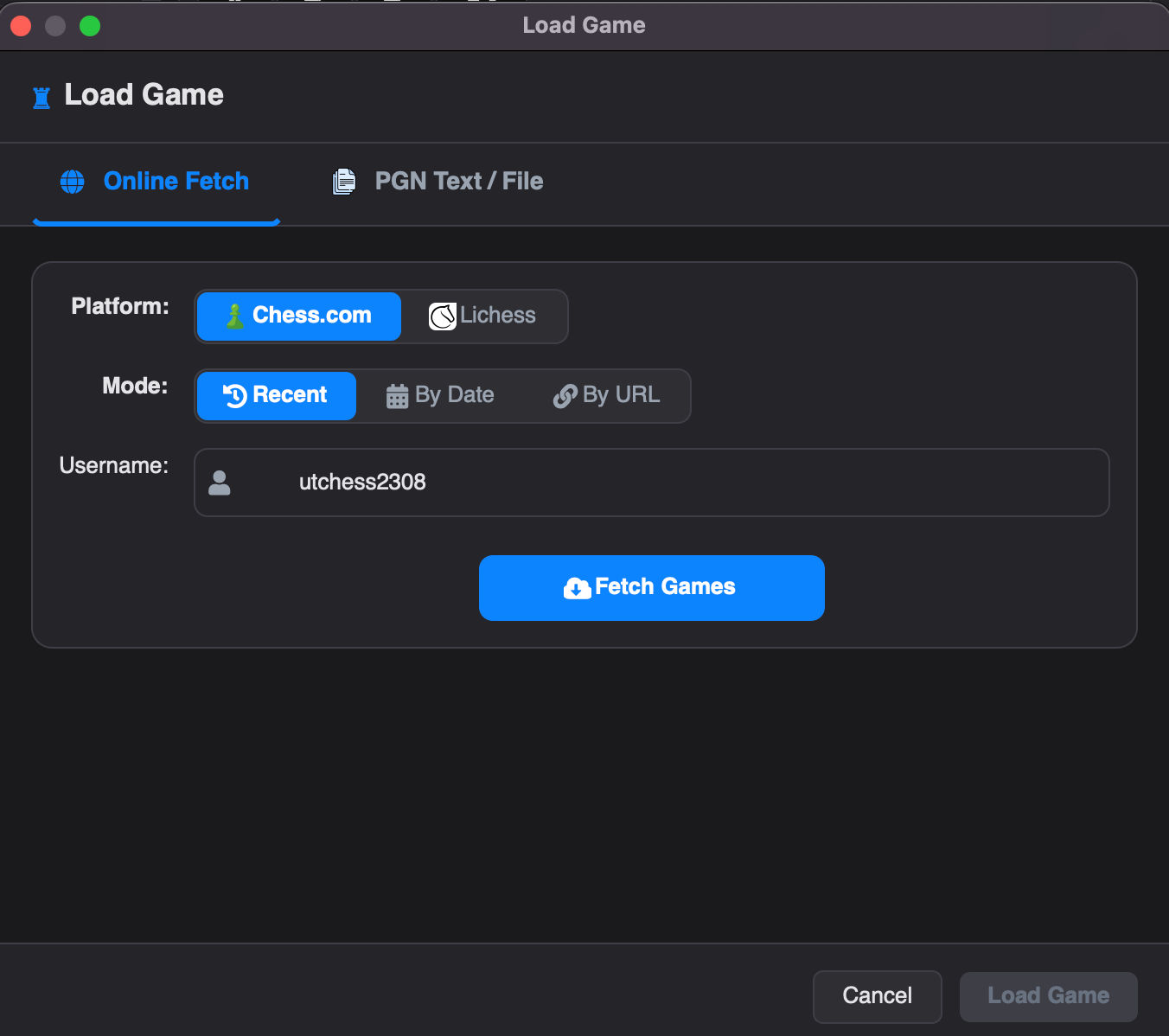
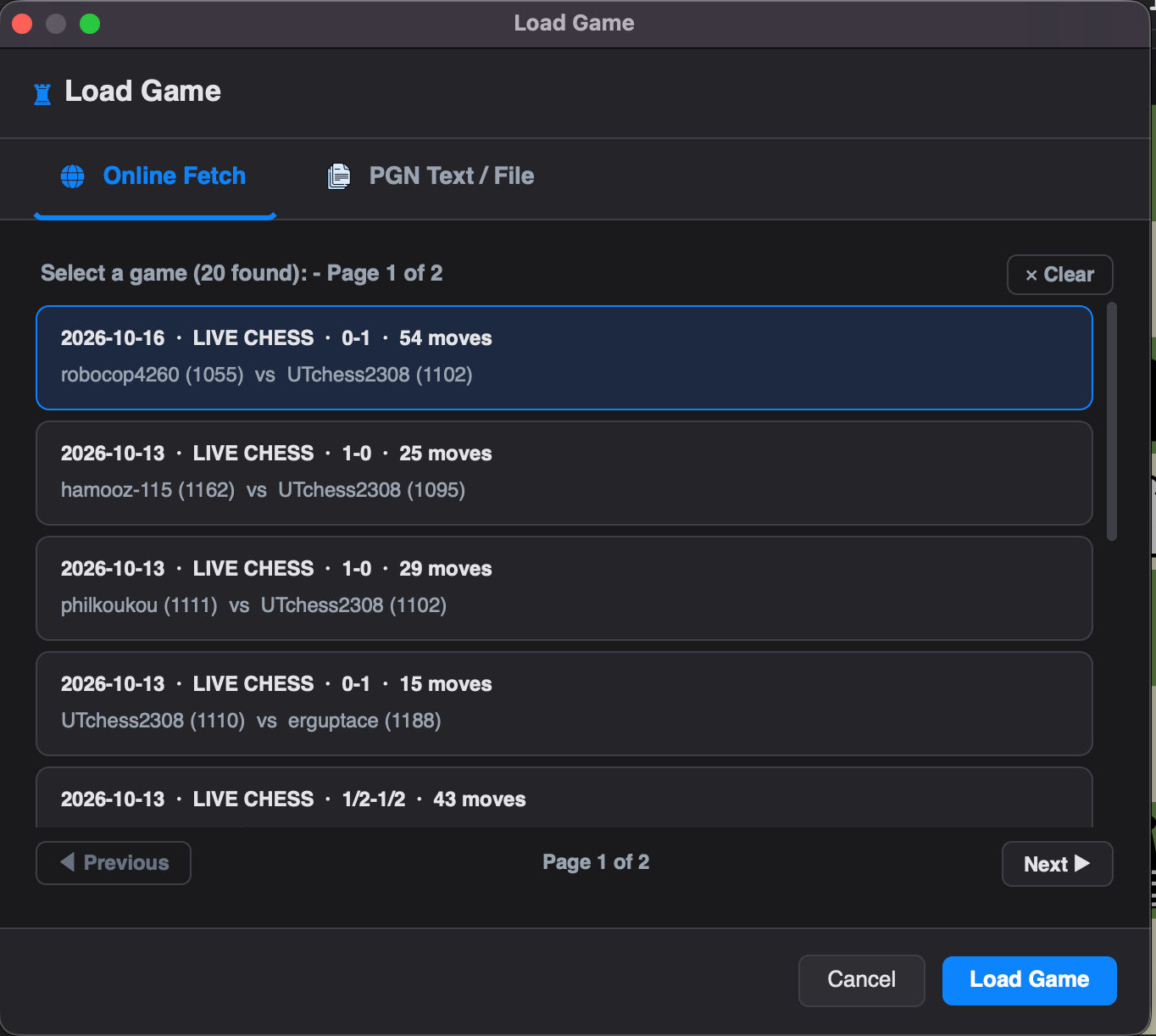
| Online Game Fetcher | Online Games List |
|---|---|
 |
 |
- Stockfish Integration: Leverages the world's strongest chess engine for deep analysis with live move-by-move progressive updates and pause/resume support.
- Move Classification: Automatically classifies every move (Brilliant, Great, Best, Excellent, Good, Inaccuracy, Mistake, Blunder, Miss) with sacrifice detection for brilliancies.
- AI Coach Summaries: Generates natural language post-game explanations using any OpenAI-compatible endpoint. Out-of-the-box support for Groq (Cloud), LM Studio (Local), MiniMax (Cloud), and Custom endpoints.
- Win Probability: Calculates and displays win probability swings for every move.
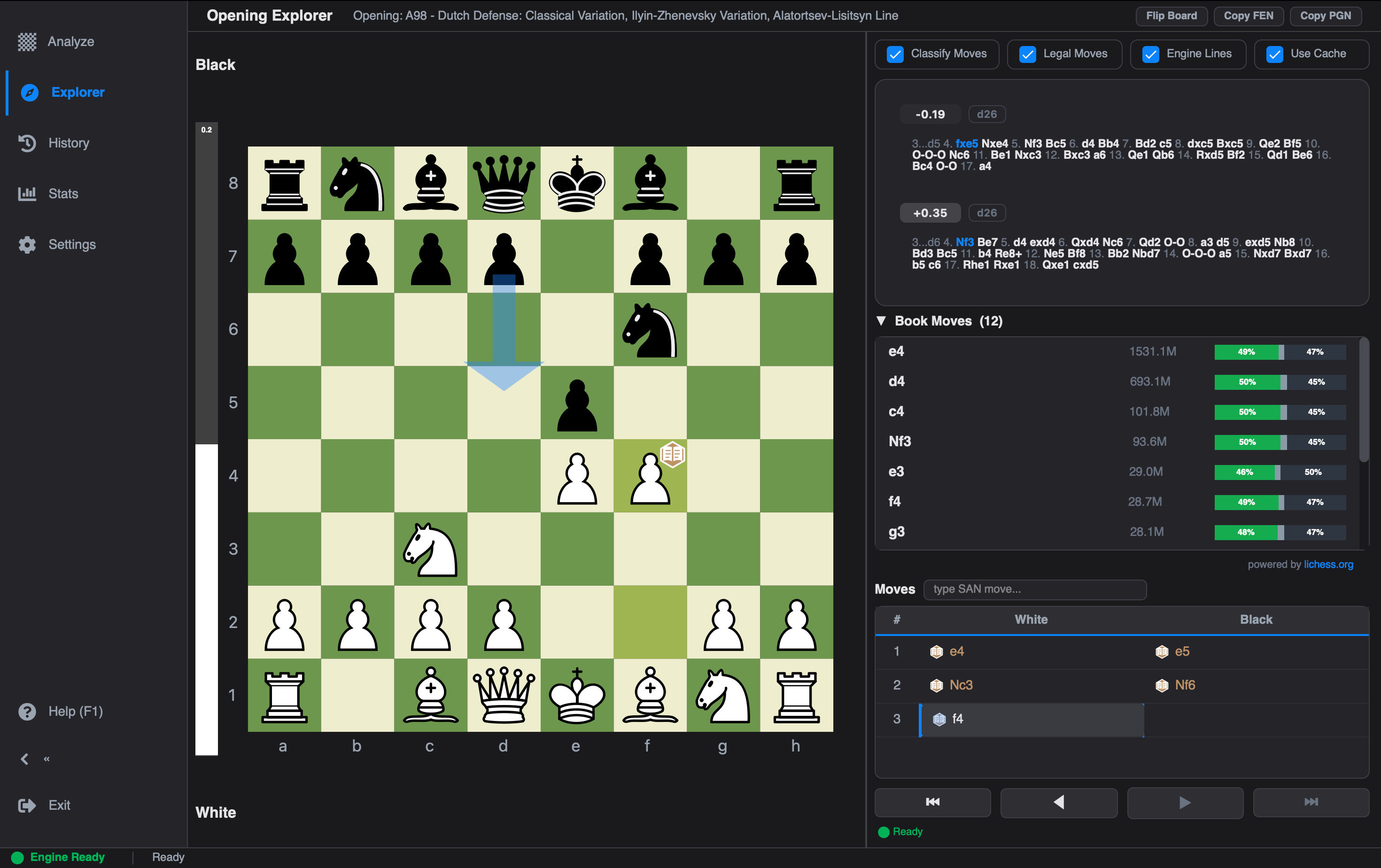
- Opening Explorer: Deep opening analysis using a built-in local SQLite openings database, custom Polyglot opening books (
*.binfiles), and live Lichess Masters & Public game database integration with Win/Draw/Loss ratio bars. - Ending & Termination Analysis: Detects and charts game outcomes by exact termination reason (Checkmate, Time, Resignation, Stalemate, Abandonment, Insufficient Material).
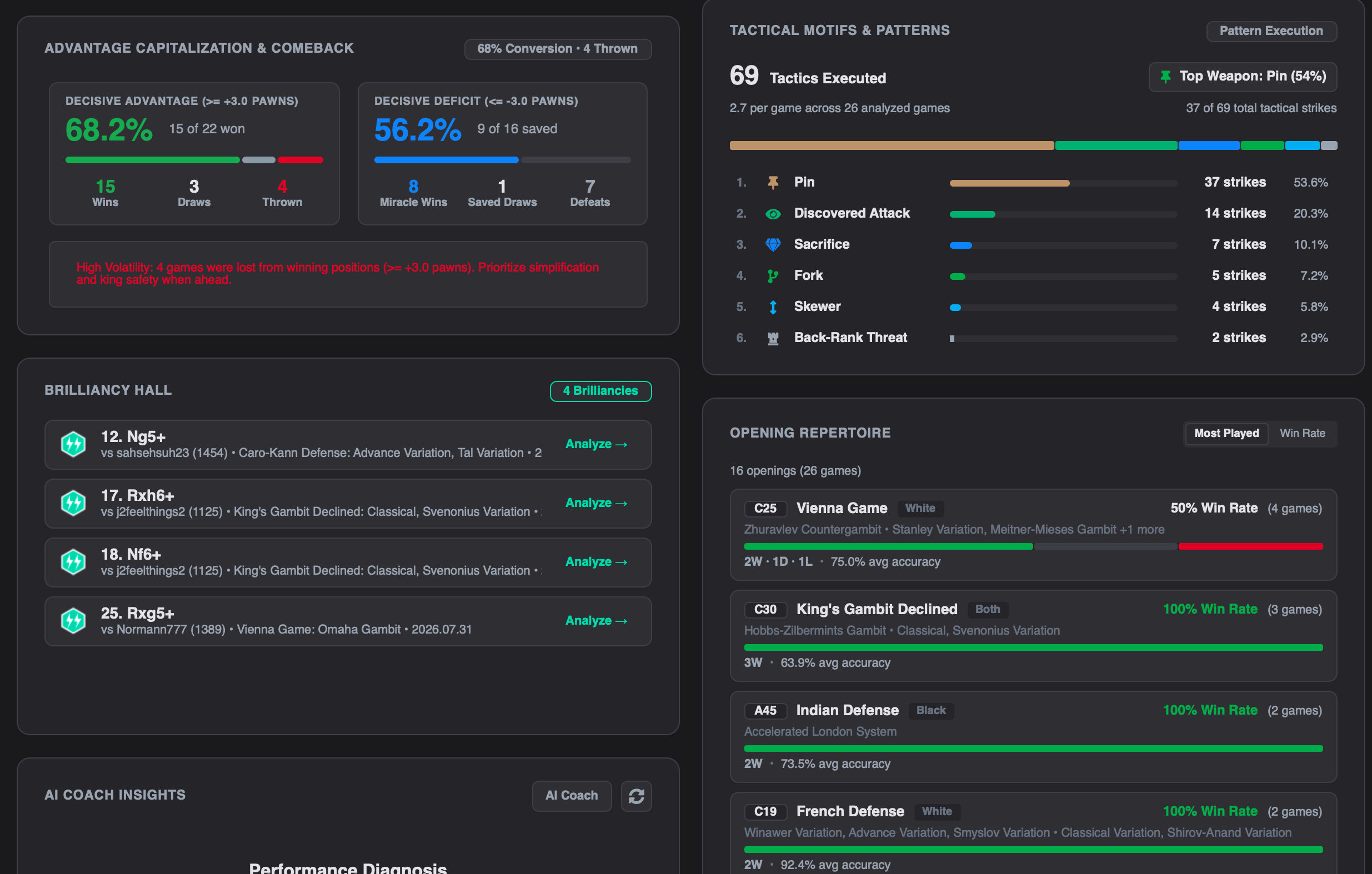
- Comprehensive Metrics Dashboard: In-depth analytics tracking tactical motifs (forks, pins, skewers, hanging pieces), game phase accuracies (Opening, Middlegame, Endgame), and advantage conversion rates.
- Interactive Stats Drill-Down: Click on any metric card across your game library to launch an interactive position explorer with engine evaluations and candidate lines.
- Player Rating Tracking: Fetches and charts official player ratings across Bullet, Blitz, Rapid, Classical, and Puzzles from Chess.com and Lichess.
- Interactive Landing & Historic Games Hub: Launches into an engaging 60-40 split hero hub featuring 25 curated legendary games from history to explore on an interactive board, paired with a project welcome center.
- Interactive Board: Fully functional chessboard with drag-and-drop support, visual move indicators, and legal move dots.
- Evaluation Graph: Dynamic graph visualizing the game's evaluation flow with an interactive active move cursor pin.
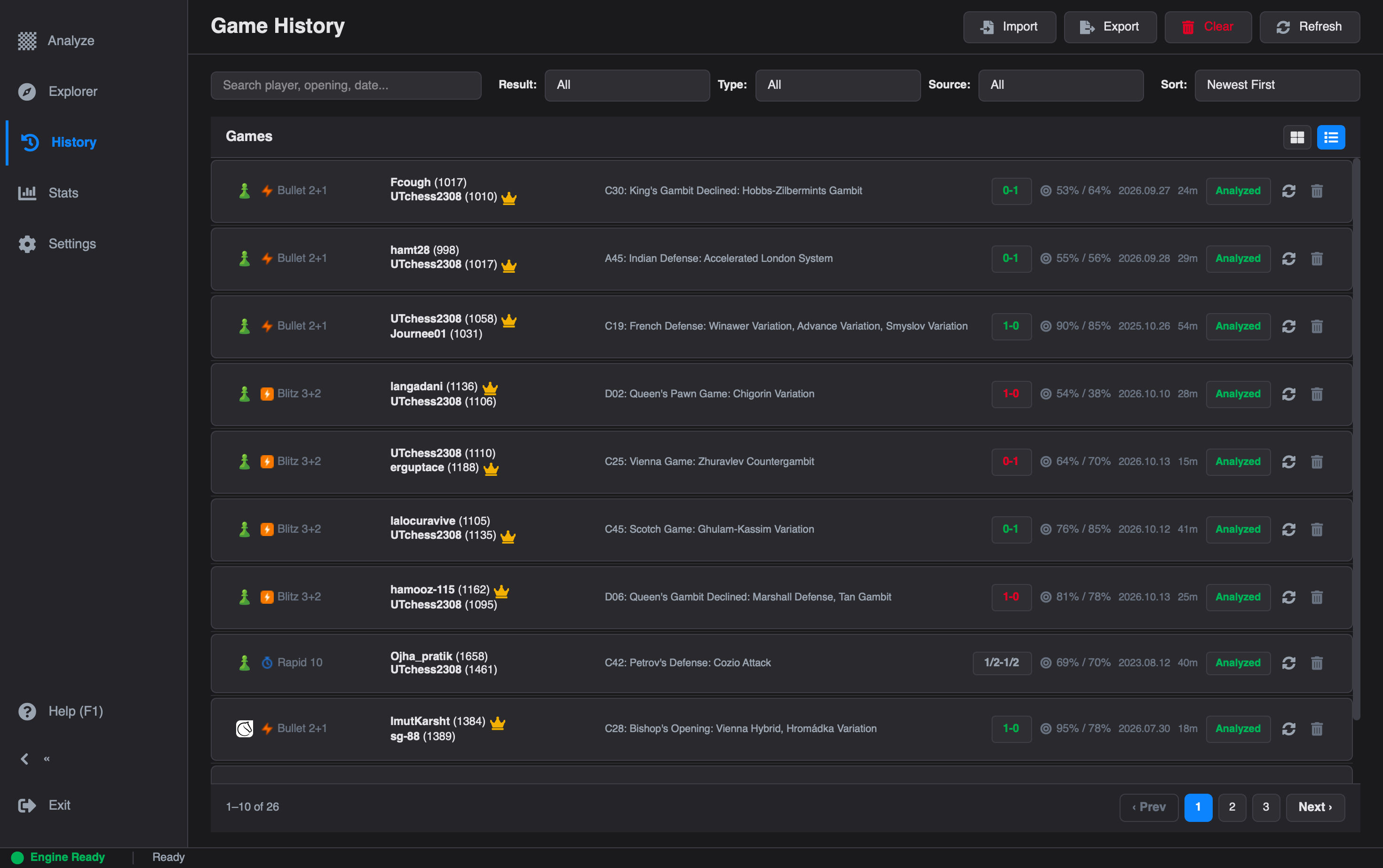
- Game List & History: Modern desktop game cards with time control badges, rating tags, and view mode toggle (Detailed Cards vs. Compact Table).
- Move List: Detailed move history with classification icons, evaluation scores, and live engine lines.
- Highly Configurable Settings: Card-based settings page where engine parameters, API keys, online accounts, and themes are easily managed and saved.
- PGN Support: Robust parsing for single and multi-game PGN files with drag-and-drop loading.
- Direct Text Input: Paste PGN text directly from your clipboard for quick analysis.
- Web Imports:
- Chess.com: Import recent matches, filter archives by date, or load specific game URLs.
- Lichess: Import recent matches, filter archives by date, or load specific game URLs.
- Data Backup & Scalability: Local SQLite storage supporting 1,000+ game archives, instant repeat loads, and full CSV export for external analysis.
- Dual-Theme Support: Full Dark Mode and Light Mode support with dynamic theme switching.
- Live Accent Colors: Change accent colors with instant live repainting without requiring an app restart.
- Toast Notifications: Clean floating toast alerts and styled confirmation dialogs.
- Sound Effects: Immersive audio feedback for moves, captures, checks, castles, and game completion.
- Board Themes & Custom Pieces: Multiple board colorways and custom piece SVG import support.
- Core: Python 3.10+
- GUI: PyQt6 (Modern, responsive desktop interface)
- Engine: Stockfish (Via UCI protocol for world-class analysis)
- Database: SQLite references locally (
analysis_cache.db) to cache analysis results, ensuring instant loading for previously analyzed games. - Config: Local
config.jsonfor persistent user settings. - Integrations:
- LLM Providers: AI-powered natural language game summaries. Natively supports Groq, LM Studio, MiniMax, and Custom OpenAI-compatible servers.
- Lichess & Chess.com: Direct game import APIs and Lichess Opening Explorer.
We prioritize your privacy. Chess Analyzer Pro is a "Local-First" application.
- Local Database: All analysis data and game history are stored in a local SQLite database (
analysis_cache.db). - No Cloud Uploads: Your games and moves are never uploaded to our servers. Analysis happens entirely on your machine using the bundled Stockfish engine.
- Secure Config: API keys (Groq, Lichess) are stored locally in
config.jsonand are never shared.
- Python 3.10 or higher
- Stockfish Engine
-
Clone the Repository
git clone https://github.com/imutkarsht/Chess_analyzer.git cd Chess_analyzer -
Create a Virtual Environment (Recommended) Using uv (faster and more reliable):
# Install uv if you haven't already
pip install uv

# Create virtual environment
uv venv .venv

# Activate
# Windows
.venv\Scripts\activate
# macOS/Linux
source .venv/bin/activate
-
Install Dependencies
uv pip install -r requirements.txt
-
Setup Stockfish
- Download the Stockfish engine for your OS (or use the in-app downloader).
- Extract the executable to a known location (e.g., inside a
stockfish/folder in the project root).
-
Run the Application
python main.py
-
Configure Engine & Opening Book
- Go to the Settings tab in the sidebar.
- Under Chess Engine, enter or browse to your Stockfish executable path (or click Download Stockfish).
- Under Opening Book, you can optionally specify a Polyglot opening book (
*.binfile) to supplement opening line evaluations.
-
Load a Game
- Click Load Game at the top of the Analyze tab (or press
Ctrl+O). - Choose your preferred loading method:
- Online Fetch: Fetch from Chess.com or Lichess by recent games, date range, or game URL.
- PGN File: Drag and drop or browse for
.pgnfiles. - PGN Text: Paste raw PGN text directly.
- Double-click or select a game and click Load Game.
- Click Load Game at the top of the Analyze tab (or press
-
Analyze
- Click Analyze Game in the left sidebar controls.
- Watch real-time evaluations and move classifications stream live onto the board and move list.
- Once complete, explore the evaluation graph, accuracy summary, and AI coach report!
Run the test suite to ensure everything is working correctly:
# Install dev dependencies first
pip install -r requirements-dev.txt

# Run all tests
PYTHONPATH=. pytest tests/ -v
On Linux servers or CI without a display, set
QT_QPA_PLATFORM=offscreenbefore running pytest.
Contributions are welcome! Please see our CONTRIBUTING.md for details on how to get started, set up your development environment, and submit pull requests.
This project is licensed under the MIT License - see the LICENSE file for details.
Note: The chess piece graphics in
assets/pieces/are a separate third-party work dual-licensed upstream under GPLv2+ and CC BY-SA 3.0, used and distributed in this project under CC BY-SA 3.0 (see Third-Party Assets below).
The chess piece graphics shipped in assets/pieces/ come from the Cburnett SVG chess set by Colin M.L. Burnett.
- Source: Wikimedia Commons — SVG chess pieces
- Upstream License: Dual-licensed under GPLv2+ and CC BY-SA 3.0 (used here under CC BY-SA 3.0)
- Per-file notice: see
assets/pieces/THIRD-PARTY-README.mdandLICENSE
The SVGs are kept in a separate directory so they can be replaced or removed without touching the MIT-licensed source code.
- Stockfish for the powerful chess engine.
- Python-Chess for the chess library.
- PyQt6 for the GUI framework.
- Lichess openings database for providing the compiled opening datasets.
- Chess piece graphics by Colin M.L. Burnett (Cburnett), distributed via Wikimedia Commons and used in the Lichess project (CC BY-SA 3.0).