
Open the app · Source · MIT licence
JUGGERMASTER is an open-source Jugger Game Assistant for training and tournaments: a Jugger beat timer, stone counter and scoreboard in a mobile web app. Open the website online once and wait for the offline-file message to disappear. The browser caches the complete app automatically. Reopen the same address offline afterwards; no separate download or installation is required. A home-screen shortcut is optional.
Deutsch: JUGGERMASTER ist ein quelloffener Jugger-Spielassistent, Jugger-Taktgeber und Steinezähler für Training und Turniere. Punkte, Sätze und Spielzeit direkt im Browser verwalten. Nach dem ersten vollständigen Laden auch offline nutzbar; keine Installation nötig.
Mobile: match scoreboard, team setup and sound controls.
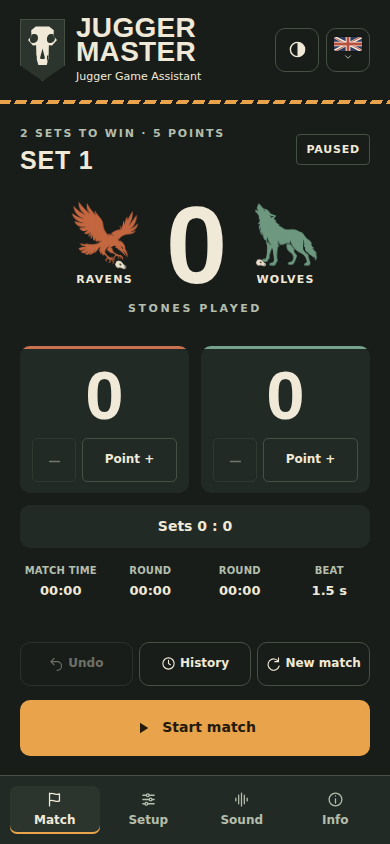
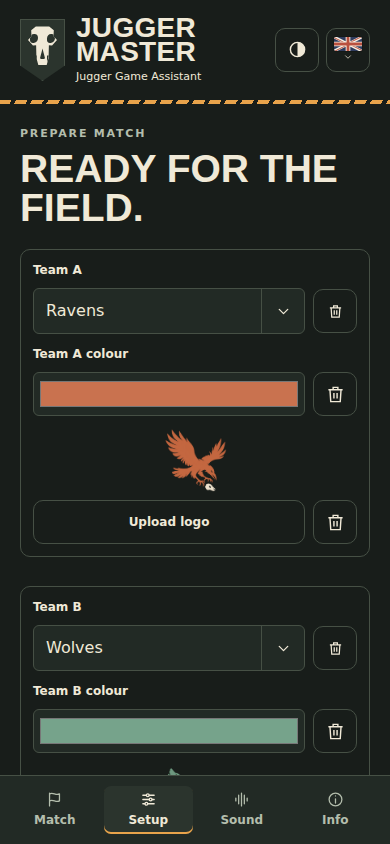
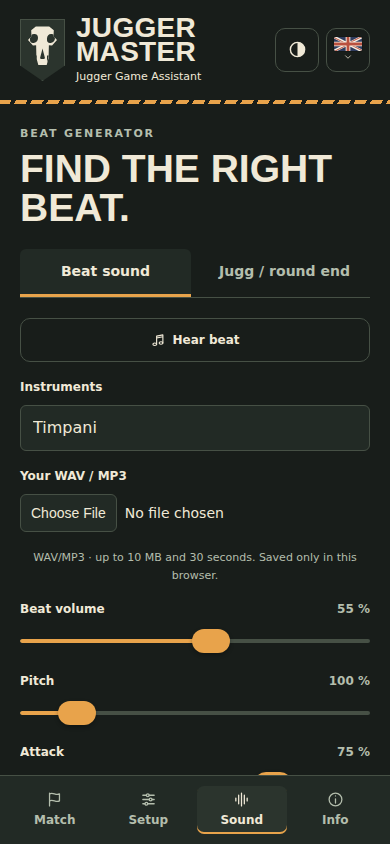
Desktop: team and match setup.
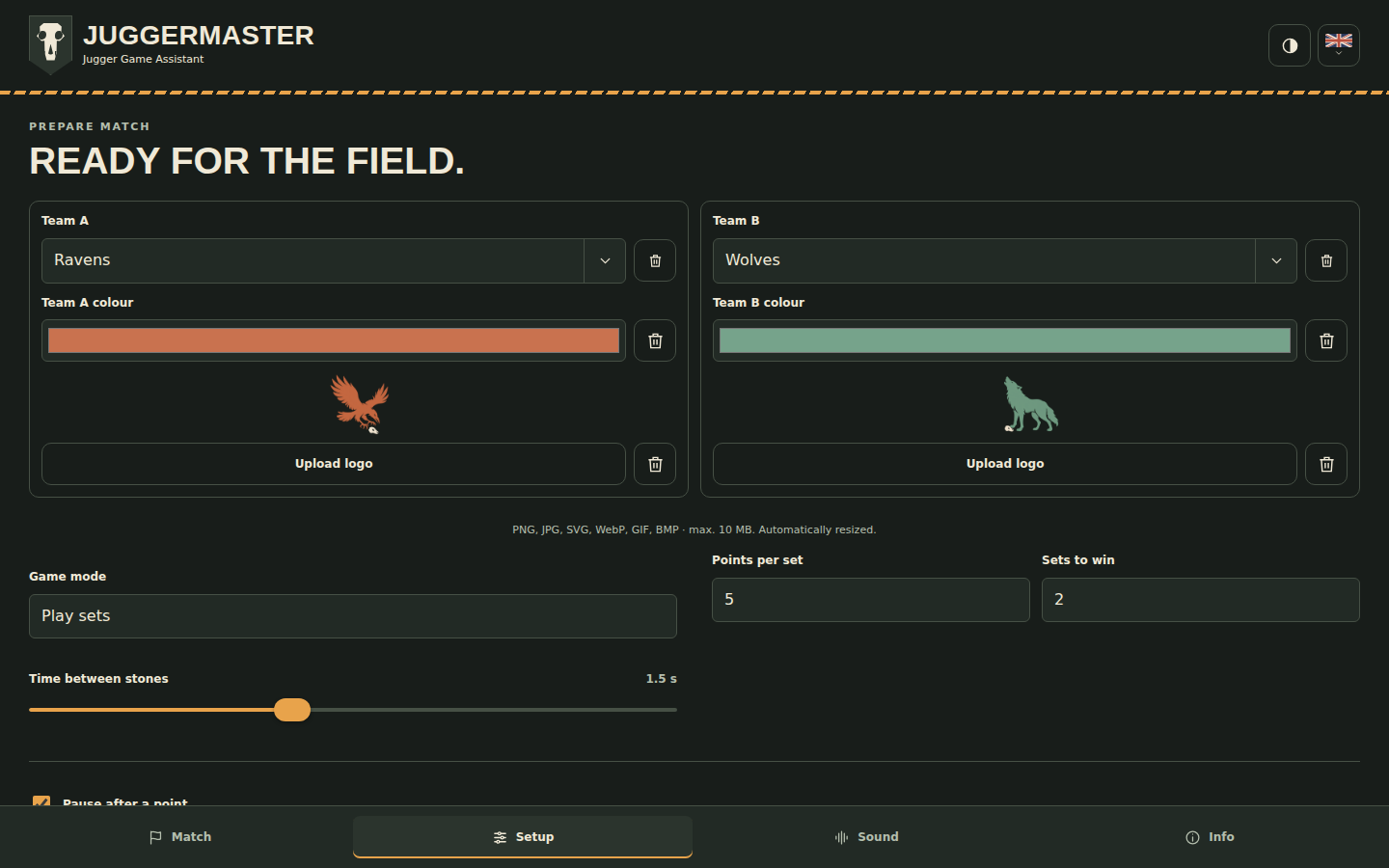
These images are generated from the checked app build on every deployment.
23 languages with automatic browser-language detection and a saved manual choice. Switch languages using the flag button in the app header. Hebrew supports right-to-left layout.
 Deutsch ·
 English ·
 Español ·
 Français ·
 Italiano
 Português ·
 Nederlands ·
 Dansk ·
 Svenska ·
 Suomi
 Polski ·
 Čeština ·
 Magyar ·
 Română ·
 Latviešu
 Lietuvių ·
 Русский ·
 Українська ·
 עברית ·
 日本語
 한국어 ·
 简体中文 ·
 繁體中文
- Sets by default, plus sets with a match-wide time limit in minutes (20 minutes by default), stone-based matches with configurable stones and rounds (100 stones × 2 rounds by default), Golden Jugg and continuous beats. Normal set rules end timed sets as soon as the selected sets-to-win target is reached. If the time limit expires first, rank won sets first, then points in the current unfinished set; a complete tie ends in a draw. A countdown clock replaces the stone counter in timed sets. Timed sets use a fixed wall-clock deadline: points, fouls, pauses, set changes, reloads and undo never extend the tournament slot.
- Configurable stones, interval, teams, colours and up/down counting. The optional start countdown shows 3, 2, 1, JUGGER in a one-second dialog, independently of the stone interval.
- Editable team fields with saved-team selection, local colours, logos and removal. Generated PNG silhouette logos are included: a raven diving to grab a Jugg and a full-body howling wolf, using the default team colours; own PNG, JPG, SVG, WebP, GIF and BMP images are reduced proportionally to at most 256 pixels and saved locally with each team. Additional image formats such as AVIF depend on browser support. Full-colour logos and team names are centred above their team boxes. Without a logo, a large name takes its place in the team colour; each team can also have no colour. Tap the stone number to open a number wheel or type a number; Apply saves it, Cancel discards it. No separate stone plus/minus buttons. Optional vibration for stones and points can be enabled separately on supported devices. Separate setup and sound defaults.
- Independent beat and Jugg/period-end sound profiles: 82 SpessaSynth percussion instruments (including triangle, claves and the complete GM/GS percussion set), the original stone-on-metal, gong and drum synthesis, or your own WAV/MP3 for either profile. Separate volumes, always-on volume levelling, and one to ten overlapping end beats. Defaults: timpani for the beat and one strike on a large gong for the end signal.
- Own audio files stay in this browser's IndexedDB and work offline; up to 10 MiB and 30 seconds per profile. Removing a file affects only that profile. Clearing site data removes these files too.
- Continuous beat preview starts with a click or when moving a beat slider; end-signal sliders play one test beat on release. Local match state and 30 undo steps are saved. Reopening always restores a paused match.
- Match results in a scrollable History dialog between Undo and New match. Completed results with dates and team names are saved locally without a fixed count limit. Older entries appear as you scroll. If browser storage fills up, only the oldest results are removed to make room; the newest result is retained. Undo updates an archived result; no individual match events are recorded. Every New match confirmation prepares a paused game; press Start match separately when ready. The History dialog can share every result as CSV, with a download and mail-draft fallback when file sharing is unavailable.
- 23 languages, automatic browser-language selection, saved manual choice and original SVG flags. Hebrew uses right-to-left text.
- Responsive layout, always-visible bottom tabs, foreground screen wake lock, home-screen instructions in Info, offline help, legal pages and licence notices.
Node.js 22 or newer:
npm ci
npm test
npm run build
npm start
Open http://localhost:4173/. Offline features need HTTPS or localhost; opening the HTML file directly is insufficient. On Windows use npm.cmd if PowerShell blocks npm scripts.
npx playwright install chromium webkit
npm run test:browser
npm run build
npm run test:webkit
npm run check:source
npm run check:build
CHROME_PATH optionally selects a local Chromium executable. Otherwise Playwright uses its installed browser. The browser suite builds test versions; build again afterwards for publication. Generated output is in dist/ and is not committed.
To refresh the README screenshots locally after installing Chromium:
npm run build
npm run screenshots
The deployment workflow runs this automatically after the final build. Images are published at /screenshots/; generated PNGs are not committed or added to the offline app cache.
web/src/images/icon.svg is the only editable app-icon source. The build generates 180, 192 and 512 pixel PNG compatibility icons automatically. Do not maintain PNG copies in the sources.
GitHub Actions checks the sources, runs automated tests, builds the app, captures current README screenshots and publishes only dist/ from main. After successful deployment it creates a matching GitHub release and version tag for the checked commit, using the app's English release notes. Re-running the same commit keeps its existing release; a version already tagged to another commit requires a fresh version. Pull requests are checked without publishing. Select GitHub Actions in the repository's Pages settings, leave the custom domain empty and use HTTPS. No own server credentials or manually embedded tokens are needed.
Before pushing: finish local changes and checks, commit locally, inspect the actual commit and all outgoing history, then push only the checked revision. node web/scripts/check.mjs history HEAD checks committed file versions for private files and known secret patterns. It supplements review; it does not detect every possible credential.
After every push, monitor GitHub Actions through the checks and deployment, fix any failures, and verify that the live site serves the checked release build. Publication is complete only after those checks succeed.
For a new release, set JUGGER_RELEASE to a fresh release identifier (default v47). For rollback, restore working sources in a new commit and release with a fresh identifier. Repeat checks and commit review before pushing. Updates wait for acceptance while playback is stopped and retain local match state. Old caches are cleared only with one current app window open.
Use a current browser. Automated Chromium and WebKit tests include mobile and desktop layouts; emulation does not replace tests on real phones. Before a match, check volume, speaker/Bluetooth latency and interruption behaviour on the actual device. Keep the app visible. Browsers may refuse wake lock, and playback while locked or in the background is not guaranteed. New versions are accepted only when playback is stopped.
Match state uses schema 2; snapshots from earlier releases are not imported. Team names support up to 255 characters and are shortened visually where needed. Match state and settings remain in this browser. Clearing site data or browser storage eviction removes matches and offline files; there is no server backup. On a new origin the app starts with defaults. No login, synchronisation, advertising or analytics is built into the app. GitHub Pages handles hosting connection data as explained in the privacy page.
Use Discussions for questions, ideas and feedback. Posts are public; see the privacy policy. Use Issues for reproducible bugs and translation corrections. Include browser, OS, language, app version and steps, without private data. Small pull requests are welcome. Submit only work you may license under MIT; original contributions are accepted under the project MIT licence. Existing third-party notices must remain intact. Changes are reviewed and checked before publication. Report security vulnerabilities privately using the contact address in the app's legal notice; never include credentials or private data in public reports.
The project's own code, documentation and original graphics are under the MIT licence. Commercial use, modification and redistribution are allowed provided copyright and licence notices remain. The licence includes warranty and liability disclaimers.
Third-party code and recordings retain their own licences. See THIRD_PARTY_NOTICES.md and web/vendor/LICENSE-*.txt, all included in the offline build. Flags and canine-skull artwork are original geometric drawings. Sound libraries and recordings ship locally; runtime playback needs no external service. User-selected audio is not uploaded.
private: true in package.json prevents accidental npm publishing. It does not make the GitHub repository or website private.