

Notes, flashcards and mind maps in one local-first desktop app.



Download | Documentation | Roadmap | Support | Contributing
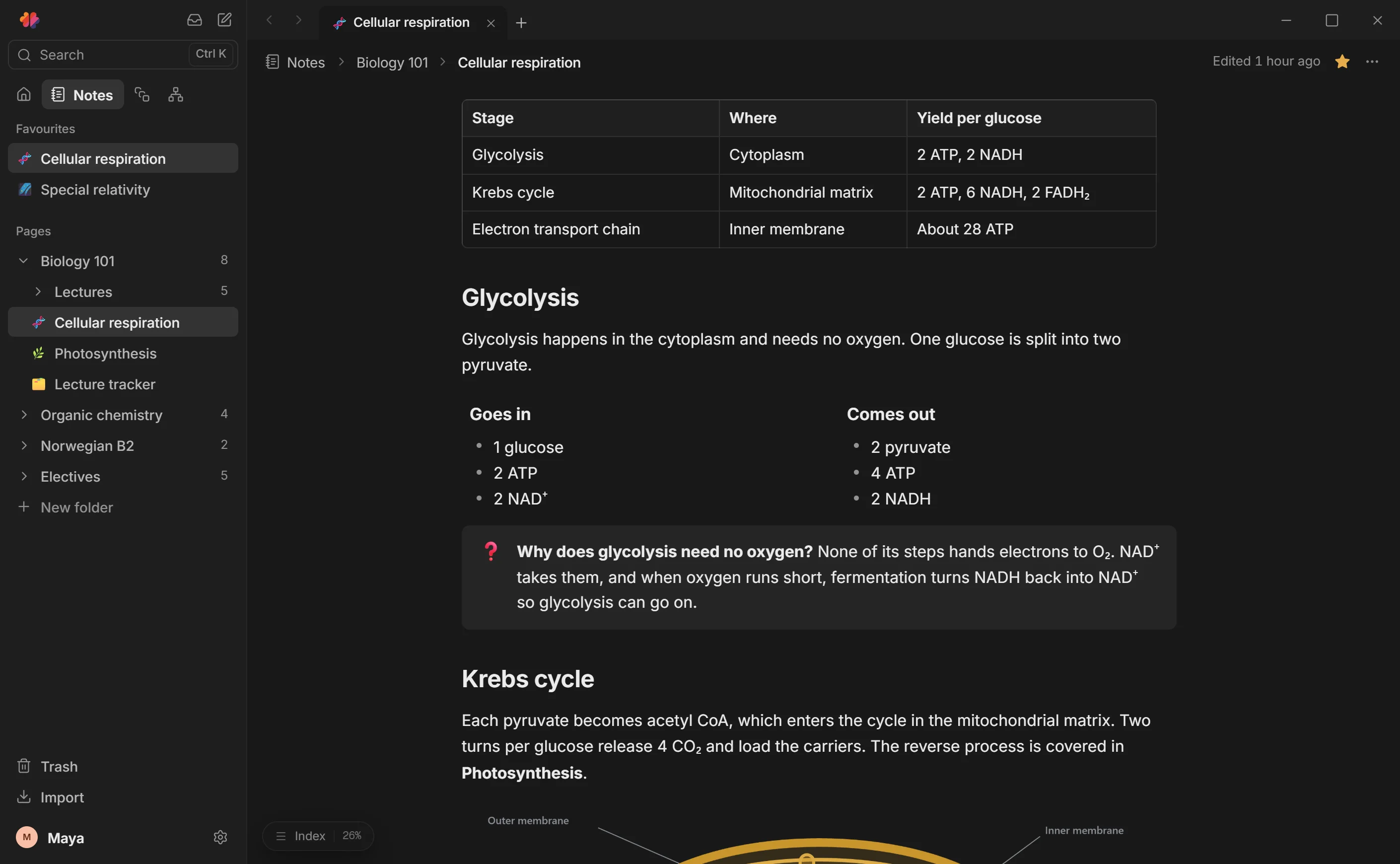
Mnemo is a free and open source study app for Windows, macOS and Linux. It keeps notes, flashcards and mind maps in one library on your computer, so you can write, review and plan in the same place.
- Notes. Block editor with rich text, math, code, images, callouts and columns. Links
between notes, tabs, and find and replace. Export to Markdown, PDF and
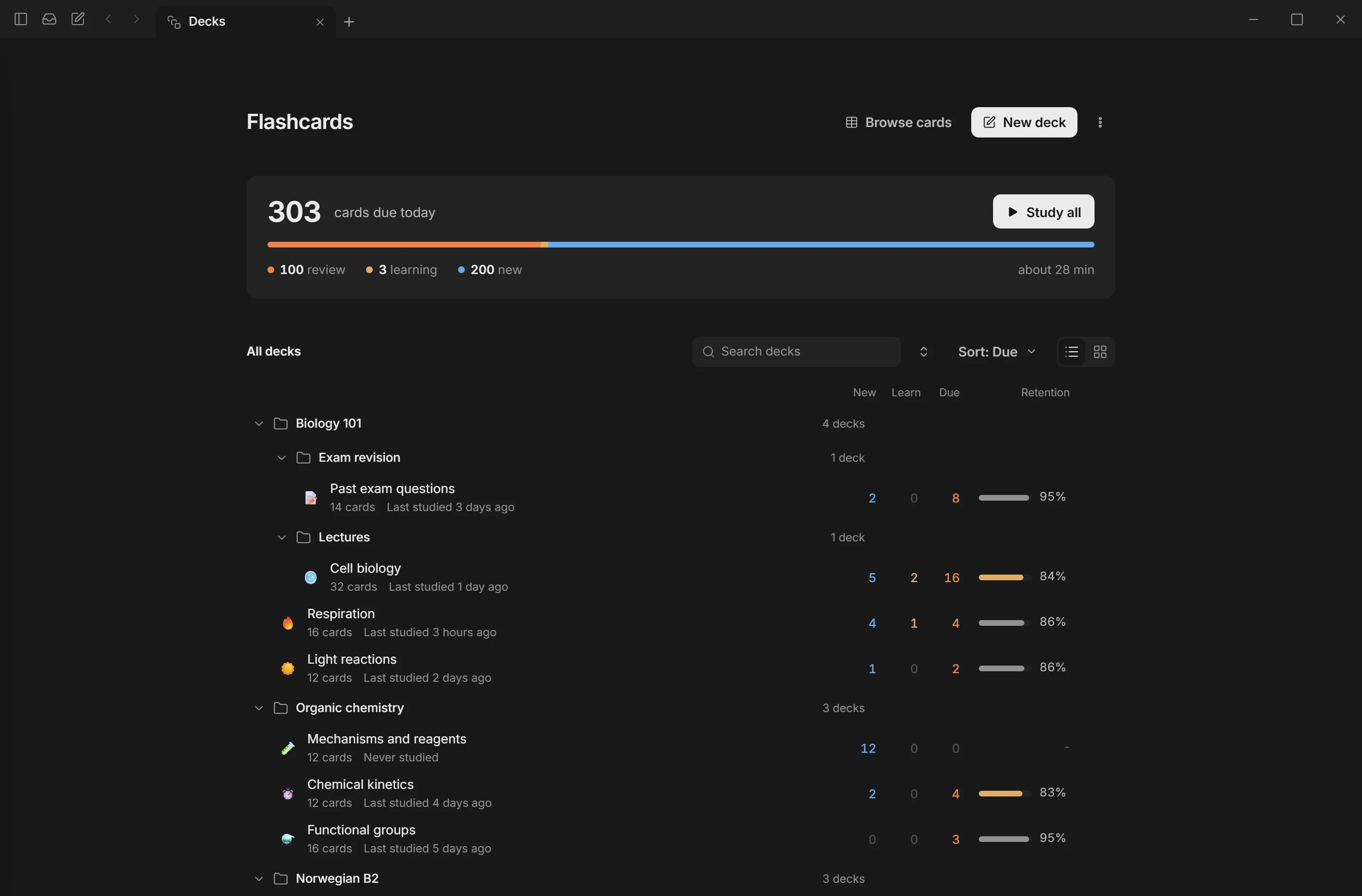
.mnemo. - Flashcards. Basic, cloze and image occlusion cards, organised in decks and folders.
Scheduling with FSRS, and a test mode that leaves the schedule unchanged. Import and export
with Anki, CSV and
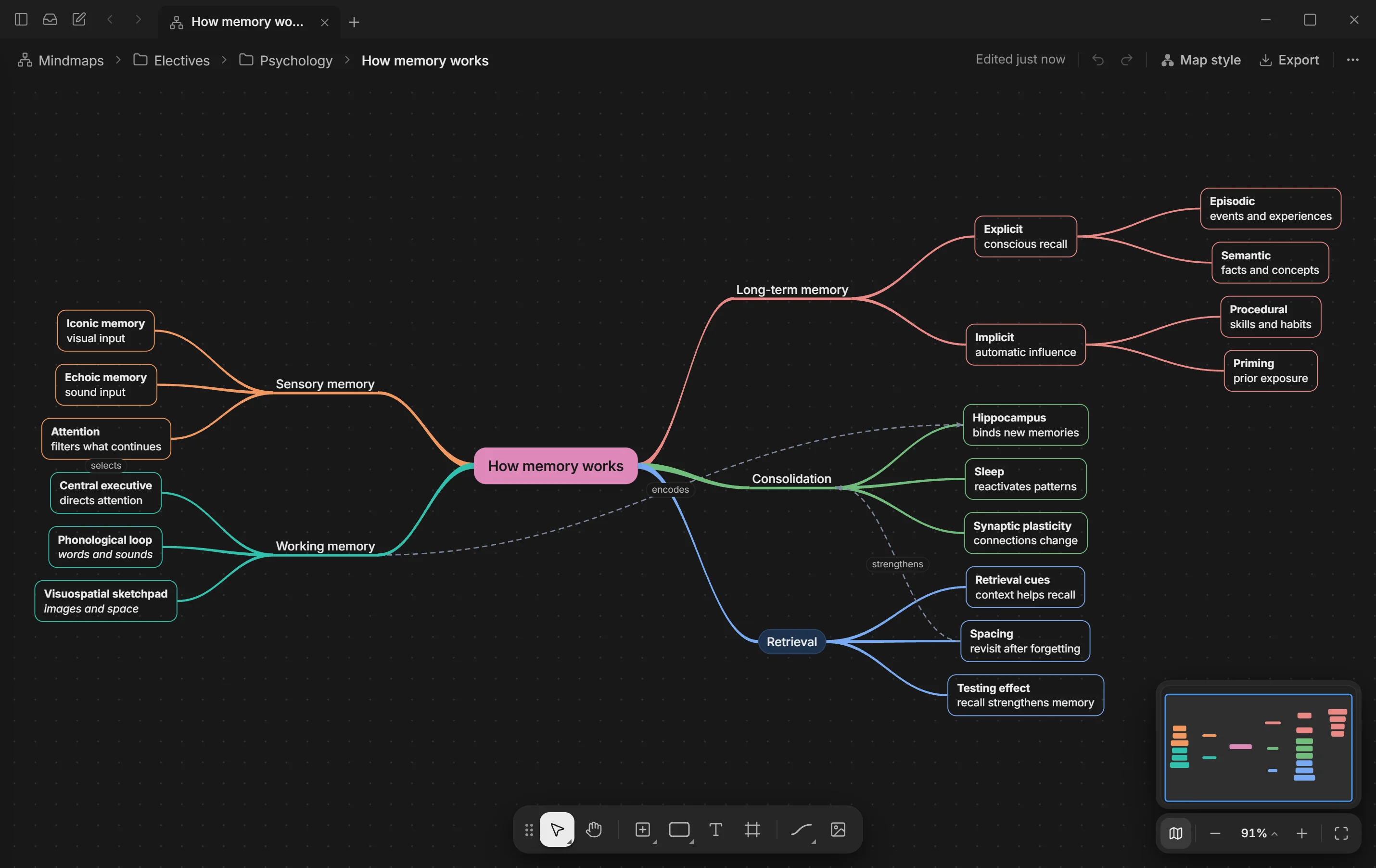
.mnemo. - Mind maps. Infinite canvas with shapes, images, frames, several layouts, custom edges and
a minimap. Export to PNG, SVG, a Markdown outline and
.mnemo. - Overview. A study dashboard made of widgets you arrange yourself.
- Languages and themes. English, German, Spanish, Japanese and Norwegian Bokmål, light and dark themes, remappable shortcuts and global search.
 |
 |
Everything you create is stored on your computer. Mnemo has no accounts, ads or analytics. At startup it checks GitHub Releases for a new version. That request carries no account or usage data, and you can turn it off in Settings > Updates.
Mnemo is in beta. Keep a backup of anything important.
| Platform | Downloads | Notes |
|---|---|---|
| Windows 10 and 11, x64 | Installer and portable zip | Most tested. Not code signed yet. |
| macOS, Apple silicon | Installer package and portable app | Signed and notarized. Less tested than Windows. |
| Linux, x64 | AppImage and portable archive | Least tested. |
Releases are built from this repository by GitHub Actions. Each release includes a
SHA256SUMS.txt file for its downloads.
Download the newest release from the releases page.
Download SHA256SUMS.txt from the same release into the folder that holds your download, then
run the line for your platform there. A match prints the file name, with OK on macOS and Linux.
- Windows, in PowerShell:
Select-String (Get-FileHash .\<downloaded file>).Hash SHA256SUMS.txt - macOS:
shasum -a 256 -c SHA256SUMS.txt --ignore-missing - Linux:
sha256sum -c --ignore-missing SHA256SUMS.txt
Version 0.6.x does not offer the update, because the app's package identity changed in 0.8. Run the new installer directly. Your data stays in the same folder and is migrated the first time the new version opens. Close Mnemo and back up the data folder first.
- Download the Windows x64 installer, or download and unpack the portable zip.
- Run Mnemo. If SmartScreen appears, choose More info, then Run anyway.
Mnemo requires the Microsoft Edge WebView2 Evergreen Runtime. It is normally already present on Windows 11 and current Windows 10 installations. Windows Server, LTSC and stripped Windows images may need it installed separately.
The macOS build supports Apple silicon. Download the .pkg installer, open it and follow the
steps.
For the portable app, download Mnemo-Portable-osx-arm64.zip and unpack it. Move Mnemo.app
into Applications before opening it the first time. Opened from Downloads, macOS runs it
from a read-only copy and Mnemo cannot update itself.
The first time you open Mnemo, macOS asks whether you want to open an app downloaded from the internet. Choose Open.
The current Linux build supports x64 and targets Ubuntu 22.04 or newer. Download the AppImage, make it executable, then run it:
chmod +x Mnemo.Desktop.V2-linux-x64-*.AppImage
./Mnemo.Desktop.V2-linux-x64-*.AppImage
Install the native runtime packages first. On Ubuntu 24.04:
sudo apt install libfuse2t64 libwebkit2gtk-4.1-0 libjavascriptcoregtk-4.1-0 libgtk-3-0t64 libnotify4On Ubuntu 22.04:
sudo apt install libfuse2 libwebkit2gtk-4.1-0 libjavascriptcoregtk-4.1-0 libgtk-3-0 libnotify4Other distributions need equivalent GTK 3, WebKitGTK 4.1, JavaScriptCoreGTK, libnotify and FUSE 2 packages. If libnotify, WebKitGTK, JavaScriptCoreGTK or GTK 3 is missing, Mnemo does not start and says which package to install.
Mnemo turns off WebKit's DMA-BUF renderer at startup, because it causes a blank or black window
on some graphics drivers. It skips this if WEBKIT_DISABLE_DMABUF_RENDERER is already set. If
the window is still blank, check that the variable is not 0, or set it explicitly:
WEBKIT_DISABLE_DMABUF_RENDERER=1 ./Mnemo.Desktop.V2-linux-x64-*.AppImageSettings > Storage & data creates a single backup file with your notes, flashcards, mind maps, settings, trash, and the images and files they use. Restore it from the same page. Mnemo checks the file before replacing anything and keeps a copy of the data it replaces.
For a manual backup, open the data folder from Settings > Storage & data, close Mnemo, and copy the whole folder.
A .mnemo export contains only the notes, decks or maps you selected. It does not include the
trash, the Overview layout or settings. Items in the trash are deleted after 30 days.
Remove an installed copy through the operating system. On macOS, drag Mnemo.app from Applications to the Trash. Remove a portable copy by deleting its folder, or Mnemo.app on macOS. Uninstalling does not delete your data folder. Delete it yourself to remove all Mnemo data.
Turn off Launch at startup before uninstalling. If Mnemo was removed first, clear the leftover
startup entry named Mnemo from the Windows Startup Apps list, the macOS login items, or your
Linux desktop's autostart settings.
The roadmap is on mnemo.one.
| Project | Contents |
|---|---|
mnemo-web |
The interface: React, TypeScript, Tailwind and Vite, with ProseMirror for editing and KaTeX for math. |
Mnemo.Host |
Opens the PhotinoX window, serves the interface and runs the local API on loopback only. |
Mnemo.Core |
Models and service interfaces. |
Mnemo.Infrastructure |
SQLite storage, notes, flashcards, mind maps, import, export and PDF output through Typst. |
The backend uses .NET 10 and ASP.NET Core.
You will need:
- .NET 10 SDK
- Node.js 24
- npm
Install the frontend dependencies from the lockfile:
cd mnemo-web
npm ci
cd ..
Restore the bundled Typst binary, which PDF export needs:
./scripts/restore-typst.sh      # Linux and macOS
./scripts/restore-typst.ps1     # Windows
For development, start the host first:
dotnet run --project Mnemo.Host -- --devThen start the frontend in another terminal:
cd mnemo-web
npm run dev
Start the host first. It writes the port and a token that Vite reads when it starts. On
Windows, dev.bat starts both in the right order.
Set MNEMO_DATA_DIR to an empty folder to develop against a separate profile.
See CONTRIBUTING.md. The rules for code are in standards/.
Mnemo is licensed under the GNU Affero General Public License v3, except where a
directory contains its own LICENSE file. Versions up to and including 0.8.2 were released
under the Apache License 2.0. NOTICE has the details, and
THIRD-PARTY-NOTICES covers bundled dependencies.
The Mnemo name and logo are covered by BRAND.md.