





A router-native activity stats and bike service tracker for OpenWrt. A single POSIX shell script driven by cron uses curl and jq to fetch activity data, then writes static HTML and JSON into uhttpd's web root — no extra daemon, almost no RAM. Three data sources are supported; the router's built-in web server serves everything. Can also run locally via Docker or Windows WSL.
| Source | Config file | When to use |
|---|---|---|
| Strava API (OAuth) | /etc/strava-my-activities.conf |
You have a Strava API subscription. See Data-Source-Strava-API |
| Strava scrape mode | /etc/strava-my-activities.conf (STRAVA_MY_SOURCE=scrape) |
No subscription — uses the browser session cookie. See Data-Source-Scrape-Mode |
| HealthSync / Google Drive | /etc/healthsync-activities.conf |
Fully Strava-API-free — healthsync.app exports to Drive. See Data-Source-HealthSync |
| Page | URL | What it shows |
|---|---|---|
| Club leaderboard | /strava/ |
Monthly/yearly distance ranking for your Strava club, filterable by year and month |
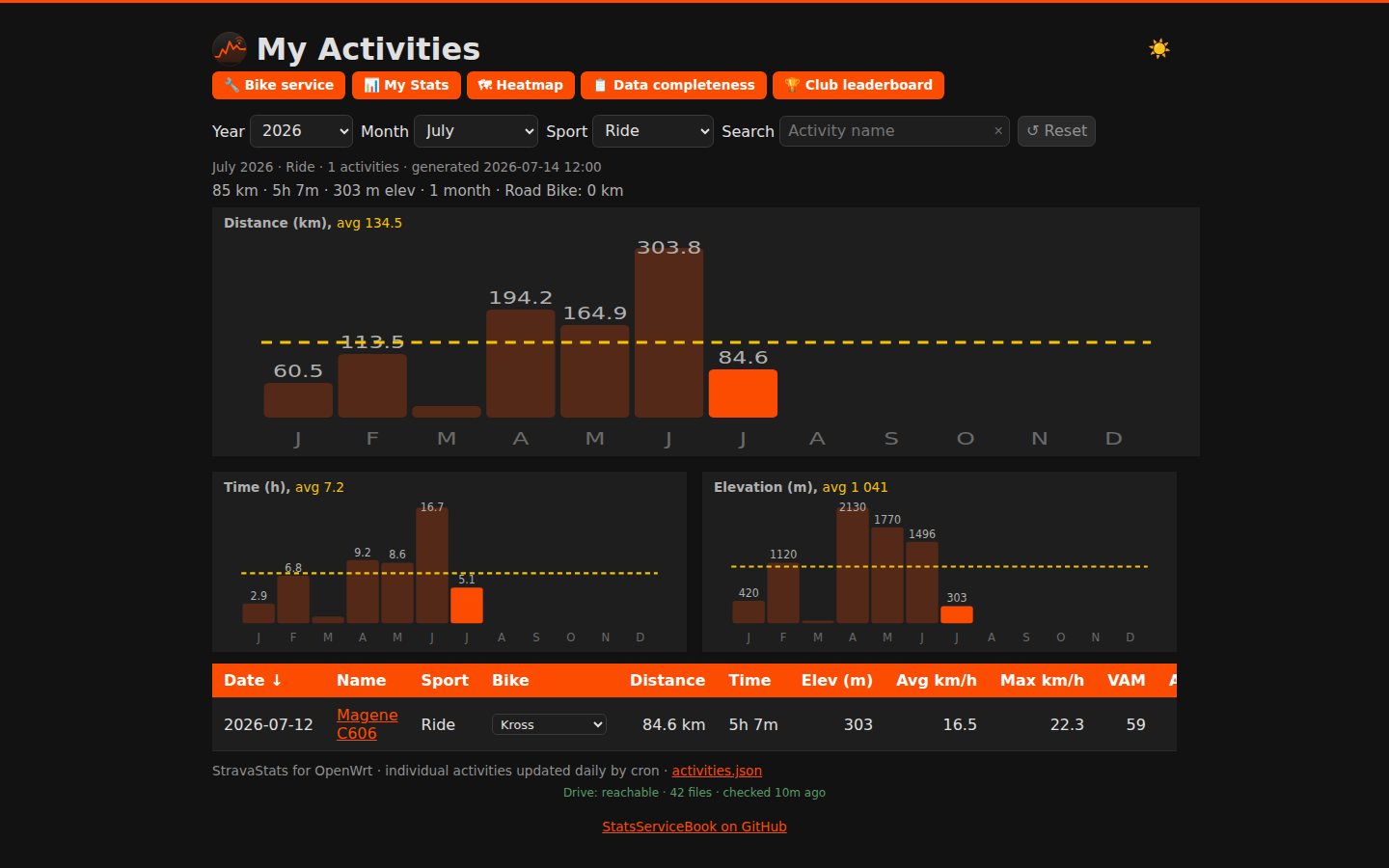
| My Activities | /strava/me/ |
Sortable activity table with year/month/sport filters, bests strip, and monthly bar charts |
| Activity detail | /strava/me/activity.html |
Stat cards, interactive route map (Leaflet + OSM), per-km splits, elevation, HR, cadence charts |
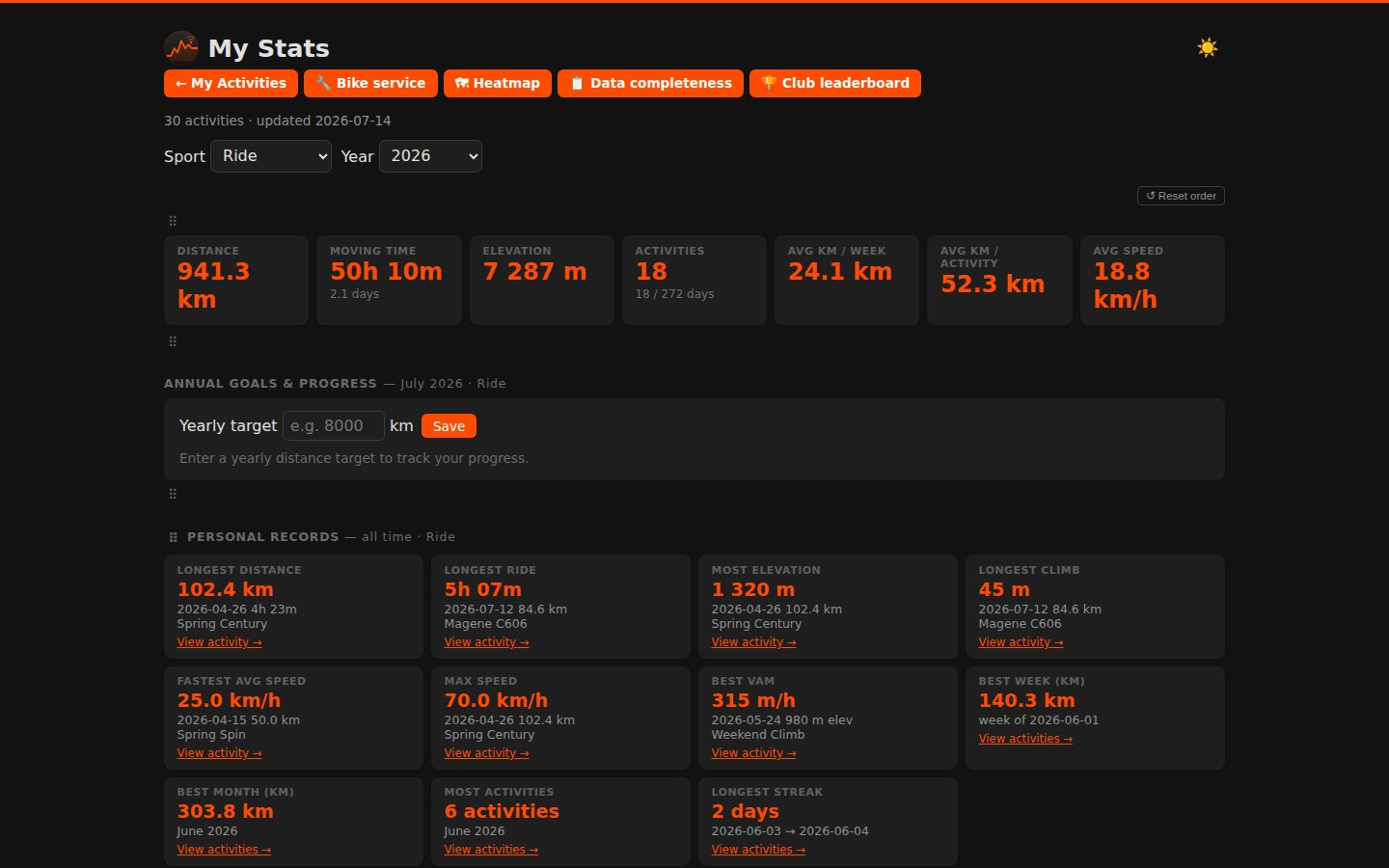
| Personal stats | /strava/me/stats.html |
Aggregate KPIs, personal records, Top 10 leaderboard per metric, year-over-year heatmap, sport breakdown |
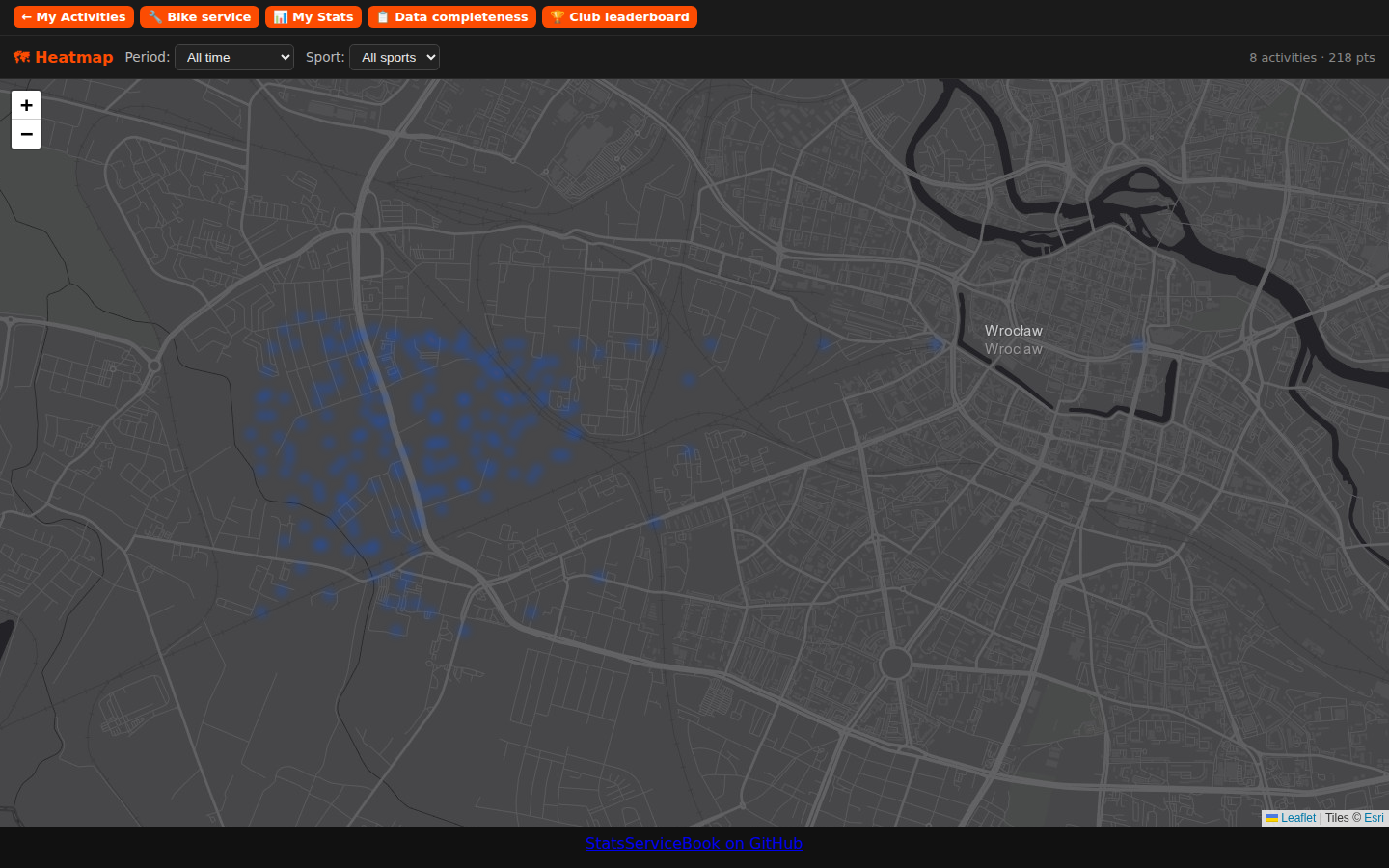
| Activity heatmap | /strava/me/heatmap.html |
Full-viewport Leaflet heat overlay of all GPS routes; period + sport-type filter |
| Data completeness | /strava/me/data-quality.html |
Missing GPS/HR/detail audit, per-source sync health, Sync now buttons, email status, cookie management |
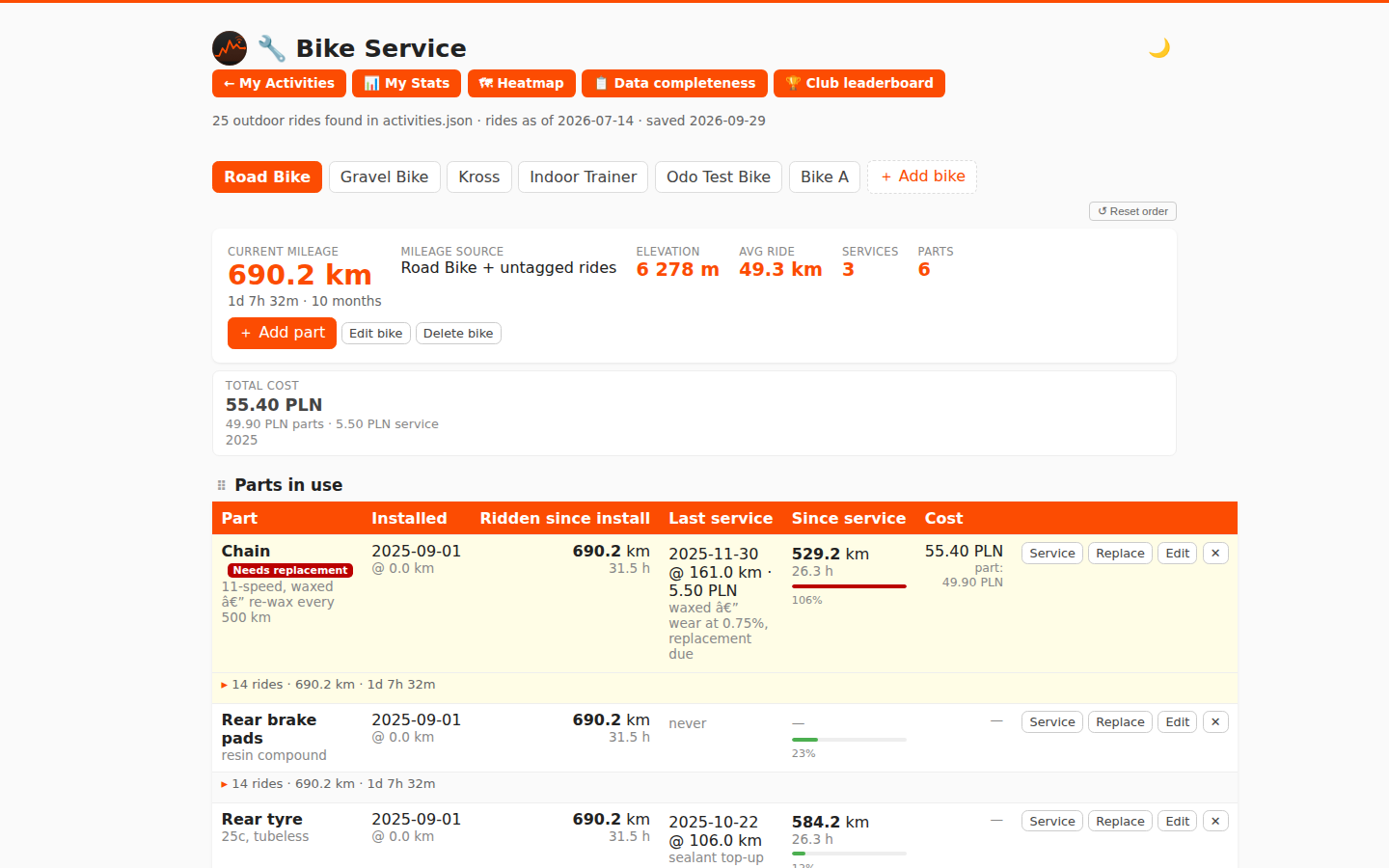
| Bike service | /strava/me/bike.html |
Maintenance log per bike: parts, service types with km/hour/calendar thresholds, auto-mileage, cost tracking |
My Activities dashboard
- Sortable table: distance, time, elevation, avg/max speed, VAM, avg HR, avg power, work (kJ)
- Year/month/sport-type filters; period "bests" strip (longest, most climbing, fastest, best VAM, most work); "Longest climb" tile shows "—" when no GPX data is available for the filtered set
- Monthly bar charts for distance, time, and elevation — all client-side from a single JSON file
Data completeness
- Audits activities for missing GPS, heart-rate metrics, and detail records; GPS is shown as unknown when details are unavailable.
- The issue list can be filtered by GPS, heart rate, and details; heart-rate-only issues are hidden by default and can be enabled.
- Shows the latest Strava, HealthSync, and club leaderboard run. Failed, disabled, unreported, or more-than-48-hour-old imports are flagged; HealthSync keepalive checks do not count as activity imports.
- Sync now — each source card has a "↻ Sync now" button that triggers the corresponding script via
/cgi-bin/trigger-sync; a "↻ Sync all" button triggers all sources at once. The button polls the status file and shows a live log while the run is in progress. - Email status — when
email-monthly-status.json/email-weekly-status.json/email-yearly-status.jsonare present in the web root, an "Email sending" section shows the last subject, recipient count, and run log for each mode. - Cookie management — when scrape mode is active, a "Session cookie" section shows the current
_strava4_sessionvalidity (green / amber / red). An inline form lets you paste a fresh cookie value; saving calls/cgi-bin/update-cookiewhich writes it to both My Activities and leaderboard configs and clears the session cache. Previously the banner appeared on the dashboard and leaderboard pages; it now lives only on this page. - Activity import status is recorded in
strava-sync-status.jsonandhealthsync-sync-status.json; leaderboard status is in/strava/leaderboard-sync-status.json; email status inemail-{monthly,weekly,yearly}-status.json.
Activity detail
- Interactive route map (Leaflet + OpenStreetMap), per-km splits bar chart, elevation profile, HR chart, cadence chart
- Stat cards: pace/speed, VAM, normalized power + variability index, work, calories, relative effort, gear; Walk/Run/Hike activities show actual device step count when available (scrape mode), otherwise an estimate (cadence × 2 × moving time)
- Longest-climb detection — highlights the single longest continuous climb on the route map (blue segment) with sport-aware grade and gain thresholds; configurable via
STRAVA_MY_CLIMB_MIN_GAIN_*,STRAVA_MY_CLIMB_MIN_GRADE_*,STRAVA_MY_CLIMB_MIN_DISTANCE, andSTRAVA_MY_CLIMB_DESCENT_RESETin the config - Weather: temperature, feels-like, wind speed + direction, WMO code icon, precipitation — from Open-Meteo per activity date + GPS location
Club leaderboard
- Month/year filter, multiple clubs (
STRAVA_CLUB_IDS), ranked by distance with avg speed - Per-club sections: filtered-period tiles, Top 5 year athletes, single-activity highlights (fastest / longest / most elevation), this-year summary, all-time club totals
- Accumulating store — deduplicated daily, filter back through full history
Personal stats
- KPI cards, year overview table, monthly breakdown chart, year-over-year km/month heatmap
- Annual Goals — set a yearly Ride distance target; progress and year-end projection with monthly and weekly targets distributed by the previous year's activity pattern (equal split when no history is available)
- Personal records — longest ride, most climbing, fastest avg speed, max speed, best VAM, most power, most energy (kJ), most steps (Walk/Hike), best week, best month by km and by count, longest streak — all-time across all sports; each record links to the activity
- Top 10 leaderboard — ranked table of your top 10 activities for a chosen metric (Distance, Moving time, Elevation, Avg speed, Max speed, Power, Work, VAM, Longest climb, Steps); dropdown to switch metric; default is Longest climb; respects sport + year filters; each row links to the activity detail page
- Month ‹/› navigation — when a past year is selected, prev/next buttons let you browse month by month without opening the dropdown
Activity heatmap
- Full-viewport dark map (Esri World Dark Gray + OSM fallback) showing all GPS activity routes as a heat overlay
- Period filter: Last 3 months (default), Last 30 days, Last 7 days, All time, or individual years
- Sport-type filter: defaults to Ride; dynamically populated from your data; "All sports" option
- Point count and activity count shown in the top bar; fits the map to visible tracks
Bike service tracker
- Parts with multiple named service types, each with independent km / riding-hours / calendar-time thresholds
- Mileage auto-computed from
activities.jsonrides; gear mapping per bike; calendar picker for any date - Replace flow: old part moves to Archived with final mileage + calendar duration; successor fitted on same day
- Bike comparison — when 2+ bikes exist, a "Bike Statistics" section compares all bikes side by side (distance, ride time, elevation, avg ride, services, current parts)
- Cost tracking — optional purchase price per part and cost per service; total and per-year summary shown in the bike header; currency set via
STRAVA_MY_CURRENCYin the config (defaultPLN) - Email alerts — per-part checkbox in the Edit modal; set
STRAVA_MY_BIKE_EMAILin the config to activate sending; warning at ≥ 90%, alert at ≥ 100% of any threshold; each tier fires once, alert re-sends weekly while overdue - Saves via a small CGI — daily cron never touches your data
Data management
- Historical sync: renamed rides, corrected sport types, deleted activities all reflected automatically
- Per-activity detail backfill: fetches full activity JSON (
/activities/{id}) gradually over nightly runs - Scrape mode: auto-exports GPX per activity; Walk/Run/Hike detail pages show per-km splits computed from GPX; health alert emails sent to
STRAVA_MY_BIKE_EMAILon Strava layout changes, cookie expiry, or data-normalization failures (rate-limited to once/day); cookie health (green/amber/red) and cookie update form live on the Data completeness page - HealthSync + Magene dual-source: watch HR merged with wheel-sensor distance from Magene FIT files
Section reordering (desktop only)
- Drag any section heading (⠿ handle) to a new position on the Personal stats, Activity detail, Bike service, and Club leaderboard pages
- ↺ Reset order button restores the default section layout
- Order is saved per page in
localStorageand restored on the next visit - Not available on touch/mobile devices (handle and reset button are hidden)
Dark mode
- Every page (except the always-dark heatmap) has a 🌙/☀️ toggle button in the top-right corner
- Defaults to the OS
prefers-color-schemesetting; manual choice is remembered inlocalStorageacross sessions - Full CSS variable conversion — SVG charts, bar fills, tooltips, and all UI elements adapt without re-rendering
Cron self-healing (via strava-cron-guard)
- Network pre-flight: pings a configurable IP before each run; if unreachable, waits up to
STRAVA_NET_CHECK_WAITseconds (default 2 min) for the WAN to come back, then aborts cleanly — no false-positive alerts during a brief reconnect - Automatic retry: re-runs the script up to
STRAVA_CRON_RETRIEStimes (default 2) withSTRAVA_CRON_RETRY_DELAYseconds (default 5 min) between attempts; alert email is only sent after all retries are exhausted, and the subject line reports the total attempt count
Full feature details: Features
| Club dashboard | My Activities dashboard |
|---|---|
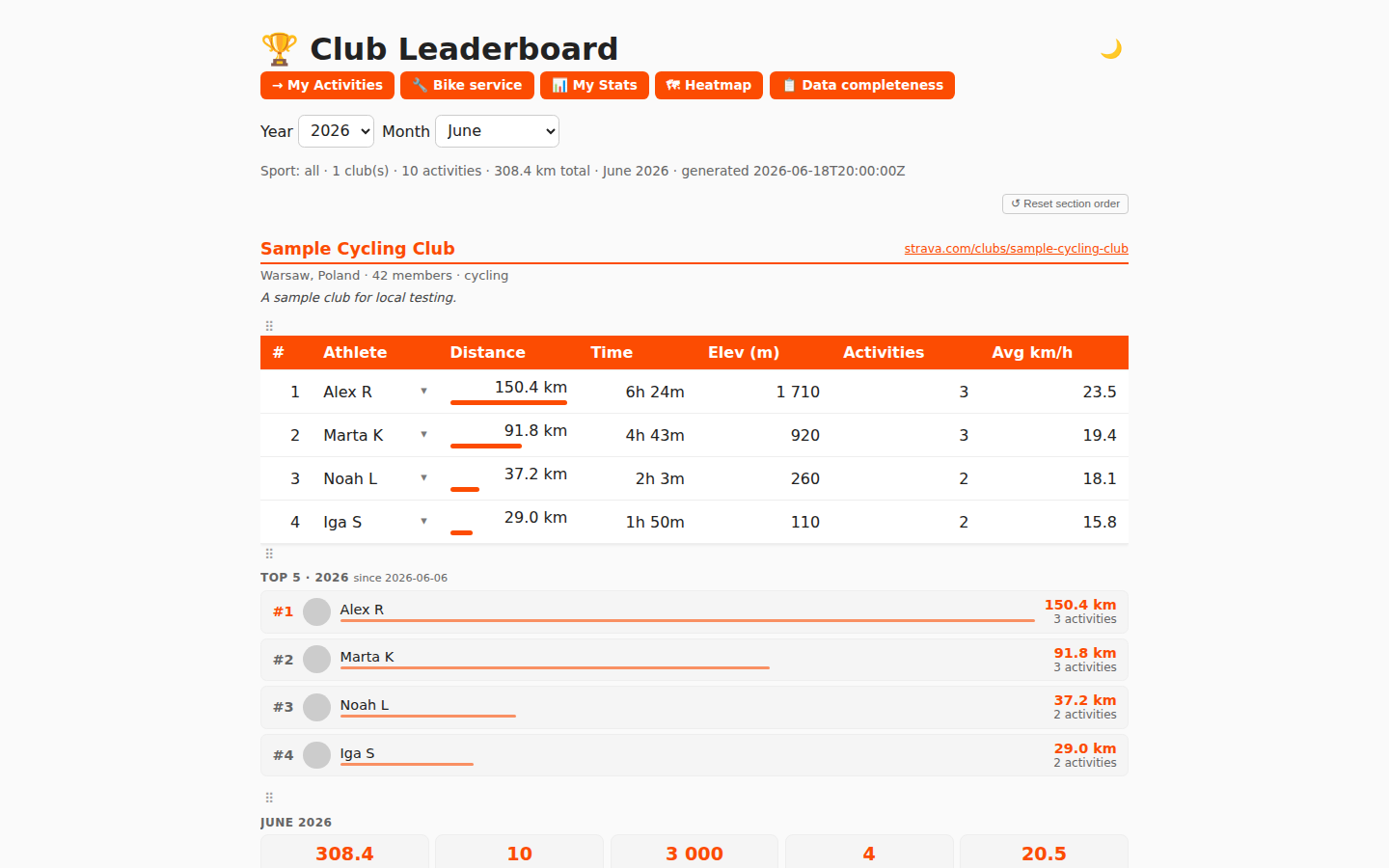 |
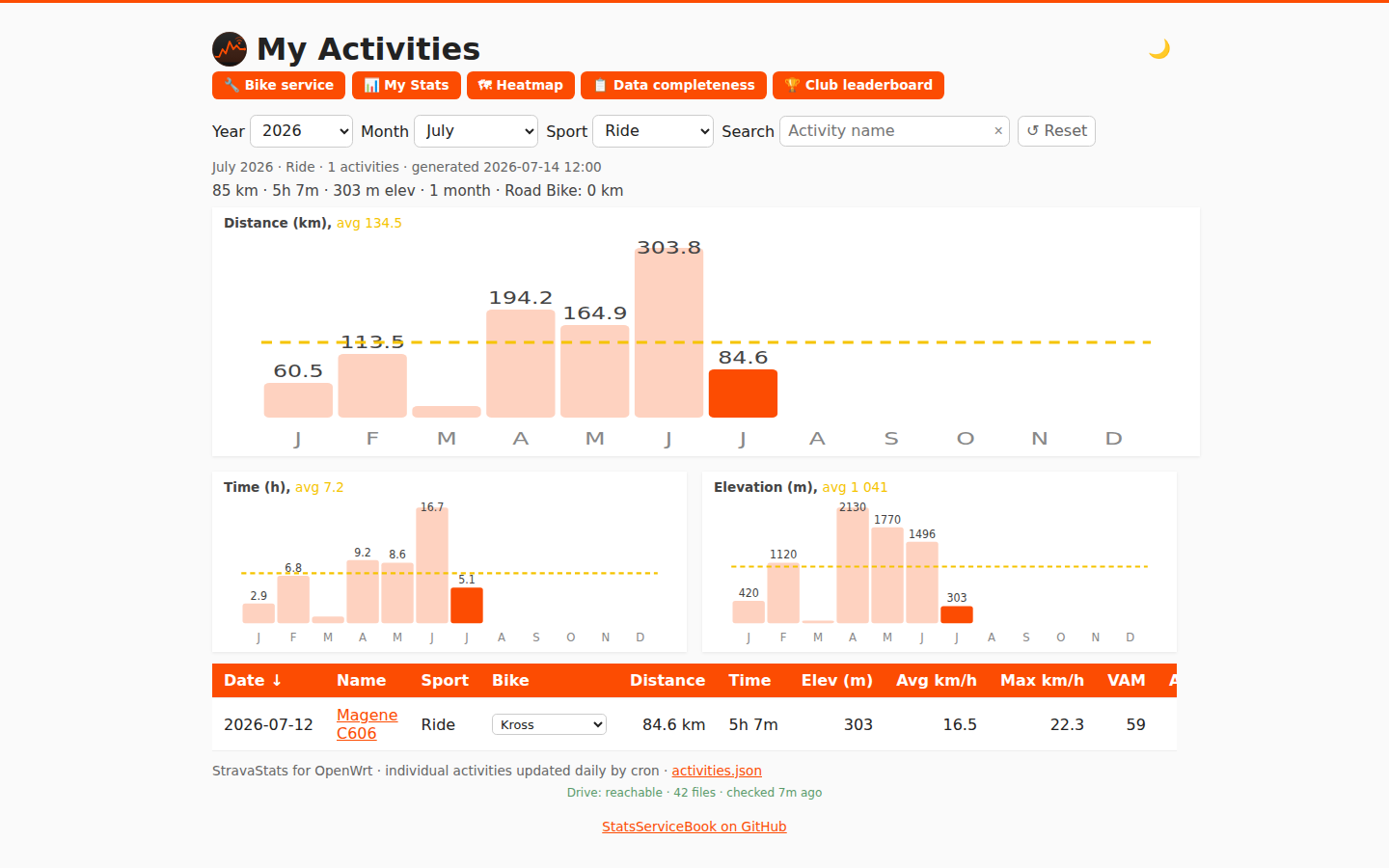 |
| Personal stats | Activity detail (map + splits) | Bike service tracker |
|---|---|---|
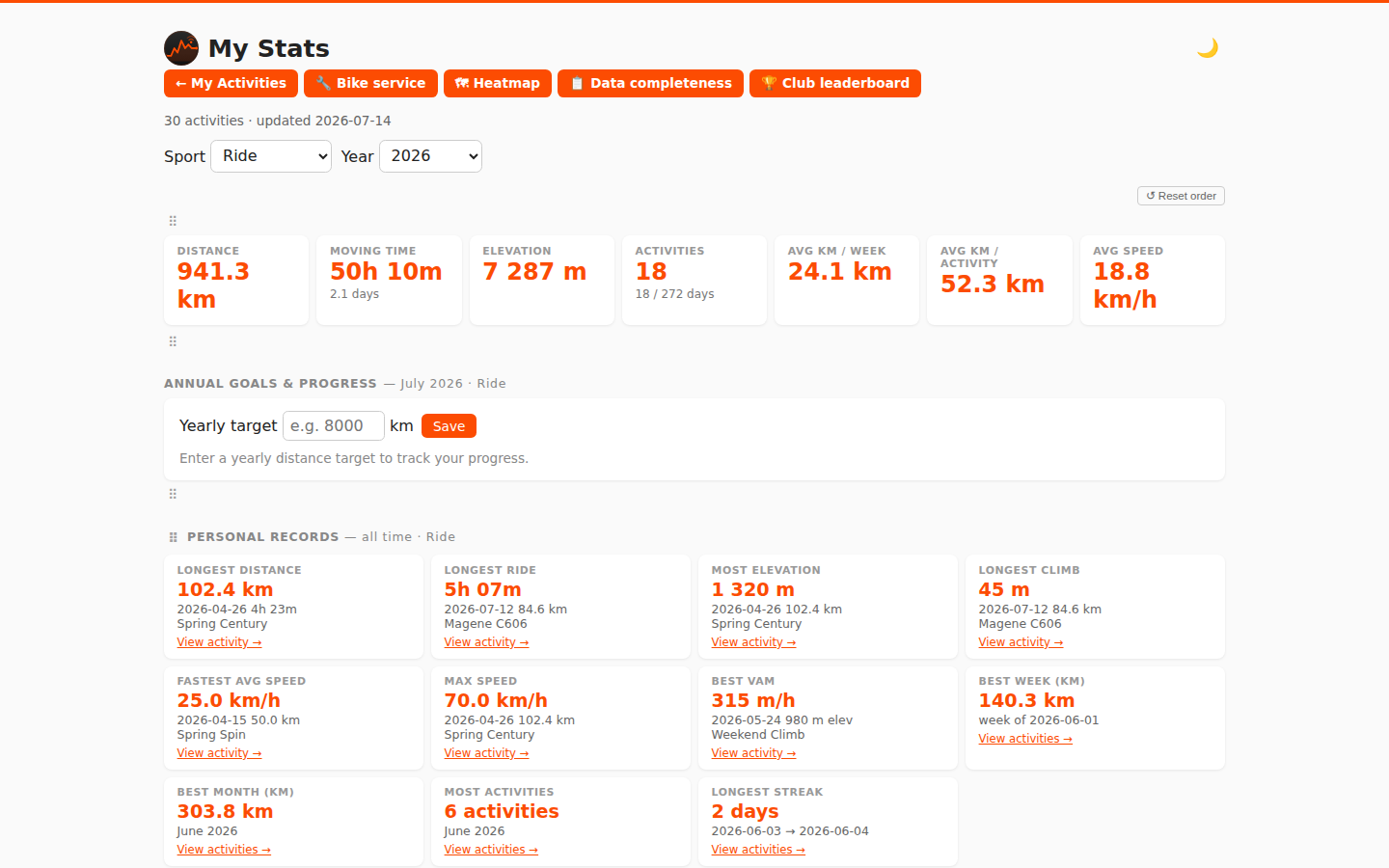 |
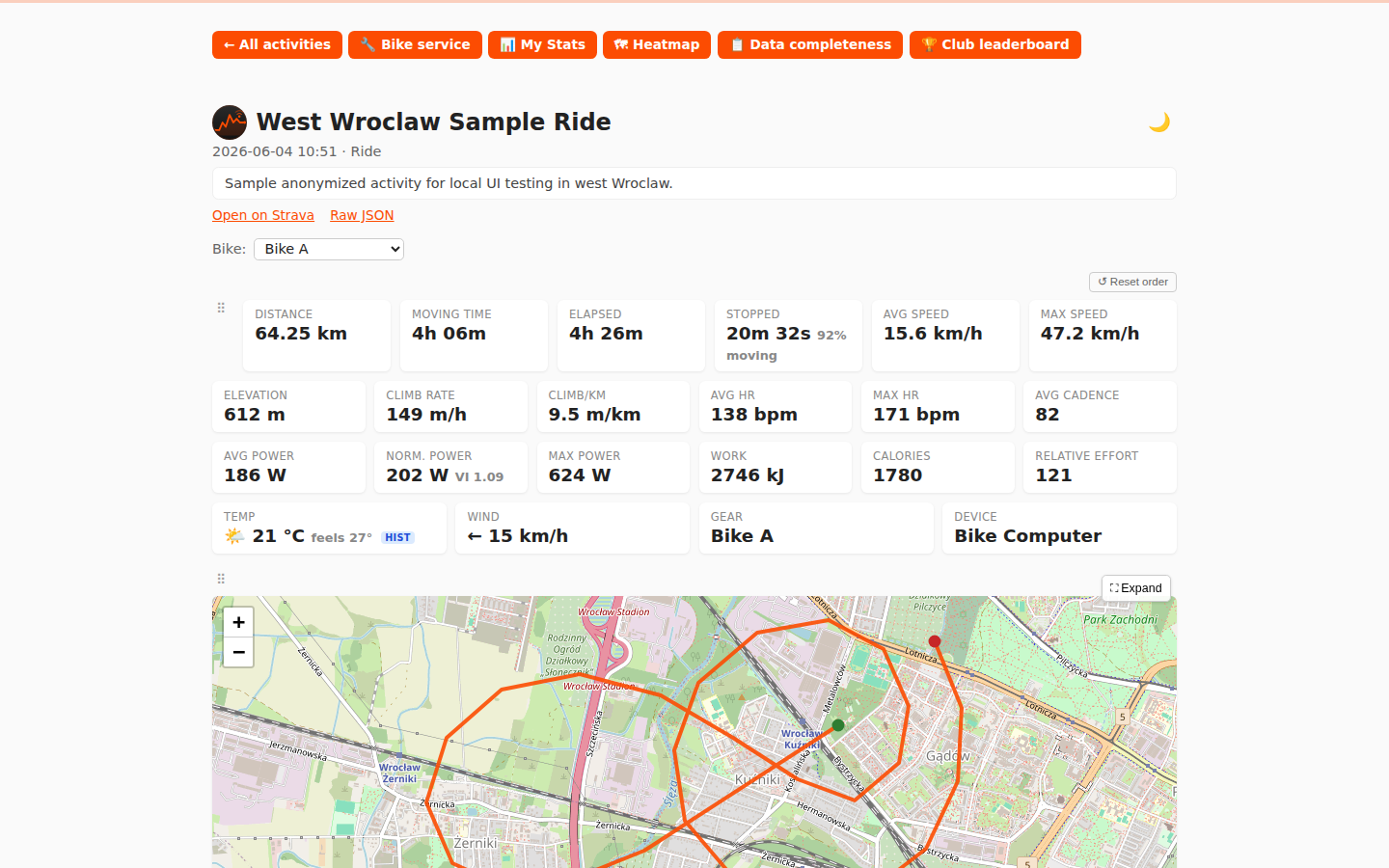 |
 |
| Activity heatmap |
|---|
 |
| My Activities (dark) | Personal stats (dark) |
|---|---|
 |
 |
| Activity detail (dark) | Bike service (dark) |
|---|---|
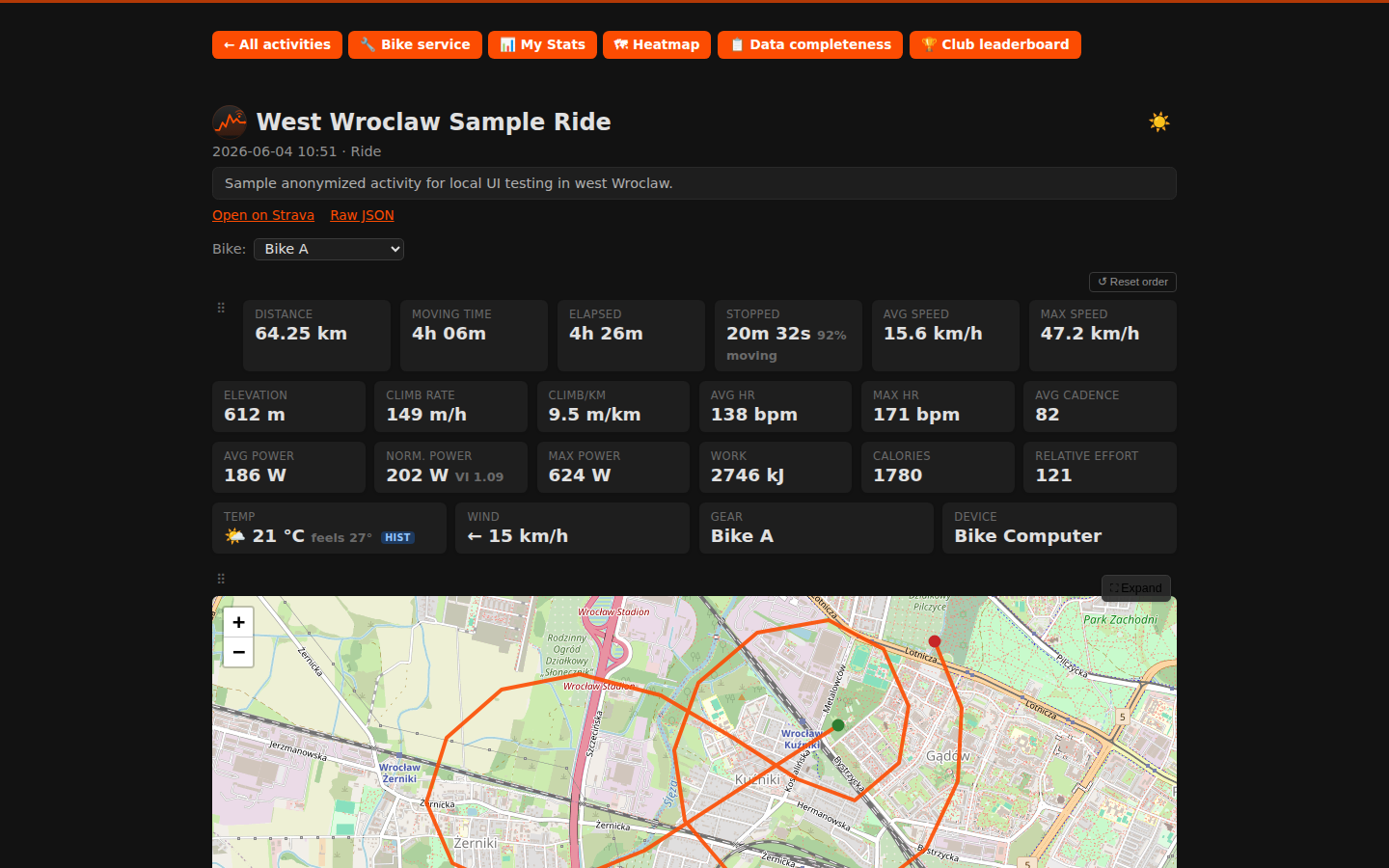 |
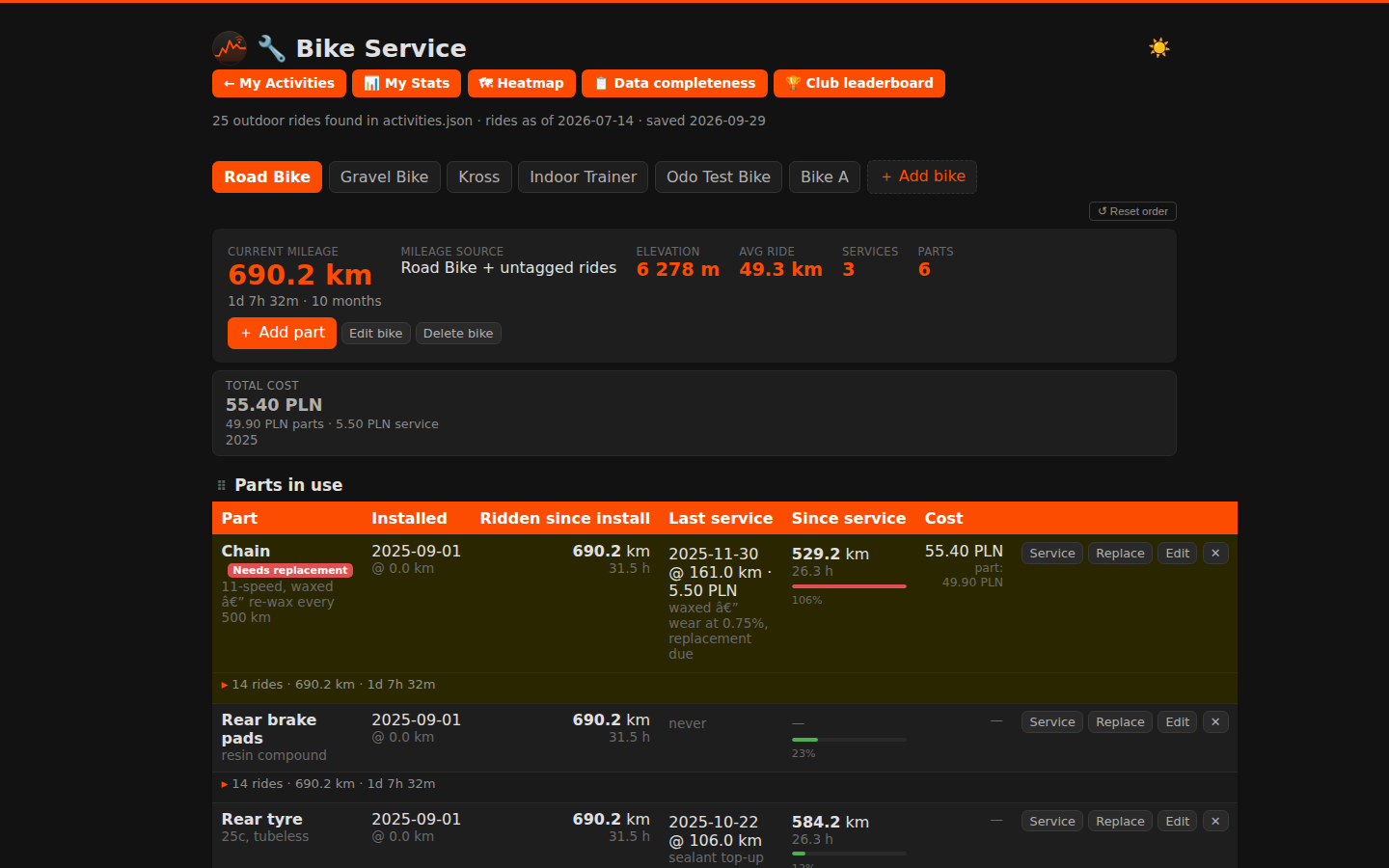 |
| Club leaderboard (dark) |
|---|
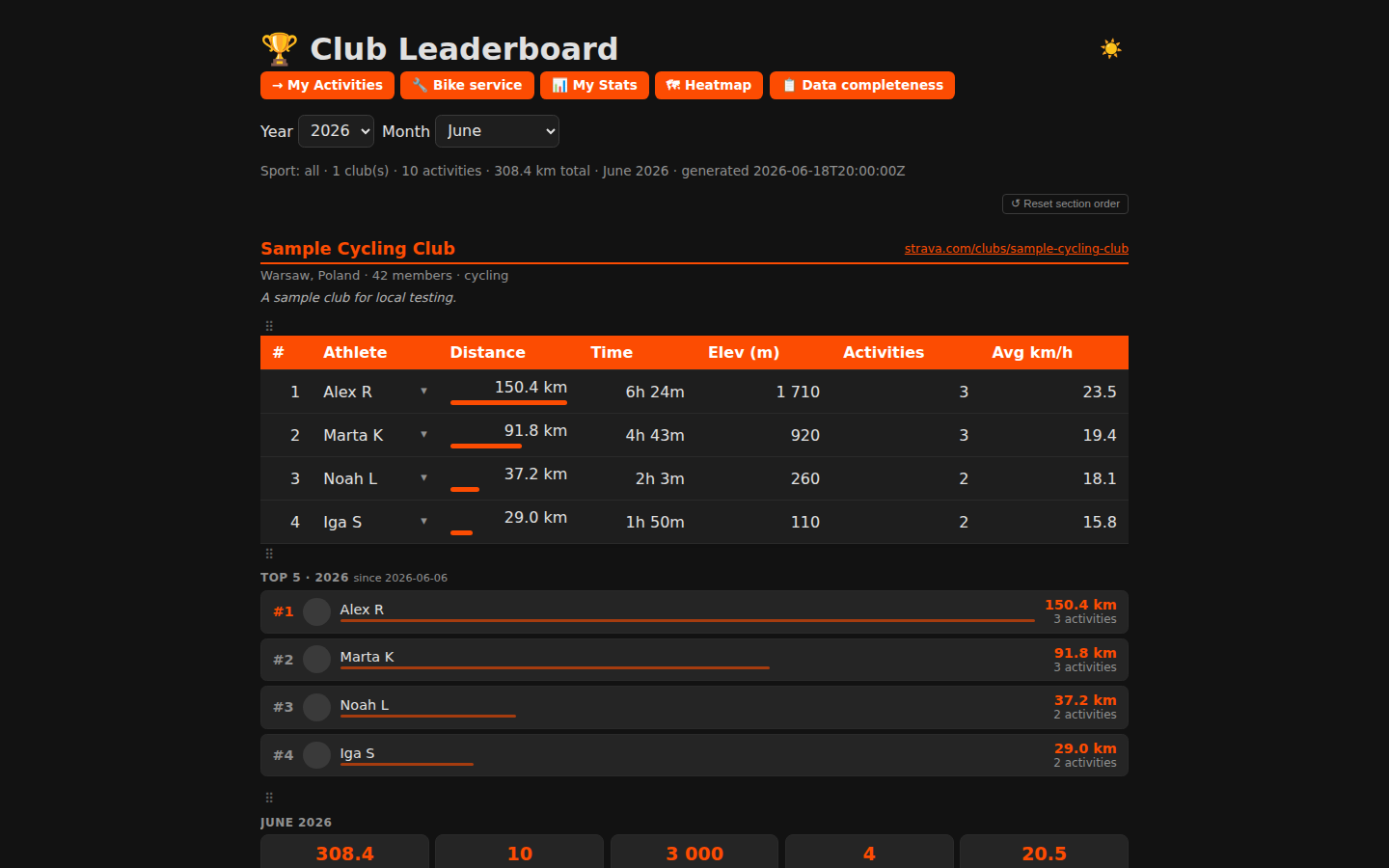 |
Screenshots generated from sample data via
node test/take-screenshots.mjs(orpowershell -File test/make-screenshots.ps1on Windows).
1. Install on the router (run from the repo root on your PC):
scp -r . root@192.168.1.1:/tmp/strava
ssh root@192.168.1.1 sh /tmp/strava/install.sh
2. Edit the config (choose one data source):
vi /etc/strava-my-activities.conf     # Strava API or scrape mode
# — or —
vi /etc/healthsync-activities.conf    # HealthSync / Google Drive
3. Run once to verify:
strava-my-activities      # (or: healthsync-activities)
strava-leaderboard
A healthy run ends with done.. Any ERROR: line means the run aborted — check credentials.
4. Browse:
- My Activities:
http://<router-ip>/strava/me/ - Data completeness:
http://<router-ip>/strava/me/data-quality.html - Club leaderboard:
http://<router-ip>/strava/
5. Cron is already installed (23:50 leaderboard, 23:55 my-activities, Warsaw time). Check with crontab -l.
For full install options, path variables, and post-install verification see Installation.
The easiest way to run StatsServiceBook on any machine (Linux, Mac, Windows, Raspberry Pi):
# 1. Copy and fill in config template(s):
cp docker/strava-my-activities.conf.example my-activities.conf
# edit my-activities.conf — add CLIENT_ID / CLIENT_SECRET / REFRESH_TOKEN

# Optional: club leaderboard
cp docker/strava-leaderboard.conf.example leaderboard.conf
# edit leaderboard.conf — add CLIENT_ID / CLIENT_SECRET / REFRESH_TOKEN / CLUB_IDS

# Optional: HealthSync / Google Drive (Strava-API-free)
# cp docker/healthsync-activities.conf.example healthsync.conf

# 2. Start:
docker compose up -d

# 3. Open http://localhost/strava/me/
Or without compose:
docker run -d --name statsservicebook \
  -p 80:80 \
  -v "$(pwd)/my-activities.conf:/etc/strava-my-activities.conf:ro" \
  -v statsservicebook_data:/data \
  -e TZ=Europe/Warsaw \
  -e RUN_ON_START=1 \
  jraczek/statsservicebook:latest
Supported architectures: amd64, arm64, arm/v7 (Raspberry Pi).
Full setup, config options, and docker-compose reference: Docker.
Quick preview with sample data — no credentials needed:
podman build -f test/Containerfile -t stravame-test .
podman run --rm -p 8080:8080 stravame-test
# Open http://localhost:8080/strava/me/
Run functional tests:
powershell -ExecutionPolicy Bypass -File .\test\run-tests.ps1Full instructions for running with real credentials, HealthSync, or Windows WSL: Running-Locally.
- OpenWrt 21.02+ on the router, SSH access as
root - Free space for
curl,jq,ca-bundle(~1–2 MB); use extroot on tight 128 MB flash - A Strava account that is a member of the club you want to rank (for club leaderboard)
- Node.js ≥ 18 and PowerShell Core (
pwsh) for running the test suite locally
| Wiki page | Contents |
|---|---|
| Home | Index of all wiki pages |
| Features | Detailed description of every feature across all five pages |
| Installation | Full install guide, path variables, scheduling, verification |
| Data-Source-Strava-API | Create Strava app, one-time OAuth, token handling |
| Data-Source-Scrape-Mode | My Activities scrape mode, Club leaderboard scrape mode, session cookie |
| Data-Source-HealthSync | Google Drive OAuth, HealthSync setup, Magene FIT, dual-source detection |
| Docker | Docker Hub quick start, config templates, docker-compose, publishing |
| Running-Locally | Docker preview, real-data Docker, WSL, HealthSync local test |
| Email-Notifications | Bike service alerts, monthly/weekly/yearly leaderboard email, cron error alerts, Gmail App Password |
| Upgrading | Binary-only scp deploy, full reinstall, surviving sysupgrade |
| Switching-Data-Sources | API → scrape mode, Strava → HealthSync migration steps |
| Operations | Full file/URL reference, limitations, rate limits |