
Preview Markdown in your browser with synchronised scrolling, math, diagrams and flexible configuration.
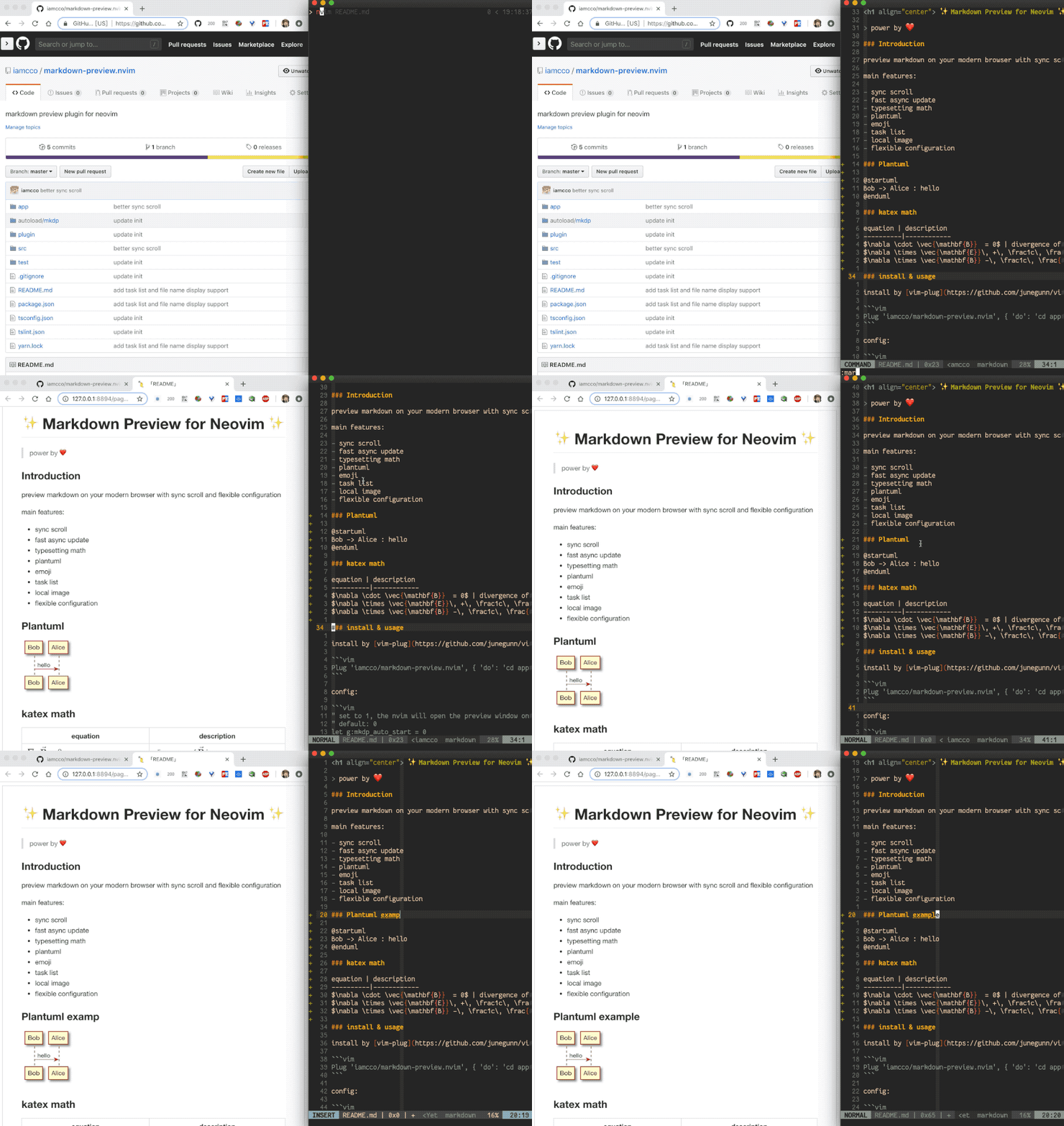
- Live updates and synchronised scrolling as you type.
- Cross platform (macOS, Linux, Windows, FreeBSD), no Node.js required.
- Math with KaTeX, including chemistry via mhchem.
- Diagrams: Mermaid (with a full-screen viewer and the ELK layout), PlantUML, Graphviz, flowchart.js, js-sequence-diagrams and Chart.js.
- GitHub-flavoured extras: alerts, tables of contents, task lists, footnotes, emoji, front matter, local images with sizes.
- Themes: any shadcn/ui or tweakcn theme with your own fonts, or your own CSS.
- Share the preview with a phone or another machine, safely.
Requires Neovim or Vim 8.1+. The plugin downloads a pre-built server binary for
macOS (x64, arm64), Linux (x64, arm64), FreeBSD (x64) and Windows (x64). If the
binary is missing or out of date, :MarkdownPreview downloads it first, so the
build hooks below only make the first preview faster.
{
  "sammaji/markdown-preview.nvim",
  cmd = { "MarkdownPreviewToggle", "MarkdownPreview", "MarkdownPreviewStop" },
  ft = { "markdown" },
  opts = {},
}
No build is needed: lazy.nvim runs the plugin's build.lua on install and
update.
use({
  "sammaji/markdown-preview.nvim",
  cmd = { "MarkdownPreviewToggle", "MarkdownPreview", "MarkdownPreviewStop" },
  ft = { "markdown" },
  run = function() vim.fn["mkdp#util#install_sync"]() end,
})Plug 'sammaji/markdown-preview.nvim', { 'do': { -> mkdp#util#install_sync() }, 'for': ['markdown', 'vim-plug'] }You can leverage the existing markdown-preview plugin, replacing its package with one built from this repository.
{ lib, pkgs, ... }:
let
  version = "0.2.0";
  binaryName = "markdown-preview-macos-arm64";
  # For v2.0.0. Otherwise use `nurl` to regenerate the rev and hash for the latest release.
  markdownPreviewSrc = pkgs.fetchFromGitHub {
    owner = "sammaji";
    repo = "markdown-preview.nvim";
    rev = "ab85014cff9baadd49d4d9f495720658af64a158";
    hash = "sha256-qbTlHtcyZxPl/UeMWgpLEi7xSQtmT/pnqp4NQoy2Byo=";
  };
  serverArchive = pkgs.fetchurl {
    url = "https://github.com/sammaji/markdown-preview.nvim/releases/download/v${version}/${binaryName}.tar.gz";
    hash = lib.fakeHash;
  };
  markdownPreview = pkgs.vimUtils.buildVimPlugin {
    pname = "markdown-preview-sammaji";
    inherit version;
    src = markdownPreviewSrc;
    postInstall = ''
      mkdir -p "$out/app/bin"
      tar -xzf ${serverArchive} -C "$out/app/bin"
      chmod +x "$out/app/bin/${binaryName}"
    '';
    doCheck = false;
  };
in
{
  programs.nixvim = {
    plugins.markdown-preview = {
      enable = true;
      package = markdownPreview;

      settings = {
        command_for_global = 1;
      };
    };
  };
}
Upon first build, this will fail because of the fakeHash in the serverArchive, with an error message containing:
error: hash mismatch in fixed-output derivation ...
  specified: sha256-AAAAAAAAAAAAAAAAAAAAAAAAAAAAAAAAAAAAAAAAAAA=
     got:    <actual-hash>
Just replace the fakeHash with the actual hash from the error message and rebuild. You'll be good to go.
- mini.deps
- vim.pack (Neovim 0.12+)
- dein.vim
- Native packages, without a plugin manager
- Moving from iamcco/markdown-preview.nvim
On a platform without a pre-built binary, or to run your own build:
cargo build --releasein the plugin directory. This needs Rust 1.86+ and Node.js 20.9+ with pnpm or
npx. A target/release build is always used before a downloaded binary. Run
:checkhealth mkdp to see which binary is used.
See Installation for the details of each.
| Command | Description |
|---|---|
:MarkdownPreview |
Open the preview of the current buffer |
:MarkdownPreviewStop |
Stop the preview |
:MarkdownPreviewToggle |
Open or stop the preview |
Each command has a <Plug> mapping of the same name, e.g.
<Plug>MarkdownPreviewToggle. To map a key with lazy.nvim:
{
  "sammaji/markdown-preview.nvim",
  -- ...
  keys = {
    { "<leader>mp", "<cmd>MarkdownPreviewToggle<cr>", ft = "markdown", desc = "Markdown preview" },
  },
}
To see every feature, open examples/features.md and
preview it. See Quickstart.
In Neovim, pass options to setup(), or to lazy.nvim's opts, named like the
g:mkdp_* variables without the prefix:
{
  "sammaji/markdown-preview.nvim",
  -- ...
  opts = {
    -- "dark" or "light"; by default the page follows the system
    theme = "dark",
    -- a browser name, or a command with arguments; the URL is appended
    browser = { "firefox", "--new-window" },
    -- keep the page open when you switch to another buffer
    auto_close = false,
    -- a shadcn/ui or tweakcn theme
    theme_css = vim.fn.expand("~/.config/nvim/mkdp-theme.css"),
    preview_options = {
      -- "middle", "top" or "relative"
      sync_scroll_type = "top",
      -- YAML front matter: "hide", "panel" or "raw"
      front_matter = "panel",
    },
  },
}
In Vim, set the variables before the plugin loads:
let g:mkdp_theme = 'dark'
let g:mkdp_browser = ['firefox', '--new-window']
let g:mkdp_auto_close = 0
let g:mkdp_preview_options = { 'sync_scroll_type': 'top' }
See the configuration reference for every option, and Theming for styling the page.
The documentation is at mkdp.sammaji.com.
- Quickstart.
- Installation.
- Live preview, Markdown, Diagrams, Theming, Browser and sharing.
- Configuration reference.
- FAQ.
- Contributing.