
An Arch Linux desktop ISO builder - forked from NoSignal OS and continuing the hyperarch lineage as HyperWebster · Starman OS. Tuned for gaming desktops and living-room TV setups (4K HDR, VRR, AMD or NVIDIA GPUs). One script turns a stock Arch ISO into a fully offline Hyprland + caelestia installer.
See docs/HARDWARE.md for hardware guidance and docs/CREDITS.md for full upstream attribution.
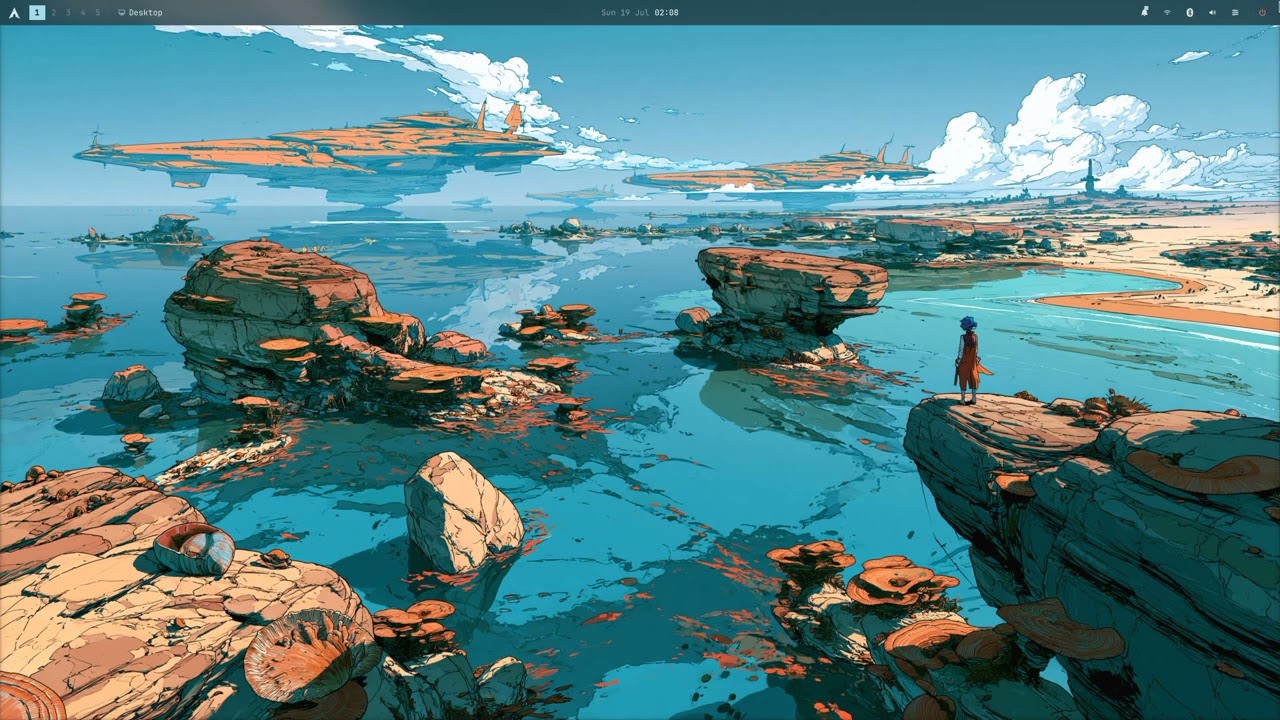
Watch on YouTube: https://youtu.be/AKwGuXvT4s8
HyperWebster is the ISO builder. It bundles and installs the upstream caelestia dotfiles; it is not affiliated with that project.
Vibecoded and experimental. This repository was built largely with AI-assisted development. It has not been tested on real hardware at scale and is meant for personal use only for now. Use at your own risk - there is no warranty, and the ISO builder should be treated as experimental.
- Hyprland + caelestia shell (Quickshell), restyled with a restrained flat
look; frosted glass blur on by default (
hyperwebster-blur-toggle disablefor flat). Optional rounded corners viahyperwebster-rounding-toggle enable. - LUKS2 disk encryption with optional TPM2 auto-unlock at install (passphrase sealed in TPM; remains fallback). If TPM unlock fails, Plymouth shows an Omarchy-style graphical passphrase dialog (lock + entry + bullets) on the Starman splash - USB keyboard required.
- Themed SDDM login that mirrors the desktop palette; auto-syncs when you switch light/dark mode.
- Limine boot menu with UKI snapshots plus a Starman (Gaming / Steam) entry - boots into gamescope Steam when Deckify/Chimera or DeckShift is installed.
- CachyOS
linux-cachyoskernel +cachyos-kernel-manager- default OOB; CachyOS pacman repos bootstrapped at install; stocklinuxkept as Limine fallback. - 4K HDR TV profile -
hyprmoncfg apply tv-gaming-4kfor 4K144 HDR VRR. - Tailscale preinstalled (
sudo tailscale upto connect). - Raycast-like launcher - fuzzy search on Super+Space.
- Data drive automount - non-system disks premount under
/mnt/<label>before login (exFAT/NTFS owned by the desktop user for Steam); manage in Settings → System tools → Drives. - Omarchy-style keybindings -
Super+Kcheatsheet,Super+Spacelauncher,Super+Ddashboard,Super+Graveworkspace overview. - Omarchy-inspired utilities -
omarchy-sendLAN sharing (Super+Ctrl+S), media transcode (Super+Ctrl+Period), OCR capture (Super+Ctrl+Print), night light toggle (Super+Ctrl+N), Omarchy bash setup +[omarchy]repo, iPhone USB tether via omatether (omatether/ Settings → Additions). - Software story:
yay(AUR), Shelly onSuper+I, flatpak preconfigured. - Btrfs + bootable snapshots via snapper/snap-pac; btrfs-assistant GUI + timeline snapshots; roll back from Limine.
- 120/144 Hz hypersmooth UI - VFR + tuned Hyprland/shell animation durations OOB (toggle in Additions).
- Optional zephyr motion -
hyperwebster-zephyr-polish enableor Settings → Additions. - Settings → Additions - layer mod toggles (blur, rounding, hypersmooth, TV profile, …) plus optional software (Steam, Lutris, Heroic, Steam ROM Manager, OBS, …).
- Maintenance menu -
Super+Ctrl+Shift+M(hyperwebster-maint). hyperwebster-update- snapshot → upgrade → layer migrations.- Gaming (opt-in): Deckify/Chimera (
hyperwebster-deckify-install) or DeckShift; Heroic / Steam ROM Manager for Non-Steam Epic and emulator tiles in gamescope; optional Decky / Millennium (experimental Steam UI mods).Super+Shift+Sor Limine Starman for Steam Big Picture.
Cross-platform entry point: ./build.sh runs natively on Arch, or inside an
Arch container on macOS / Windows / other Linux.
sudo pacman -S --needed git libisoburn squashfs-tools coreutils devtools pacman-contrib reflector
git clone https://github.com/spundone/HyperWebster-OS.git
cd HyperWebster-OS
./build.sh
# or: ./hyperwebster.sh- Install OrbStack (recommended) or Docker Desktop.
- Clone the repo and run:
chmod +x build.sh scripts/build-in-container.sh
./build.sh
Needs ~30 GB free disk. First build downloads the stock Arch ISO (~1.3 GB) plus
packages. Output: hyperwebster-arch-YYYYMMDD.iso in the repo root.
- Install WSL2 (Ubuntu) and Docker Desktop with WSL integration enabled for your distro.
- Clone the repo inside WSL (not a
/mnt/c/...path - bind mounts from NTFS are slow):
git clone https://github.com/spundone/HyperWebster-OS.git
cd HyperWebster-OS
chmod +x build.sh scripts/build-in-container.sh
./build.sh- VS Code / Cursor: Reopen in Container (
.devcontainer/devcontainer.json), then./hyperwebster.sh. - Force container on Arch:
HYPERWEBSTER_FORCE_CONTAINER=1 ./build.sh.
If no stock Arch ISO (archlinux-*.iso) is in the repo root, the script downloads
the latest automatically from official mirrors (~1.3 GB). To supply your own ISO
instead, place it in the repo root or set HYPERWEBSTER_ARCH_ISO. Set
HYPERWEBSTER_SKIP_ISO_DOWNLOAD=1 to restore fail-fast behavior when the ISO is
missing.
Output: hyperwebster-arch-YYYYMMDD.iso (~4 GB). Cached payload in ./offline/.
Env vars: HYPERWEBSTER_ARCH_ISO, HYPERWEBSTER_ARCH_ISO_URL,
HYPERWEBSTER_SKIP_ISO_DOWNLOAD=1, HYPERWEBSTER_MIRRORLIST,
HYPERWEBSTER_REFRESH_MIRRORS=1. See hyperwebster.sh header comments.
The offline repo includes linux-cachyos, cachyos-kernel-manager, tailscale,
and CachyOS trust packages (downloaded from CachyOS mirrors
at build time). Delete ./offline/ to force a full refresh after upstream bumps.
- Write the ISO to USB (
ddor Ventoy). UEFI only. - Boot and follow the offline installer: hostname (default
hyperarch), user, password, region, LUKS encryption (recommended), TPM2 auto-unlock (when TPM present), target disk. - Layout: 1 GiB EFI + LUKS/btrfs with
@/@home/@snapshots/@log+ Limine. - Reboot into SDDM. Run
sudo pacman -Syuonce online (syncs CachyOS + Arch dbs). Optional: Settings → Services → CachyOS kernel & repos → ON to convert userspace packages to CachyOS optimized builds (reboot after). - Settings → Additions → Deckify / Chimera Gaming (or DeckShift) for Starman boot.
sudo tailscale upfor remote access.
| Detected | Packages |
|---|---|
AMD (1002) |
mesa vulkan-radeon |
NVIDIA (10de) |
nvidia-open-dkms stack + Wayland KMS |
Intel (8086) |
mesa vulkan-intel intel-media-driver |
The installer scans PCI vendor IDs and installs the matching driver stack automatically.
HyperWebster tweaks live in a config-override layer at ~/.config/caelestia/
and ~/.local/share/hyperwebster/. Delete a file to revert one change.
hyperwebster-update pulls the latest layer from GitHub, snapshots before upgrades,
and applies new migrations. Restart the shell after layer changes: Ctrl+Super+Alt+R.
hyperwebster-blur-toggle disable      # flat opaque panels (blur is on by default)
hyperwebster-rounding-toggle enable   # rounded shell + window corners
hyperwebster-zephyr-polish enable     # optional zephyr overshoot motion
hyperwebster-maint                    # maintenance menu (or Super+Ctrl+Shift+M)
hyperwebster-snapshots               # btrfs / snapper shortcuts
hyperwebster-launcher-raycast        # refresh Raycast-like launcher settings
hyprmoncfg apply tv-gaming-4k        # 4K HDR TV display profile
hyperwebster-transcode               # resize media for sharing (Omarchy-style)
hyperwebster-omarchy-menu            # install menu (or Super+Alt+Space)
omarchy-send # LAN file transfer TUIHyperWebster cherry-picks Omarchy's UX without shipping the full distro.
See os updates/omarchy-extras/README.md for the full mapping.
| Feature | Key / command | Notes |
|---|---|---|
| Keybinding layout | Super+K cheatsheet |
Full Omarchy default map on caelestia |
| LAN file share | Super+Ctrl+S, omarchy-send |
28allday/omarchy-send |
| iPhone USB tether | omatether |
28allday/omatether; NM + networkd coexistence |
| Media transcode | Super+Ctrl+Period |
fuzzel menus; omarchy-transcode shim for bash aliases |
| OCR capture | Super+Ctrl+Print |
grim + tesseract |
| Night light | Super+Ctrl+N |
hyprsunset; Quick Settings tile too |
| Install menu | Super+Alt+Space |
fuzzel menus + fzf package pickers (omarchy-launcher/) |
| Bash shell setup | default login shell | Vendored from Omarchy default/bash |
| Developer polish | omadots configs | starship, tmux, btop, LazyVim |
| Gaming installer shims | omarchy-pkg-add etc. |
DeckShift / Chimera compatibility |
| Limine snapshot tools | [omarchy] pacman repo |
Prebuilt limine-snapper-sync updates |
Not ported: Walker/Elephant launcher (caelestia launcher instead), Waybar,
theme/background switchers, Omarchy reminders, full Omarchy Style/Setup/Update
menus (install/control menu is in omarchy-launcher/).
On-box AI guide: ~/.claude/skills/hyperwebster/SKILL.md and
~/.local/share/hyperwebster/ONBOX-AI-NOTES.md.
Features worth validating on your hardware:
| Feature | What to verify |
|---|---|
| TPM2 LUKS unlock | Cold boot without passphrase; fallback after BIOS change |
| 4K HDR / VRR TV | hyprctl monitors; gamescope session on your display |
| Starman boot | Limine entry → gamescope Steam without SDDM password |
- UEFI only. No BIOS/MBR.
- LUKS2 encrypts the root partition; back up your passphrase even with TPM enrolled.
- NVIDIA open modules target Turing+ (RTX 20-series and newer).
- Package snapshot is from build day - run
sudo pacman -Syuonce online.
The offline-repo download phase pulls hundreds of packages from Arch mirrors on
the build host. A single slow mirror (for example geo.mirror.pkgbuild.com
stalling below 1 byte/sec) makes pacman abort with "too many errors from a
single mirror".
What the script does now: it ranks mirrors with reflector when available,
falls back to a curated multi-mirror list, sets DisableDownloadTimeout and
ParallelDownloads, and retries failed downloads up to three times (refreshing
mirrors between attempts).
Retry the build:
# Force fresh mirror ranking, then rebuild (reuses cached AUR builds)
HYPERWEBSTER_REFRESH_MIRRORS=1 ./hyperwebster.sh
Optional — rank mirrors yourself first:
sudo reflector --latest 20 --sort rate --save /etc/pacman.d/mirrorlist
HYPERWEBSTER_MIRRORLIST=/etc/pacman.d/mirrorlist ./hyperwebster.sh
Still failing? Delete only the partial download cache and retry (keeps AUR
build stamps in offline/aur/):
rm -f offline/build-mirrorlist offline/dl-pacman.conf
rm -rf offline/dl-db
HYPERWEBSTER_REFRESH_MIRRORS=1 ./hyperwebster.sh
If you see build-mirrorlist could not be read during an AUR chroot build, the
chroot's pacman.conf still pointed at a deleted host path. Re-run ./hyperwebster.sh
(the builder heals this); or wipe the chroot and rebuild AUR packages:
sudo rm -rf offline/chroot
rm -f offline/aur/.built-*
./hyperwebster.sh
For a full package refresh (slow), delete the entire offline/ directory.
See docs/CREDITS.md for the full list. Key upstream projects: NoSignal OS, Arch Linux, Hyprland, caelestia, Quickshell, SDDM, Limine, Omarchy, ChimeraOS, Deckify, DeckShift, CachyOS, zephyr, Tailscale.
MIT - see LICENSE.