everyone
Everything on this page works the same for every role. Your own page says what you may change: Net Control, SAG, Liaison, Logistics, Staff.
Course Ops is supplemental. It does not replace the net.
Everything still goes over the air to Net Control - including anything you enter here yourself. Drop the pin and call it in. A pin is a note on a map; the net is where it becomes a decision somebody is accountable for.
Phones lose signal in the low spots, batteries die, and a screen can be minutes behind without saying so. If it was not on the air, treat it as though nobody knows.
Tap the link you were sent. There is nothing to install, no password, and no account. The page updates itself as reports come in - do not refresh it to see whether something changed.
Add it to your home screen so it opens full screen and you are not hunting through a text message at 07:00 on race morning.
- iPhone / iPad: Share, then Add to Home Screen.
- Android: the browser menu, then Install app or Add to Home screen.

The badge on the far right is the one to keep half an eye on. It is the only thing that tells you whether what you are looking at is current.
| Badge | Meaning |
|---|---|
| Live | Connected. Positions and reports arrive as they happen |
| Connecting... | Trying |
| Reconnecting... | The connection dropped. What is on screen may be minutes old |
| Access denied | The link has been revoked, or it is for a different event. Ask for a new one |
The badge beside it is your role. It never changes colour, and it is never an alarm - it is there so you can tell at a glance which link you are holding.
The ? between them opens your guide - this page's role-specific companion,
in a new tab, so you never lose the map to read it. Whichever link you are
holding, the ? goes to the page written for it.
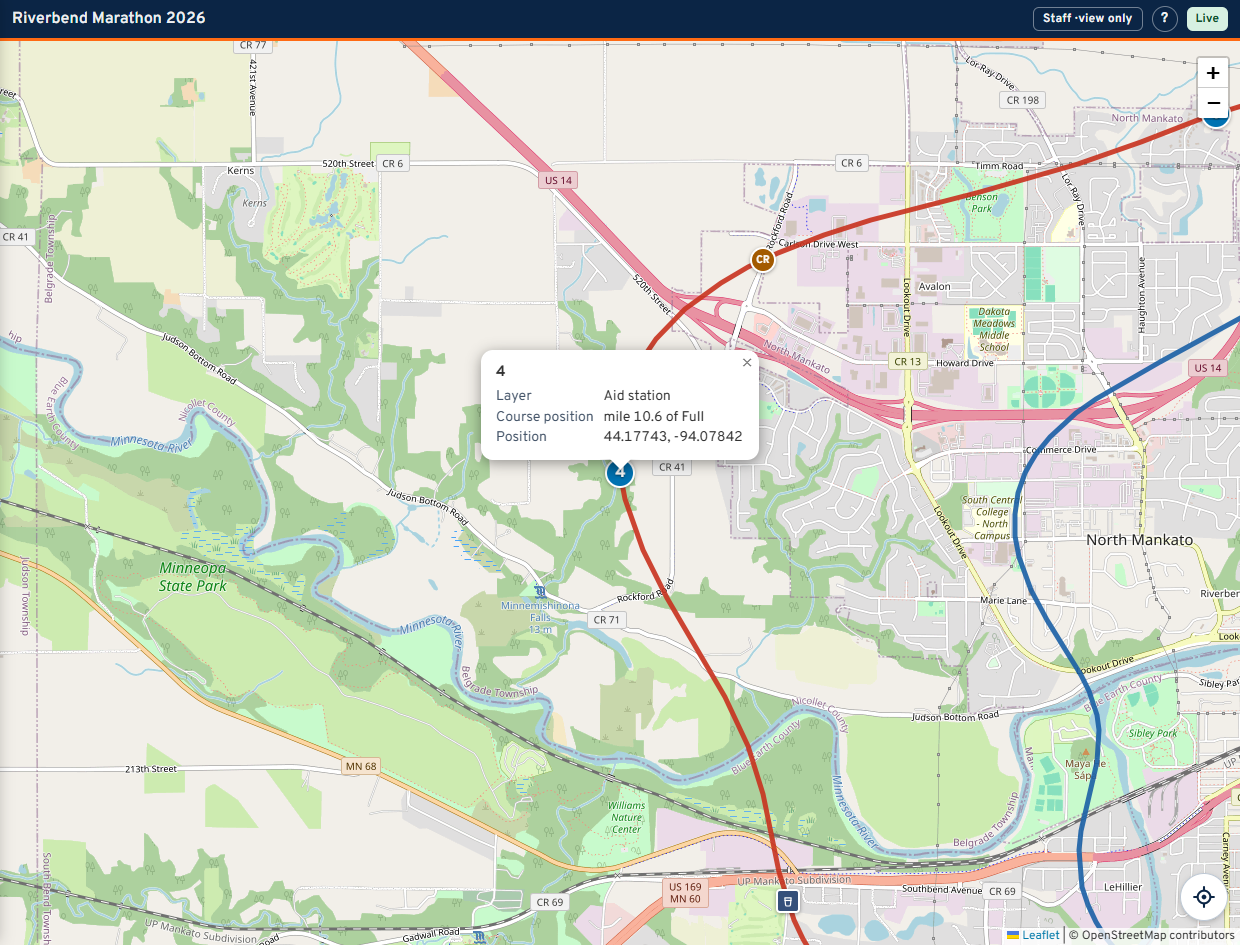
- Coloured lines are the races. Each race has its own colour, and the same colour is usually the bib colour for that race.
- Pins are places from the organizer's course file: aid stations, start and finish, medical, parking. A pin carries one or two characters - the aid station's number or letter - so you can name it without opening it.
- Round, square and diamond markers are people with radios. Round is a general station, square is a sweep, diamond is SAG. The two or three characters on the marker come from the station's name.
- A red square with a bib number is a pickup - somebody waiting for a ride. It changes colour as it is dispatched and delivered.
- A round purple pin is a course note: a cone in the road, a turn nobody is marshalling. Nobody is waiting at one. It is a different shape as well as a different colour, so the two never have to be told apart by colour alone.
Tap anything to open it. Tapping a row in a list flies the map to it; on a phone the panel closes so you can see where it landed - the Layers button at the bottom brings it back.
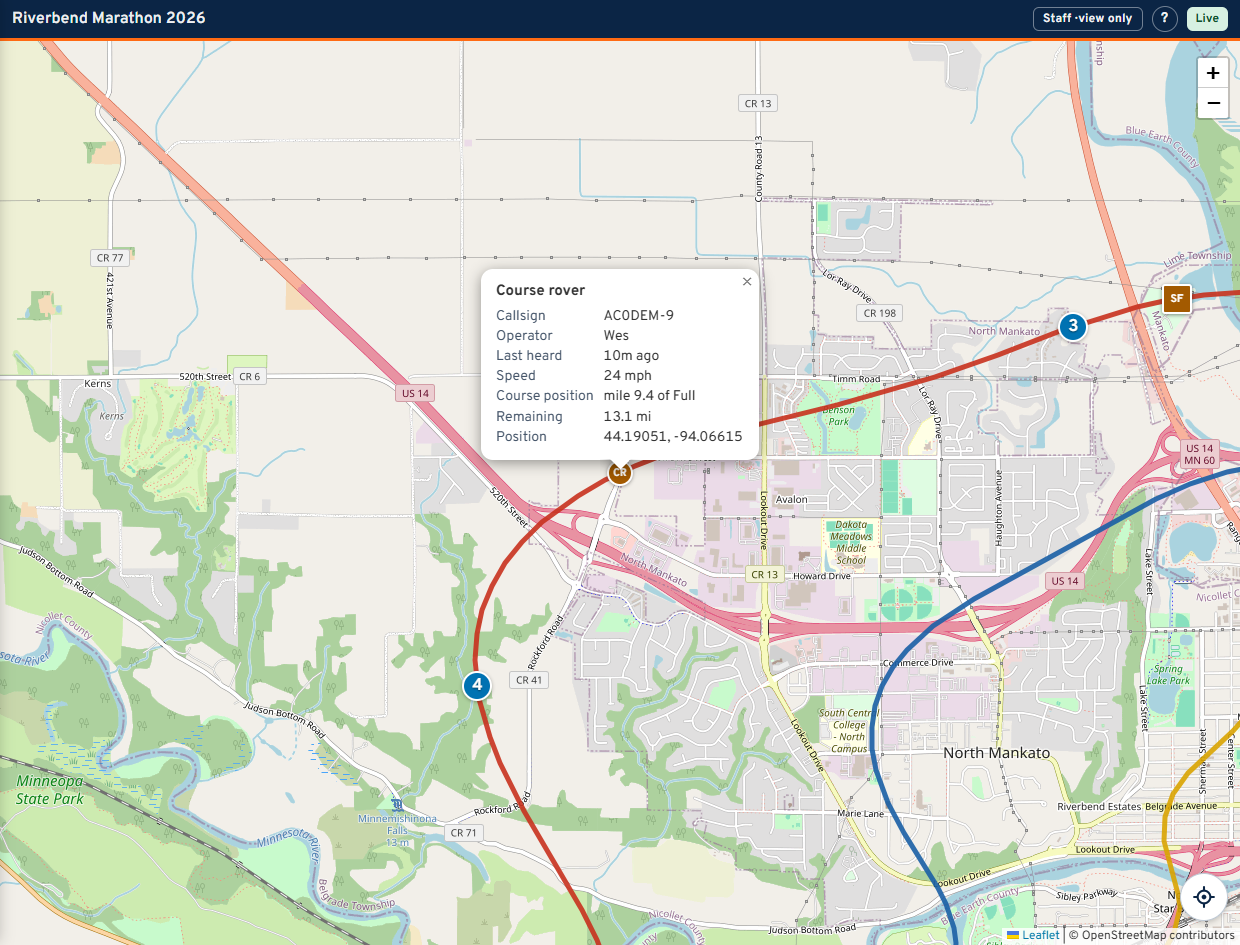
A station popup gives the callsign, the operator, how long since it was last heard, and where it is on the course - "mile 11.6 of Full". That mile figure is what gets said on the air.
A place popup gives its layer, its position on the course and its What3Words address if the club entered one.
An APRS position arrives every one to five minutes, sometimes less often in the hills. Markers move in steps. Nothing is smoothed or animated, because a marker gliding along a road it was never reported on is a position somebody would act on.
| Colour | Meaning |
|---|---|
| Green | Heard in the last 10 minutes |
| Amber | 10 to 20 minutes |
| Red | Over 20 minutes, or never heard |
| Grey | Not expected to beacon at all. Most aid station operators are handhelds with no APRS. Grey is normal, not a fault |
On a wide screen there are two panels, one either side of the map. Which sections you get depends on your role.
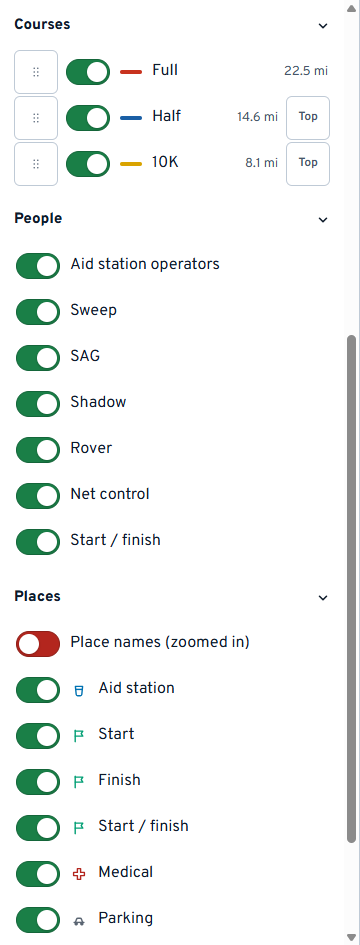
- Courses - one switch per race, and its distance. Top puts a race's line above the others where they share road. Your arrangement is yours alone; Back to the club's order undoes it.
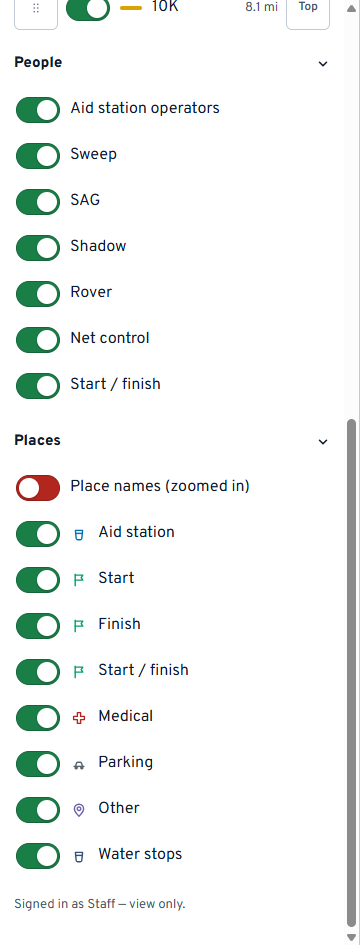
- People - which kinds of station are on the map.
- Places - which kinds of place are on the map, plus Place names, which writes the names beside the pins once you are zoomed in.
- Operator - put your callsign, name or initials in here. It is stamped on anything you change so a shift handover can see who did what. It is not a login and nothing checks it.
Every heading folds. Fold what you are not using and it stays folded, including after your phone reloads the page on its own coming out of a dead zone. The layer switches sit at the bottom on purpose: set them once, then forget them.
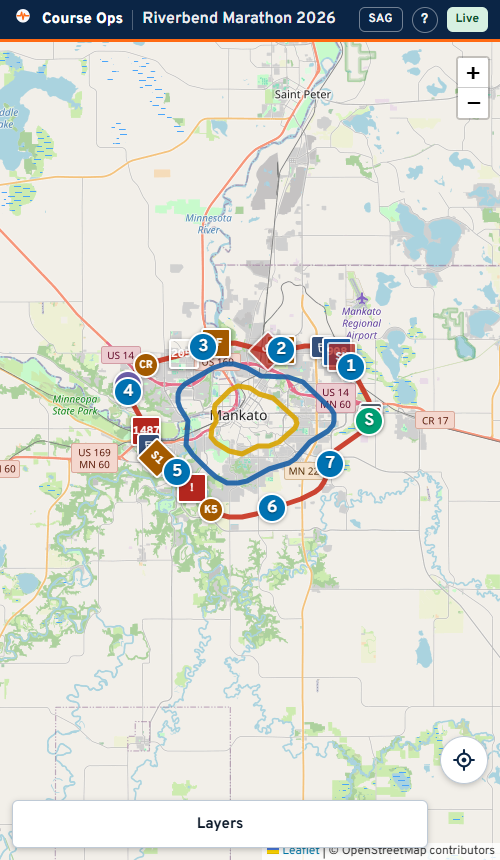
The panel becomes a sheet at the bottom. Tap Layers to raise it, the X to drop it back down. The map is full width behind it.
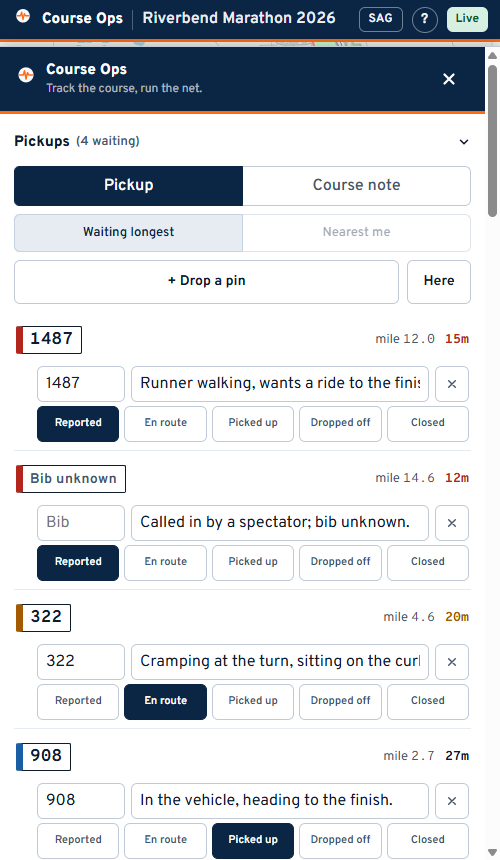
The sections your role exists to look at are moved to the top of the sheet, so you are not scrolling for them mid-net.
The crosshair button at the bottom-right of the map shows your own position as a blue dot, with a circle for how accurate the fix is.
Your position stays in your phone. It is never sent to the server, never stored, and no other viewer can see it.
Two things to know:
- Location needs HTTPS. If the club is serving the map over plain
http://on a LAN, the browser blocks it and the app says so. - If the accuracy circle is large, the fix came from wifi rather than GPS. The app tells you the number rather than letting you trust a dot that could be anywhere in the block.
| What you see | What to do |
|---|---|
| The badge says Reconnecting | Wait. It retries on its own. Do not act on what is on screen until it says Live |
| A station is red and you know they are fine | They are on the air but not beaconing, or their radio's SSID is not the one on the roster. Tell Net Control |
| A station is grey | Expected. They have no APRS. Their position on the map is the aid station they were posted to |
| The whole page is a 404 | The link was revoked, or it was truncated by the text message. Ask for it again |
| You cannot find the panel | On a phone, Layers at the bottom. On a wide screen, the chevron at the panel's edge brings it back |