setup ideas
The parts of Course Ops with no fixed list - place layers, station roles, races and links - are where it either fits how your club works or it does not. None of them are discovered by reading a form, so this page is the tour.
Setting up, in four parts
- The course - events, import, courses, places
- Roster and links - the people, and how they get in
- Race week and after - tracking, the rehearsal, the report
- Making it yours - you are here
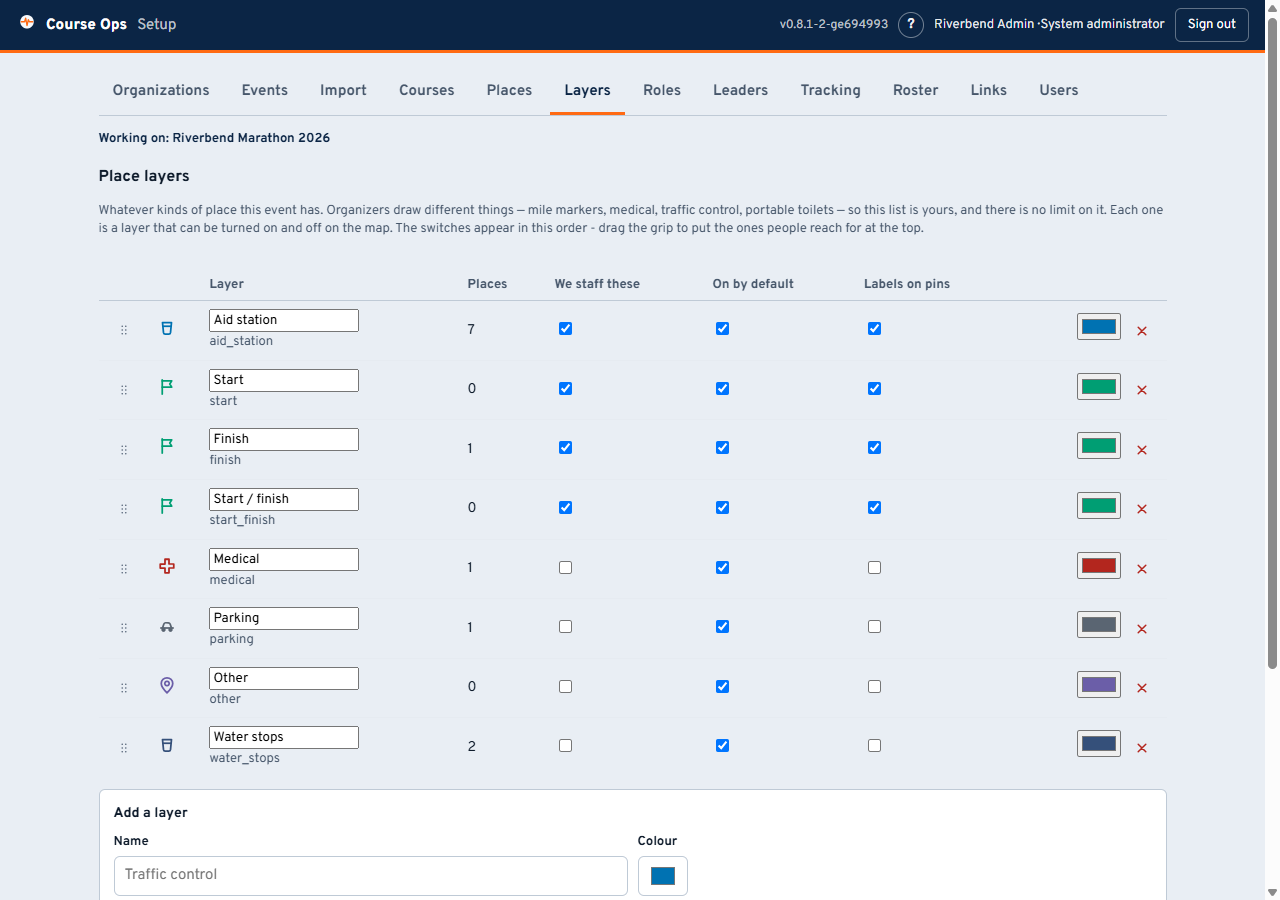
There is no fixed list of place types. Aid station, medical, parking and the rest are a starting point, not a limit. Rename them, delete them, add as many as you want. A layer is a switch on everyone's map, so a club can put things on the map that only matter for an hour and turn them off after.
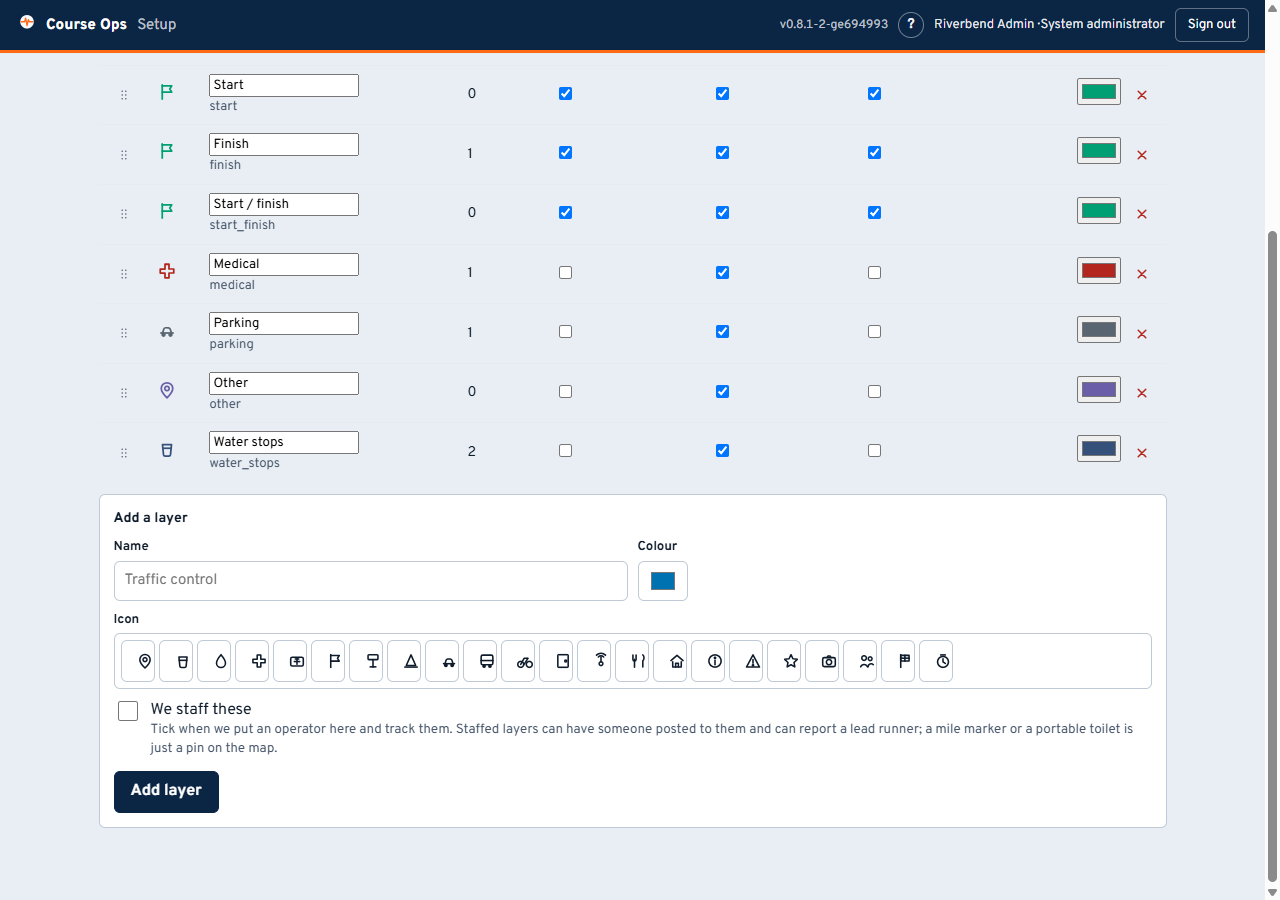
Each layer gets a name, a colour, an icon, and three switches:
| Switch | What it decides |
|---|---|
| We staff these | Whether an operator can be posted here, a lead runner sighted here, and a what3words address is worth keeping. This is the one that matters |
| On by default | Whether the layer starts switched on. Turn it off for a 26-marker mile layer |
| Labels on pins | Characters on the pin instead of the icon. Good for a dozen aid stations, terrible across fifty mile markers |
Renaming a layer is always safe - no place has to move, because the name is display only. Deleting one that still has places in it is refused, rather than leaving those places in the database and off the map with nothing to say why.
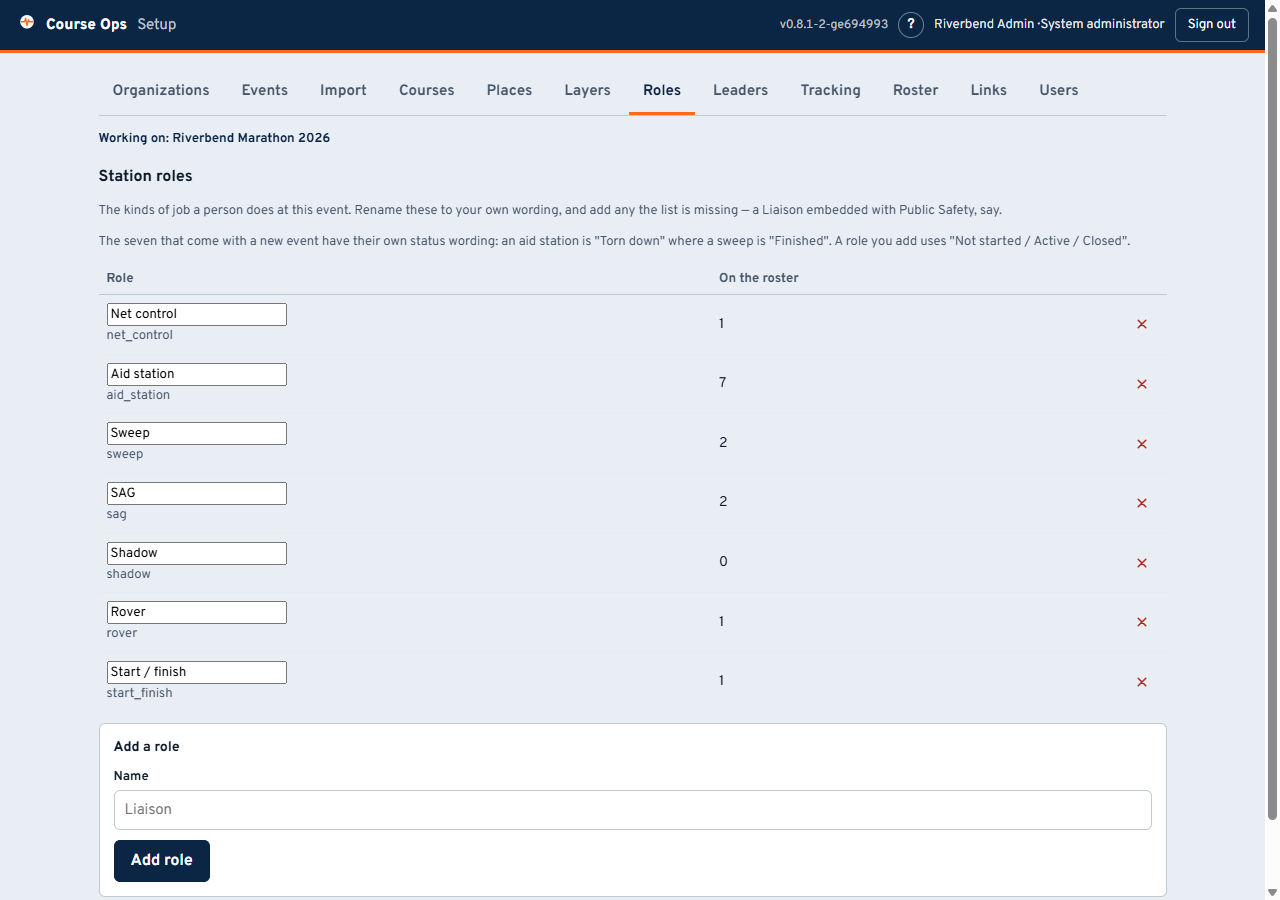
Rename Rover to Floater if that is what your club says on the air. Add one the list is missing - Liaison is the obvious example, and it is why the list stopped being fixed. Renaming is safe for the same reason: nothing keys off the displayed name.
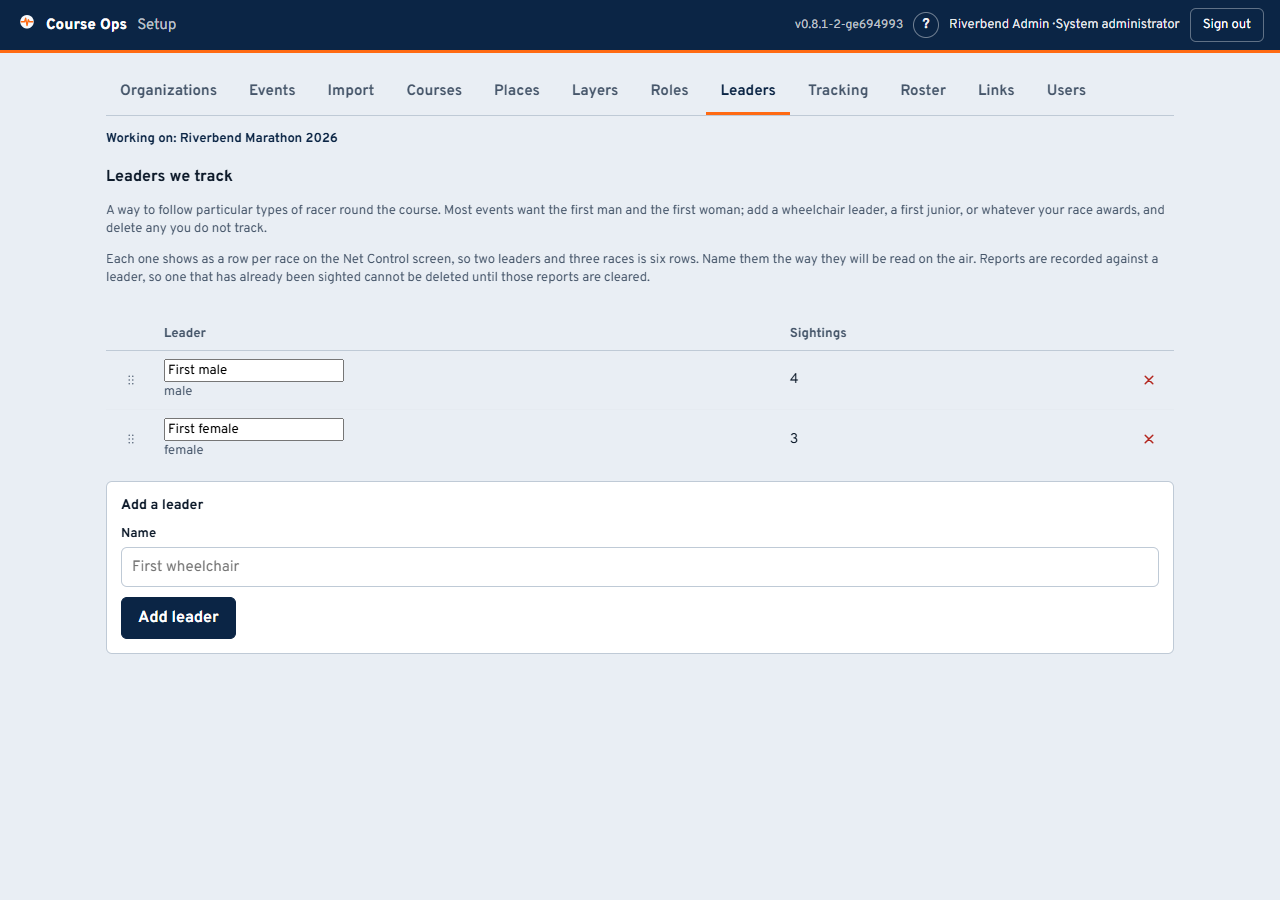
A leader is a type of racer you want a position for as they come round the course. A new event starts with First male and First female. Rename them to your own wording, add a wheelchair leader or a first junior, and delete any your race does not award.
The name is the whole label, exactly as it appears on the Net Control screen, so type First wheelchair rather than Wheelchair if that is what will be said on the net. Drag the grip to set the order they are listed in within each race.
Mind the arithmetic before adding a fourth. Net Control sees one row per race per leader, so three races and two leaders is six rows; three races and four leaders is twelve. Track what will actually be called in.
The same two rules as the layers and the roles, for the same reasons:
- Renaming is always safe. Reports are recorded against the leader itself, not against its wording, so changing First female to First woman mid-event leaves every sighting where it is.
- A leader that has been sighted cannot be deleted until its sightings are cleared, and the app says how many are in the way. Otherwise those reports would quietly vanish from the panel with nothing to say where they went. Clearing is on the Net Control screen, per race and per leader.
Set these before the event rather than during it.
Map anything the net asks about. Layers are just named, coloured, icon'd sets of points. Traffic control posts. Road closures. Portable toilets, so the most-asked question on any net has an answer on a map. Shelter and warming points. Spectator crossings. Photo positions. Hazards found during the course walk. Turn a layer off when it stops being interesting and it is out of everyone's way without being deleted.
None of that has to come from the organizer. Setup -> Places has a map: click where the thing is, name it, pick a layer. So this works for an event with no course file at all - a parade, a 5K, a vehicle race with people posted at corners rather than at stops.
Staff the layers that hold people, not the ones that hold objects. We staff these is the switch that lets an operator be posted somewhere and a lead runner be sighted there. A club that puts a person on every traffic control point should tick it for that layer - and the whole progression, posting and status machinery starts working there too.
It is not only marathons. Anything with a route, points along it, and volunteers on radios fits: a bike tour with rest stops, a walkathon, a parade route with intersection posts, a triathlon's run leg, a ski loppet, a public service exercise with checkpoints. Rename "Aid station" to "Rest stop" or "Checkpoint" and the rest of the app follows the new wording.
It works with no APRS at all. Leave tracking off, mark everyone no APRS, and you still have the course, the places, the roster with live status, the pickup queue, course notes and lead runners. Positions are one feature, not the foundation - a club with handhelds and no trackers still gets most of this.
Lead runners are per race. Each race gets its own progression and its own bib colour, so a three-race event is three progressions rather than one confused one. Which leaders you follow is the Leaders tab, above.
Give the organizer the Staff link early. It is read-only, it is safe to forward to people the club has never met, and a race director watching the sweep move on their own phone asks you far fewer questions.
Run a rehearsal event. Make a second event, import last year's files, hand out its links, and let people tap through it on their own phones before race week. Nothing in it touches the real one - every table in the app is scoped to its event.
Several people can hold one role. A link works on any number of phones, so three Net Control operators on three screens is a supported way to run a big net; they see each other's changes as they happen. Give them a link each when you want to be able to revoke one of them.
Next year, start a new event. Import the same files, build the roster again, issue fresh links. Last year's event stays exactly as it was, report and all.
Back to the walkthrough, or the volunteer guides.