logistics
You are out on the course: traffic control, cones, signage, teardown. Read the basics first if you have not.
Course Ops is supplemental. It does not replace the net.
Everything still goes over the air to Net Control - including anything you enter here yourself. Drop the pin and call it in. A pin is a note on a map; the net is where it becomes a decision somebody is accountable for.
Phones lose signal in the low spots, batteries die, and a screen can be minutes behind without saying so. If it was not on the air, treat it as though nobody knows.
You can report. You cannot work the queue. You may open a pickup or a course note and fill in its bib and note; moving one along, closing it or deleting it stays with Net Control and SAG.
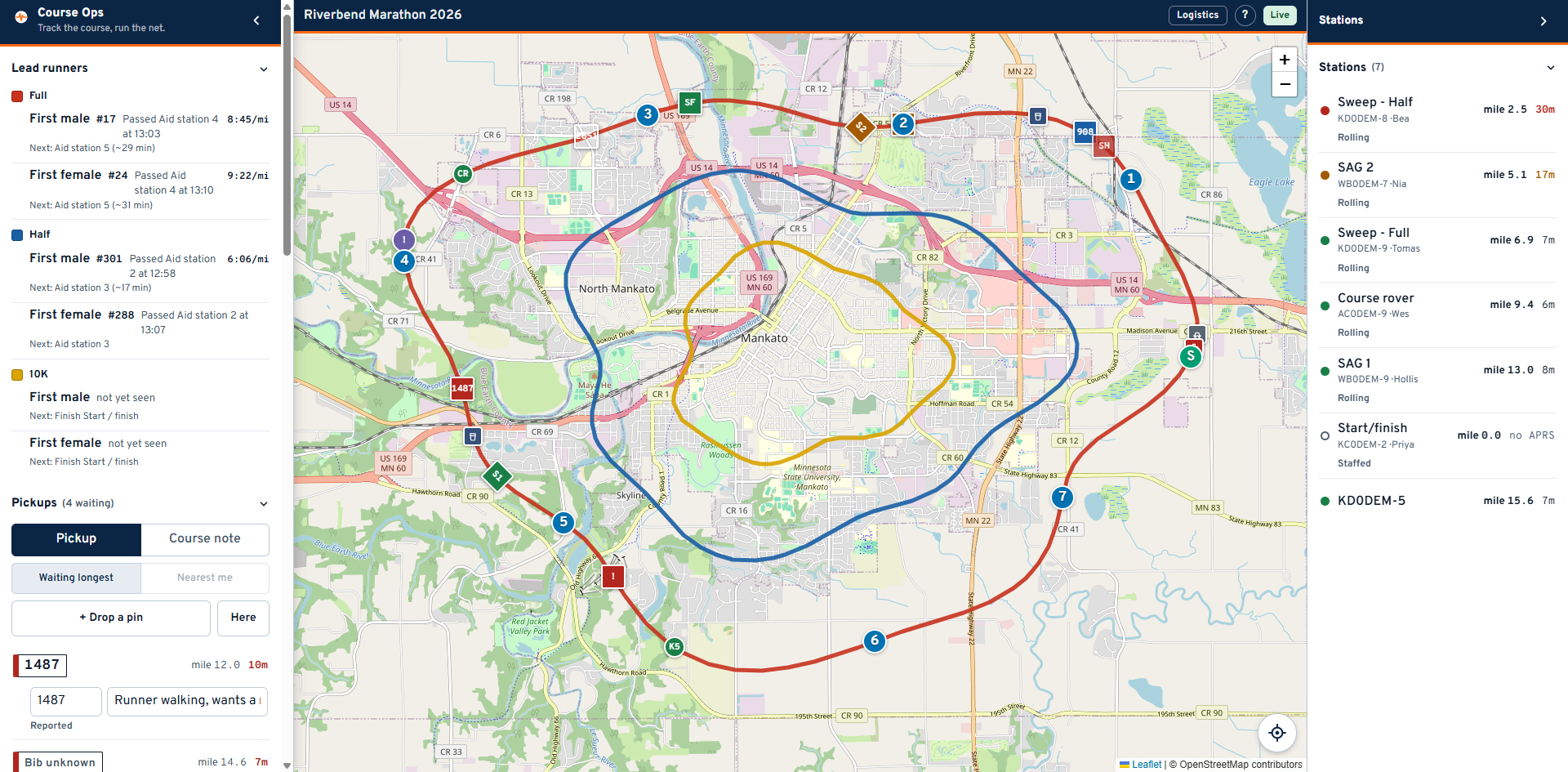
The Stations panel is why this link exists for you.
The sweep is the back of the pack. When the sweep has passed your intersection, the road behind it is clear and the cones can come up. Nothing else on the screen tells you that.
- Sweeps are the square markers on the map. SAG vehicles are diamonds.
- Each row gives the sweep's position as a mile on a named course - "mile 8.0 of Full" - and how long since we heard it.
- Green is under 10 minutes. Amber to 20. Red past that, and a red sweep means the position on screen is old, not that the sweep has stopped.
Tap a row to fly the map to it - the last position for a station that beacons, the place they are posted at for one that does not.
Your map starts with the aid station operators' layer switched off, because your screen is about vehicles moving through the course. Turn it back on under People whenever you want the whole roster.
Lead runners tells you when each race's front runner passed an aid station, and roughly when they are due at the next one. Between the leader and the sweep you have the front and the back of the field, which is the whole window your intersection has to be staffed for.
If a sighting looks impossible, the app will already be showing no pace and no estimate rather than a wrong one - two reports seconds apart cannot produce a useful number.
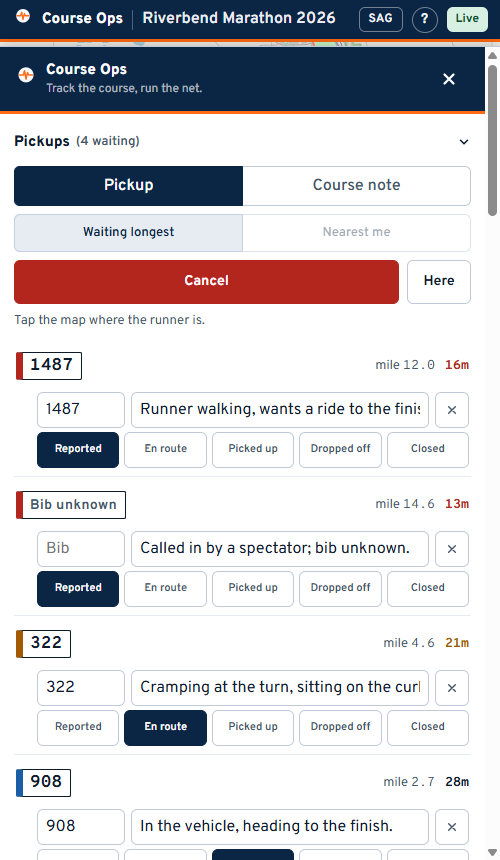
- Press + Drop a pin.
- The panel gets out of the way. Tap the map where it is.
- Fill in a short note - and the bib, if it is a runner.
- Call it in to Net Control on the net. Dropping the pin is not the report; it is what makes the report easy to find on a map afterwards.
Here drops it at your own position in one press, which is usually the right one for you: you are standing at the thing. If the fix is poor the app says so rather than letting you trust it.
Switch Pickup / Course note at the top:
- Pickup - a runner who needs collecting. It joins the queue Net Control and SAG work.
- Course note - a lane blocked, a sign down, a marshal who never arrived, cones knocked over at a bridge approach. No status, never in the pickup count, and it reaches the organizer after the event.
A runner sitting down is a pickup, even if you can also see the cones problem. Report them separately.
| Question | Answer |
|---|---|
| Can I take my cones up? | Only once the sweep for every race using your road has passed. Check each sweep row, not just one |
| The sweep row is red | We have not heard the radio for over 20 minutes. Do not read it as "the sweep is stopped". Ask on the net |
| A grey station | No APRS at all - most aid station operators. It is drawn at the aid station it was posted to |
| I dropped a pin in the wrong place | Ask Net Control to remove it. Deleting is not on your link |
| The map will not show my location | It needs HTTPS. On a club LAN over plain http the browser blocks it - tap the map instead |